
10 Ways AI Can Save You 5 Hours Every Week
Everyone says AI saves time, but nobody shows the math. Here are 10 concrete tasks, the minutes each one actually saves, and a running tally that adds up to a real 5+ hours a week.
"AI saves you time" is one of the most repeated claims in every productivity article, and one of the least quantified. Nobody shows the actual minutes. So this post does exactly that: 10 specific, everyday tasks, the time each one realistically saves in a normal work week, and a running total you can check line by line.
Spoiler: it adds up to more than five hours. Here's the receipt.
The Math: Where the 5 Hours Actually Come From
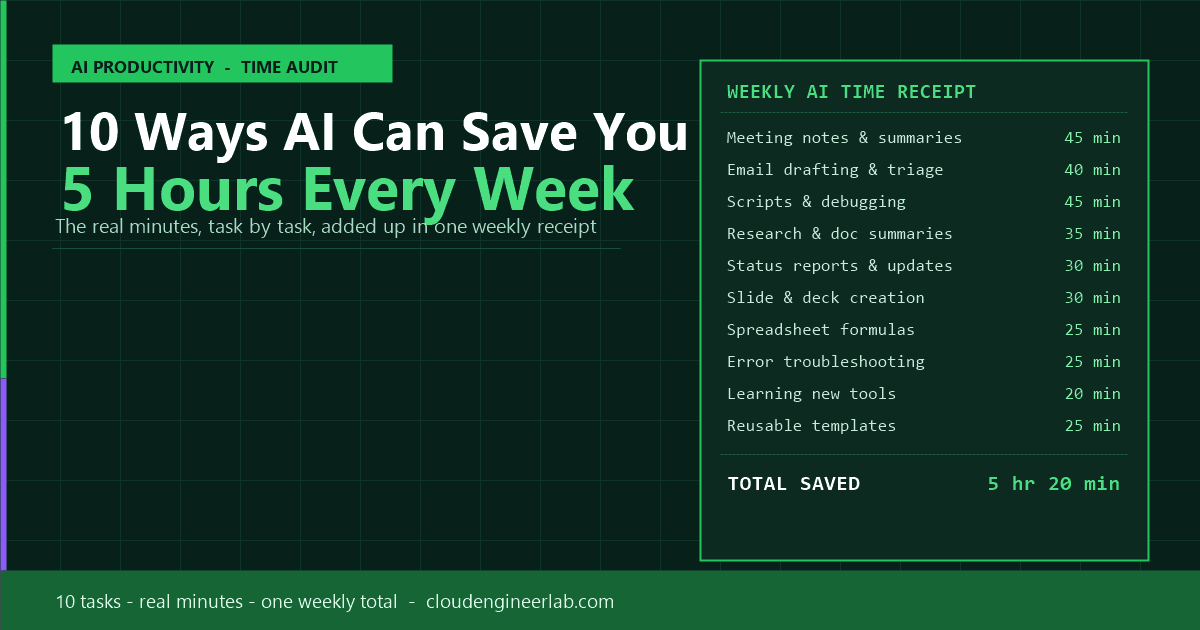
Before the explanations, here's the full tally, treat it like a receipt for your week.
+-----------------------------------------------+
|         YOUR WEEKLY AI TIME RECEIPT            |
+-----------------------------------------------+
| 1. Meeting notes & summaries        45 min     |
| 2. Email drafting & inbox triage    40 min     |
| 3. Writing & debugging scripts      45 min     |
| 4. Research & document summaries    35 min     |
| 5. Status reports & updates         30 min     |
| 6. Slide & deck creation            30 min     |
| 7. Spreadsheet formulas & data      25 min     |
| 8. Troubleshooting error messages   25 min     |
| 9. Learning new tools faster        20 min     |
| 10. Reusable templates & SOPs       25 min     |
+-----------------------------------------------+
| TOTAL TIME SAVED               5 hr 20 min     |
+-----------------------------------------------+
That's not a best-case scenario, it's a conservative estimate for anyone who works with a computer, email, and meetings on a normal week. Some roles will save more on scripting, others more on reports. The total holds either way.
Now let's break down where each line actually comes from.
1. Meeting Notes & Summaries: 45 min/week
Before: You take notes during the meeting (badly, because you're also participating), then spend 20–30 minutes after each significant meeting writing up a clean summary and action items.
With AI: Tools like Microsoft Copilot in Teams, Otter.ai, or Claude (fed a transcript) generate a structured summary, decisions made, action items, owners, the moment the meeting ends.
How to do it: Turn on meeting transcription, then prompt: "Summarise this meeting transcript into: key decisions, action items with owners, and open questions. Keep it under 200 words."
2. Email Drafting & Inbox Triage: 40 min/week
Before: Staring at a blank reply box for a message that needs a careful, diplomatic response. Or scanning 40 emails to figure out which 5 actually need action today.
With AI: Draft a reply from three bullet points, or ask AI to summarise a long thread into "what does this person actually need from me."
How to do it: Paste the thread and ask: "Summarise what this email chain needs from me in one sentence, then draft a two-paragraph reply in a professional but friendly tone."
3. Writing & Debugging Scripts: 45 min/week
Before: Writing PowerShell, Python, or SQL from scratch, then hunting through Stack Overflow when it throws an error you don't recognise.
With AI: GitHub Copilot, ChatGPT, or Claude generate a working first draft, and explain error messages in plain English instead of you decoding a stack trace.
This is the biggest single line item for technical roles
If you're a developer, IT admin, or cloud engineer, this one number alone can be double what's listed here. The 45-minute estimate is conservative for anyone doing daily scripting work.
4. Research & Document Summaries: 35 min/week
Before: Reading a 40-page vendor whitepaper or a dense internal policy document cover to cover to find the three paragraphs that actually matter to you.
With AI: Upload or paste the document and ask for a summary targeted at your specific question, not a generic overview.
How to do it: "Summarise this document, focusing only on anything related to [your specific concern]. Flag anything that contradicts our current process."
5. Status Reports & Updates: 30 min/week
Before: Turning a week of scattered progress into a coherent status update, usually written from memory on a Friday afternoon.
With AI: Feed it your rough notes, ticket titles, or commit messages, and get a structured update back in the format your manager actually wants.
How to do it: "Turn these bullet points into a weekly status update with sections for Completed, In Progress, and Blockers. Keep it under 150 words."
6. Slide & Deck Creation: 30 min/week
Before: Building a slide structure from scratch, then fiddling with bullet phrasing for longer than the content deserves.
With AI: Generate a full outline, section by section, from a rough brief, then paste it straight into your slide tool of choice.
How to do it: "Create a 6-slide outline for a presentation on [topic] aimed at [audience]. One key message per slide, with 3 supporting bullets each."
7. Spreadsheet Formulas & Data Cleanup: 25 min/week
Before: Googling "how to do a VLOOKUP with multiple criteria" for the fourth time this year.
With AI: Describe what you want in plain English and get the exact formula, Excel, Google Sheets, or Power Query, back instantly, explained.
How to do it: "Write an Excel formula that looks up [value] in [range], but only if [condition]. Explain what each part does."
8. Troubleshooting Error Messages: 25 min/week
Before: Copy-pasting a cryptic error into a search engine and wading through five outdated forum threads.
With AI: Paste the exact error and get likely causes and a diagnostic path in seconds, grounded in the actual error text, not a generic guess.
Verify before you act
AI explanations of errors are a starting point, not gospel, especially for anything touching production systems. Cross-check against official documentation before making a change you can't easily undo. See AI Hallucinations Explained for why this matters.
9. Learning New Tools Faster: 20 min/week
Before: Reading an entire help doc to find the one setting you need, or watching a 15-minute YouTube tutorial for a 30-second answer.
With AI: Ask the specific question you actually have. "How do I do X in Y tool" gets you a direct answer instead of a full walkthrough you have to skim.
10. Reusable Templates & SOPs: 25 min/week
Before: Writing the same onboarding checklist, FAQ answer, or standard email reply slightly differently every single time.
With AI: Build the template once with AI's help, save it, and reuse it, or have AI regenerate a fresh version instantly whenever the details change slightly.
How to do it: "Turn this one-off email into a reusable template with placeholder fields I can swap out each time."
Quick Reference Table
| # | Task | Time Saved/Week | Tool Examples |
|---|---|---|---|
| 1 | Meeting notes & summaries | 45 min | Copilot in Teams, Otter.ai, Claude |
| 2 | Email drafting & triage | 40 min | Copilot in Outlook, ChatGPT, Gemini |
| 3 | Scripts & debugging | 45 min | GitHub Copilot, ChatGPT, Claude |
| 4 | Research & doc summaries | 35 min | Claude, Gemini, NotebookLM |
| 5 | Status reports | 30 min | ChatGPT, Copilot |
| 6 | Slide & deck creation | 30 min | Copilot in PowerPoint, Gemini |
| 7 | Spreadsheet formulas | 25 min | Copilot in Excel, ChatGPT |
| 8 | Error troubleshooting | 25 min | ChatGPT, Claude |
| 9 | Learning new tools | 20 min | Any chat-based AI tool |
| 10 | Reusable templates | 25 min | ChatGPT, Notion AI |
Your Personal Time Audit
Not every task applies equally to every role. Use this checklist to build your own real number instead of taking the average at face value.
Step 1: Tick what actually applies to you
Go through the 10 items above and mark which ones are a real part of your week. Skip the ones that genuinely aren't, an accountant doesn't debug scripts, and a developer may not build many slide decks.
Step 2: Add up your ticked minutes
Use the Quick Reference Table. Your personal total might be lower or higher than 5 hours, that's the point. This is your number, not a marketing average.
Step 3: Pick one item and start this week
Don't try to adopt all 10 at once. Pick your single highest-minute item, use AI for it for one week, and actually measure whether the time savings hold up in practice.
Step 4: Re-run the audit in a month
As you get faster at prompting and more comfortable with the tools, most of these numbers go up, not down. Revisit your total after a month of consistent use.
What This Time Actually Buys You
Five hours a week is not a rounding error, it's roughly 12% of a standard 40-hour work week, or the equivalent of gaining back an extra half-day. Multiplied across a year, that's over 250 hours: enough time to complete a certification, ship a side project, or simply leave work on time more often.
The math only works if you actually use it
Reading this list saves you zero minutes. The time savings start the first time you replace a real task with an AI-assisted version of it, not when you bookmark the idea for later.
The Bottom Line
None of these 10 tasks require a technical background, a new certification, or a big change in how you work. They require picking one recurring task this week and letting AI take the first pass at it while you review and refine.
Start with whichever line item on the receipt is costing you the most time right now. The other nine will follow once the habit sticks.

Written by
Chetan Yamger
Cloud Engineer · AI Automation Architect · Modern Workplace Consultant
Cloud Engineer, AI Automation Architect, and Modern Workplace Consultant based in Amsterdam, Netherlands. Specializing in scalable, secure enterprise solutions with Microsoft Azure, Intune, PowerShell, and AI-driven automation using ChatGPT, Gemini, and modern LLM technologies.
Stay in the loop.
New articles, straight to you.
Deep-dive technical articles on Intune, PowerShell, and AI — no noise, no spam.
Discussion
Share your thoughts — your email stays private
Leave a comment