
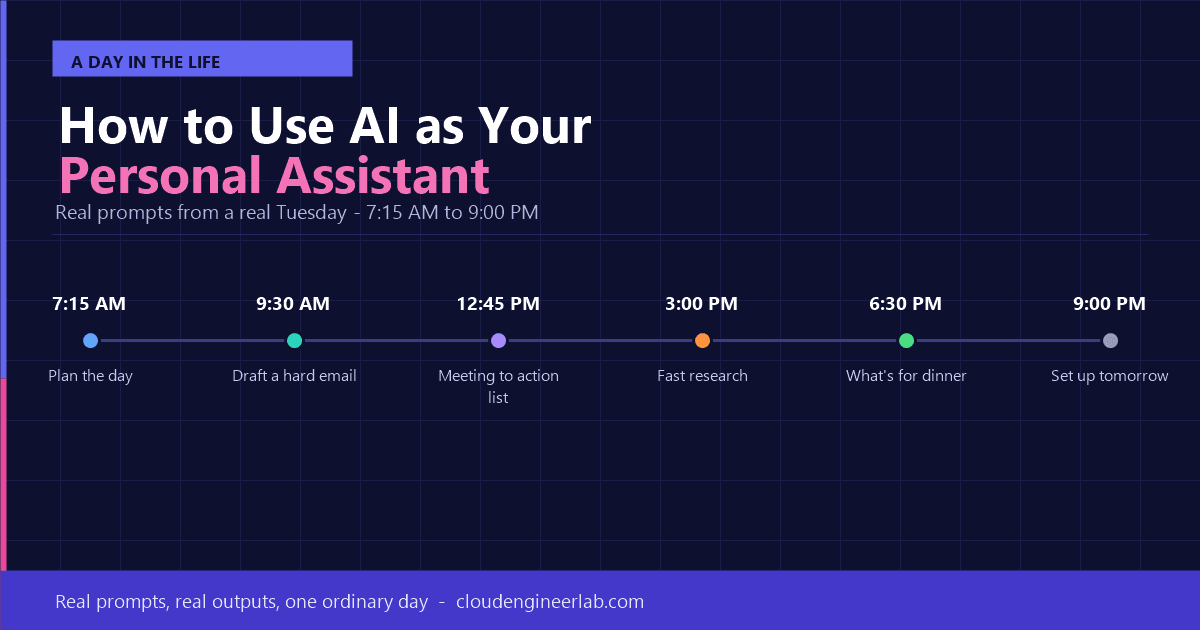
How to Use AI as Your Personal Assistant
Forget the theory. Here's what using AI as a real personal assistant actually looks like, hour by hour, with the exact prompts one person used through a normal day.
A personal assistant used to mean an executive perk: someone to manage your calendar, draft your emails, and remember things so you didn't have to. Most people never had one. Now, effectively, everyone does. It just lives inside an app instead of an office next door.
The problem is most explanations of this stay abstract, "AI can help you stay organised!", without showing what that actually looks like at 7:15am when you're half-awake and trying to figure out what to make for dinner. So instead of another feature list, here's a real day, hour by hour, with the exact prompts used and what came back.
Meet Priya: A Normal Tuesday
Priya manages a small marketing team, has two kids, and, like most people, never has quite enough time. Here's her Tuesday, and where AI quietly did the work she used to do herself.
7:15 AM: Planning the Day
Priya has a client deadline at 2 PM, a school pickup at 3:15 PM, and a dentist appointment she almost forgot about. Instead of mentally juggling all three, she opens ChatGPT on her phone.
What she typed:
I have these things today: finish the Meridian client proposal (needs 2 hours
of focus, due by 2pm), pick up my daughter from school at 3:15pm, and a dentist
appointment at 4:30pm I almost forgot about. I also need to reply to 12 emails
and I have a team standup at 9:30am.

Build me a realistic schedule from 7:30am to 6pm that gets the proposal done
on time and doesn't have me rushing between things.
What came back: A block schedule: proposal work from 7:30-9:15, standup at 9:30, email triage in a 20-minute block right after, proposal finished 10:30–12:30, buffer time before the school pickup, and a note that the dentist appointment leaves no time to go back to the office after, so she should plan to work from her phone if anything urgent comes up.
Why this works better than a to-do list
A to-do list tells you what needs doing. This gave Priya a schedule that already accounted for the fixed commitments (the ones that can't move) and built everything else around them. That's the actual job of a personal assistant: sequencing, not just listing.
9:30 AM: Drafting a Difficult Email
Before the standup, Priya needs to tell a client their launch date is slipping by a week. She knows what she wants to say, but not how to say it without sounding like she's making excuses.
What she typed:
I need to email a client that our project launch is delaying by one week due
to a vendor issue on our side, not theirs. Draft a short, professional email
that:
- Takes ownership without over-apologising
- States the new date clearly
- Offers one concrete thing we're doing to prevent it happening again
Keep it under 120 words.
What came back: A five-sentence email, ready to send with minor personalisation: direct, calm, no groveling, and it included the one detail she'd forgotten to mention, the new date in bold so it wouldn't get missed in a skim-read.
Time this saved: Fifteen minutes of rewriting drafts that all sounded slightly wrong, down to ninety seconds of review and send.
12:45 PM: Turning Meeting Chaos Into Action
The weekly team meeting ran long, covered five different topics, and Priya's notes are a mess of half-sentences. She pastes them into Claude.
What she typed:
Here are my rough notes from today's team meeting: [pasted 200 words of messy
notes]. Turn this into a clean summary with three sections: Decisions Made,
Action Items (with who owns each one), and Open Questions we still need to
resolve. Keep it short enough to paste into a Slack message.
What came back: A tidy three-section summary, correctly attributing the action items to the right team members based on context clues in the messy notes (e.g., "Jake said he'd handle the vendor call" became "Jake: follow up with vendor"). Priya posted it to the team channel within two minutes of the meeting ending.
3:00 PM: Researching a Decision Fast
Priya's team is deciding between two email marketing platforms. Normally this means an hour of tab-hopping between review sites. Instead, she asks Gemini, which can pull in current web information.
What she typed:
Compare Mailchimp and Klaviyo for a small e-commerce business doing about
$50k/month in sales. Focus on: pricing at our volume, ease of use for a small
non-technical team, and automation features. Give me a clear recommendation,
not just a feature list.
What came back: A structured comparison with current pricing tiers, a clear note that Klaviyo is generally stronger for e-commerce-specific automation while Mailchimp is simpler for a small team without dedicated marketing ops, and a recommendation to trial Klaviyo given her stated sales volume.
Verify before you commit
Priya still checked the current pricing directly on each vendor's site before making a decision. AI pricing and feature details can be outdated or slightly wrong. She used the AI response to skip the research phase, not to skip verification on the details that actually mattered for a real purchase decision.
6:30 PM: Solving "What's for Dinner"
This is the least "professional" example on this list, and it's exactly why it belongs here: a personal assistant helps with actual life, not just work tasks.
What she typed:
I have chicken thighs, half a bag of spinach, rice, and a can of coconut milk
in the fridge. Give me a dinner recipe using mostly these, ready in 30 minutes,
for a family with two kids who don't love spicy food.
What came back: A mild coconut chicken and rice recipe using everything she had, with a note to leave out the chili flakes for the kids' portions and add them separately to the adults' plates. No trip to the store, no decision fatigue at the end of a long day.
9:00 PM: Setting Up Tomorrow
Before bed, Priya spends two minutes handing tomorrow's context to AI so morning-Priya starts ahead instead of behind.
What she typed:
Remind me tomorrow morning: the Meridian client is expecting a follow-up call
at 11am about the new timeline, I still owe Jake feedback on the vendor
options he sent, and I wanted to book my daughter's next dentist checkup.
Some tools (like ChatGPT with memory enabled, or a scheduled note in Notion AI) will actually resurface this the next morning. Others simply give her a clean list to paste into her notes app. Either way, it takes the mental load off her evening. She doesn't have to hold onto it overnight.
The Pattern Behind All Six Examples
Look at what's common across the whole day: Priya never asked AI to "be a personal assistant" in some abstract sense. Every single interaction was a specific task, with specific context, asked in plain language.
| Time | Task Type | What Made the Prompt Work |
|---|---|---|
| 7:15 AM | Scheduling | Gave real constraints (fixed times, task durations) |
| 9:30 AM | Communication | Specified tone and a hard word limit |
| 12:45 PM | Summarisation | Pasted the actual messy source material |
| 3:00 PM | Research | Gave a real decision criterion (budget, team size) |
| 6:30 PM | Personal / life | Gave real, specific constraints (what's in the fridge) |
| 9:00 PM | Memory / planning | Gave concrete facts to resurface later |
That's the entire skill. Not a special "assistant mode," not a magic prompt, just clear, specific requests, one real task at a time.
How to Set This Up for Yourself
Step 1: Pick one tool and stick with it for a week
ChatGPT, Claude, Gemini, or Copilot all work for this. Don't switch between them constantly while you're learning; consistency helps you build a feel for how to phrase things well.
Step 2: Start with your calendar and email, not your whole life
The highest-value starting point is usually scheduling and communication, the two things everyone deals with daily. Get comfortable there before expanding to research, meal planning, or anything else.
Step 3: Always give real context, not vague requests
"Help me plan my day" gets a generic answer. "I have a 2pm deadline, a 3:15 pickup, and 12 unread emails" gets a schedule you'll actually follow. The difference is entirely in the specificity you provide.
Step 4: Use memory features where available
Tools like ChatGPT's memory or a dedicated notes-based AI let you build context over time, so you're not re-explaining your job, your family situation, or your preferences every single time.
Step 5: Review before anything goes out or gets booked
Treat every draft (an email, a booking, a recommendation) as something to glance over before it's final. It takes ten seconds and prevents the rare but real mistake.
Which Tool Fits Which Part of Your Day
| Tool | Best For | Why |
|---|---|---|
| ChatGPT | General tasks, drafting, brainstorming, memory across conversations | Broad capability, strong memory features, huge plugin/app ecosystem |
| Claude | Long documents, careful writing, meeting notes and summaries | Handles long text well and produces careful, well-structured output |
| Gemini | Anything needing current information: research, comparisons, prices | Connected to real-time web data by default |
| Microsoft Copilot | Work tasks inside Outlook, Teams, and Office documents | Native integration if your workplace already runs on Microsoft 365 |
You don't need to pick just one
Priya's day used three different tools for three different strengths: ChatGPT for scheduling and email, Claude for meeting notes, Gemini for research. There's no rule that says you need a single assistant for everything, just like you wouldn't expect one human assistant to also be your researcher and your chef.
What This Isn't
An AI personal assistant doesn't remember you called your mother back, doesn't know when you're actually stressed versus just busy, and won't stop you from making a bad decision it wasn't asked about. It's a tool that removes friction from the parts of your day that are mechanical (scheduling, drafting, summarising, researching) so you have more attention left for the parts that actually need to be human.
The Bottom Line
Using AI as a personal assistant isn't a single big setup step. It's a habit built one small, specific request at a time. Priya didn't have a master prompt or a complex workflow. She just asked for exactly what she needed, with the real details of her actual day, six separate times before dinner.
Try it tomorrow morning. Open whichever AI tool you already have, describe your actual schedule with real constraints, and see what comes back. That's the whole starting point.

Written by
Chetan Yamger
Cloud Engineer · AI Automation Architect · Modern Workplace Consultant
Cloud Engineer, AI Automation Architect, and Modern Workplace Consultant based in Amsterdam, Netherlands. Specializing in scalable, secure enterprise solutions with Microsoft Azure, Intune, PowerShell, and AI-driven automation using ChatGPT, Gemini, and modern LLM technologies.
Stay in the loop.
New articles, straight to you.
Deep-dive technical articles on Intune, PowerShell, and AI — no noise, no spam.
Discussion
Share your thoughts — your email stays private
Leave a comment