
AI for Freelancers: How to Get More Work Done in Less Time
You're the sales team, the delivery team, and the accounts department. AI can't replace any of those roles, but it can make you dramatically faster at all three.
An employee who spends an hour writing a status update still gets paid for that hour. A freelancer who spends an hour writing a status update just spent an hour not billing anyone. That's the entire economics of freelancing in one sentence, and it's exactly why AI matters more to a solo freelancer than almost anyone else.
You're the sales team, the delivery team, the accounts department, and the marketing department, all at once. You can't hire a junior to handle the boring 40% of that workload. But you can hand a meaningful chunk of it to AI, starting today, for free.
The Freelance Business Loop
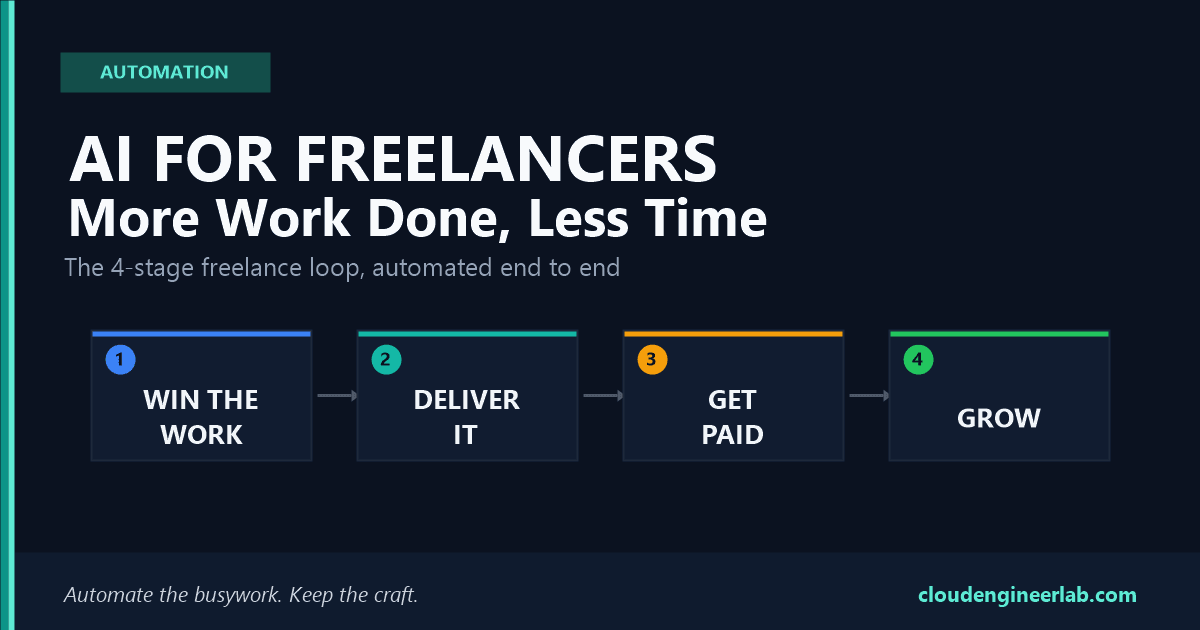
Every freelance business, regardless of what you actually do, runs through the same four-stage cycle, over and over.
AI has a real, specific role in every single stage. Here's where.
Stage 1: Win the Work
This is where freelancers lose the most unpaid hours: writing proposals for work you might not even get.
| Task | Before AI | With AI |
|---|---|---|
| Writing a proposal | 45–60 minutes per pitch, often from a blank page | Draft in 10 minutes from a template + the client's brief |
| Pricing a project | Guessing based on gut feel or old invoices | Structured estimate based on scope, hours, and comparable past work |
| Following up on a quiet lead | Gets forgotten, or feels awkward to chase | A polite, ready-to-send follow-up in seconds |
A real proposal prompt:
I'm a freelance [your specialty] pitching for this project: [paste the client's
brief or a summary of what they need].

Write a proposal that:
- Opens by restating their problem in one sentence, so they know I understood it
- Outlines my approach in 3-4 steps
- States a price of $[amount] and a timeline of [X weeks]
- Ends with one clear next step, not a vague "let me know"
Keep it under 250 words. Match a confident, friendly, non-corporate tone.
Don't let every proposal read the same
If you use the same AI template for every pitch without personalising it, clients notice. Generic-sounding proposals are one of the fastest ways to lose work to a competitor who clearly read the brief. Use AI for structure and speed, then rewrite the opening line yourself every time so it's specific to that one client.
Stage 2: Deliver the Work
This is the actual paid work, but a surprising amount of "delivery" time is really admin wrapped around the real task.
| Task | Before AI | With AI |
|---|---|---|
| First drafts (writing, code, design briefs, copy) | Starting from nothing is the slowest part of any task | AI produces a working first pass you edit and improve |
| Client meeting notes | Scribbled notes, written up properly later (if ever) | Automatic transcription and a clean summary the moment the call ends |
| Project status updates | Written from memory, usually rushed before a deadline | Generated from your actual task list or commit history in minutes |
| Research for a client's industry or problem | Hours of tab-hopping to sound informed | A focused summary of what actually matters, in minutes |
A real status update prompt:
Turn these rough notes into a client-ready weekly update: [paste your notes,
Slack messages, or completed task list].

Format it as: What I completed this week, what's in progress, and anything I
need from them to keep moving. Keep the tone professional but warm, since this is
a client I have a good relationship with. Under 150 words.
This is where the real time savings are
Delivery is usually the stage freelancers assume can't be sped up, since it's "the actual work." In practice, the wrapper around the work (drafting, summarising, updating) often eats more hours than people realise. That's exactly the part AI is best at.
Stage 3: Get Paid
The stage that determines whether you actually get compensated for stages 1 and 2.
| Task | Before AI | With AI |
|---|---|---|
| Creating invoices | Manually building one per client, per project | Auto-generated from your tracked hours or project milestones |
| Chasing late payments | Awkward, gets postponed, sometimes never sent | A polite, firm reminder template ready in seconds |
| Categorising expenses | A shoebox of receipts sorted once a year under deadline pressure | Automatic categorisation as transactions come in |
A real payment-reminder prompt:
Write a polite but firm payment reminder email. The invoice for [project name]
was due [X days] ago. This is a good client I want to keep working with, so
the tone should assume it was an oversight, not an argument. Include the
invoice number and amount, and ask for a specific update on when it'll be paid.
Keep financial data out of general AI chatbots
Never paste real bank details, full invoice numbers with account information, or client payment data into a general-purpose AI tool. Use accounting software with built-in AI features (Wave, FreshBooks, QuickBooks) for anything touching actual financial records. They're built with appropriate data handling; a general chat tool is not.
Stage 4: Grow and Sustain
The stage that gets skipped entirely when you're busy, which is exactly when it matters most.
| Task | Before AI | With AI |
|---|---|---|
| Marketing content (social posts, portfolio case studies) | Skipped for months because there's no time | A week of content drafted in one sitting |
| Learning a new skill or tool for a bigger client | Slow, unstructured self-teaching | Targeted explanations and practice, tailored to what you already know |
| Admin between projects (tax prep, contract templates) | Piles up and becomes a stressful backlog | Organised and drafted in batches using AI-assisted templates |
For a deeper look at using AI to genuinely build new skills faster, not just automate tasks, see How AI Can Help You Learn Any Skill Faster.
The Billable Hour Math
Here's why this matters more for freelancers than for almost anyone else with a salary. Time saved doesn't just feel good. It converts directly into either more income or more life, at your actual hourly rate.
| Stage | Realistic time saved/week | At $50/hour | At $100/hour |
|---|---|---|---|
| Win the Work | 1.5 hours | $75 | $150 |
| Deliver the Work | 2.5 hours | $125 | $250 |
| Get Paid | 1 hour | $50 | $100 |
| Grow and Sustain | 1 hour | $50 | $100 |
| Total per week | 6 hours | $300 | $600 |
That's not billable time you're inventing
This table isn't suggesting you bill clients for time AI saved you. It's showing what that reclaimed time is worth if you redirect it toward more paid work, a bigger pipeline of pitches, or simply more hours off. Either way, six hours a week is real money or real rest, compounding every week you keep the habit.
Mistakes That Cost Freelancers Specifically
Losing your voice
If every proposal, email, and social post is unedited AI output, clients start to notice a certain sameness, and part of what they're paying a freelancer for is your perspective, not a generic one. Always add or adjust at least one sentence that only you would write.
- Breaking client confidentiality. Pasting a client's unreleased product details, financials, or proprietary code into a general AI tool can violate an NDA you signed. Check your contracts before pasting anything client-specific.
- Over-promising turnaround times. Just because AI made one part of a project fast doesn't mean the whole project moves at that speed. Client feedback cycles, revisions, and the parts AI can't touch still take real time.
- Skipping the review step. An AI-drafted invoice with a wrong amount or an AI-drafted proposal with a pricing error is a mistake that lands directly in front of a paying client. Always check the numbers.
Build Your Freelance AI Stack in Two Weeks
Week 1, Days 1-3: Fix your biggest time sink
Identify the single task from the four stages above that costs you the most hours. For most freelancers it's either proposals or invoicing. Set up one free AI tool for just that task.
Week 1, Days 4-7: Build one reusable template
Turn your best AI-assisted output (a proposal, an update format, a reminder email) into a saved template you reuse and adjust each time, instead of starting from scratch.
Week 2: Add one tool per remaining stage
Pick one task from each of the other three stages and set up a lightweight AI-assisted process for it. It doesn't need to be perfect, just faster than what you did last month.
Ongoing: Track what you actually saved
At the end of two weeks, estimate your real hours saved using the Billable Hour Math table above. Adjust based on your own rate and workload. This is the number that tells you whether to invest more time refining the process.
Tools Worth Knowing
| Tool | Best for | Why it fits freelancers |
|---|---|---|
| ChatGPT / Claude | Proposals, emails, research, first drafts | Free tier is genuinely usable; flexible across almost any task |
| Wave | Invoicing and bookkeeping | Free, built specifically for solo businesses |
| Otter.ai | Client call notes and summaries | Free tier covers most solo freelancers' call volume |
| Canva AI | Portfolio graphics, social content | Free tier, no design background needed |
| Calendly + AI scheduling | Client bookings without back-and-forth | Removes an entire category of email chains |
The Bottom Line
You don't get a team as a freelancer. You get whatever you can build yourself, or automate. AI won't win the client, do the creative or technical work that makes you worth hiring, or replace the relationship that gets you repeat business. What it will do is take the proposal drafting, the status updates, the invoice chasing, and the marketing content off your plate, so more of your actual working hours go toward the parts only you can do.
Pick the one stage costing you the most hours this month, and automate that first. The other three can wait until the first one is working.

Written by
Chetan Yamger
Cloud Engineer · AI Automation Architect · Modern Workplace Consultant
Cloud Engineer, AI Automation Architect, and Modern Workplace Consultant based in Amsterdam, Netherlands. Specializing in scalable, secure enterprise solutions with Microsoft Azure, Intune, PowerShell, and AI-driven automation using ChatGPT, Gemini, and modern LLM technologies.
Stay in the loop.
New articles, straight to you.
Deep-dive technical articles on Intune, PowerShell, and AI — no noise, no spam.
Discussion
Share your thoughts — your email stays private
Leave a comment