
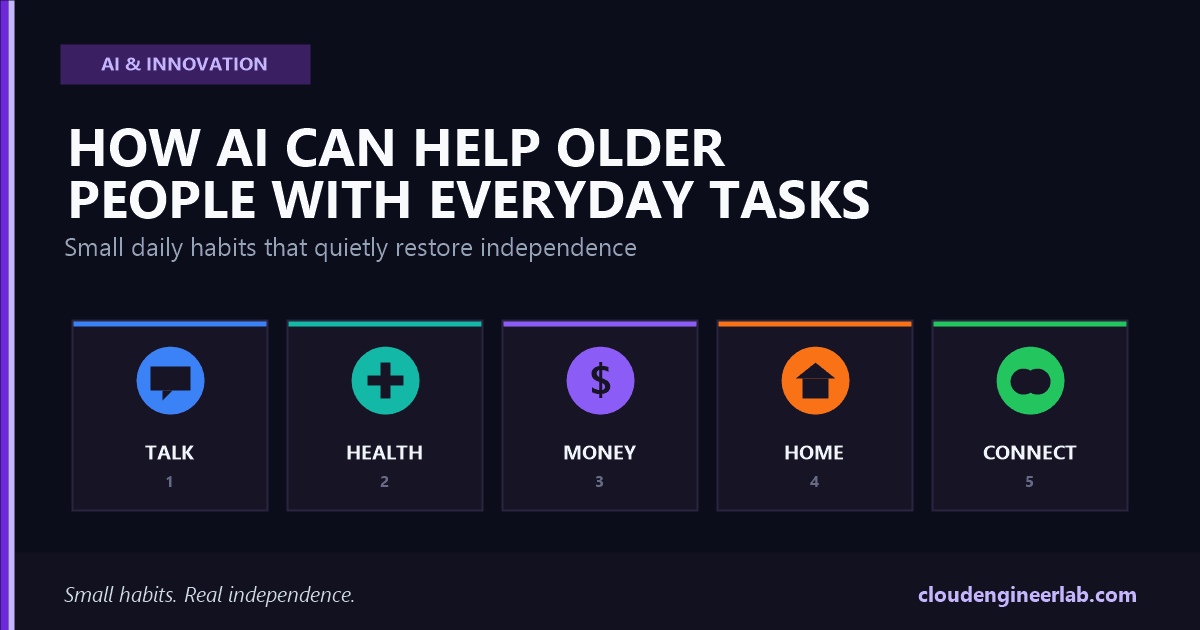
How AI Can Help Older People With Everyday Tasks
From reading confusing letters to remembering medication, AI can quietly restore independence for older adults. Real tools, real setups, and the scams to watch for.
A woman in her late seventies gets a letter from her health insurer. Three paragraphs of dense policy language, a form to fill in, a deadline in ten days. Ten years ago she would have called her daughter, who would have called the insurer, who would have put her on hold for forty minutes. Today she photographs the letter, asks an AI assistant to explain it in plain language, and has her answer in under a minute. Nobody had to take a day off work. Nobody had to feel like a burden.
That's the actual shape of what AI does well for older adults. Not something flashy. Something quiet: removing the small daily frictions that add up to a loss of independence, one confusing form and one missed appointment at a time.
The one sentence to remember
The best use of AI for an older adult isn't a new gadget to learn. It's a familiar task made simpler, with a real person still one call away if it's needed.
This is a practical guide: the specific everyday tasks AI genuinely helps with, real tools and setups that work today, how to introduce it without overwhelming anyone, and the scam risks worth knowing about before you start.
Where AI Actually Helps
What this isn't about
None of this is about replacing a phone call to a family member or a visit from a home care worker. It's about closing the gap between those visits, so an older adult isn't stuck for three days on something that takes an AI assistant two minutes to explain.
1. Communication: Understanding and Writing Things Clearly
This is where AI has the single biggest impact, because so much of daily admin now arrives as dense text: insurance letters, prescription instructions, utility bills, government forms.
| Task | How AI helps | Real example |
|---|---|---|
| Reading a confusing letter | Photograph or paste the text and ask for a plain-language summary | "Here's a letter from my pharmacy. Explain what it's asking me to do, in simple terms, and tell me the deadline." |
| Writing a reply | Dictate what you want to say, AI turns it into a properly formatted email or letter | "Write a polite email to my doctor's office asking to move my Tuesday appointment to the following week." |
| Understanding a text message with slang or abbreviations | Ask AI to explain what a grandchild's text actually means | "My grandson texted 'omw, brb.' What does that mean?" |
| Filling out an online form | Read each field aloud and explain what information is needed | "Walk me through this form field by field and tell me what to type in each box." |
Voice beats typing, almost always
Most AI assistants (ChatGPT, Google Gemini, Microsoft Copilot) now support voice conversations. For someone who finds typing slow or a small screen hard to read, talking to the assistant and having it read the answer back removes the two biggest barriers at once.
2. Health and Medication: Reminders and Plain Explanations
AI is not a doctor, and this section isn't medical advice
Everything here is about organization, reminders, and understanding, never about diagnosing a condition or deciding whether to take a medication. Any real health question goes to a real doctor or pharmacist. AI's job is to help someone get to that conversation prepared, not to replace it.
| Task | How AI helps |
|---|---|
| Remembering to take medication | A smart speaker (Amazon Alexa, Google Nest) set up with daily recurring reminders, spoken aloud at the right time |
| Understanding a prescription label | Ask an AI assistant to explain unfamiliar medical terms or dosage instructions in plain language |
| Preparing for a doctor's visit | Dictate symptoms over the past week, ask AI to organize them into a clear, chronological summary to bring to the appointment |
| Tracking how you've been feeling | A simple daily voice note ("I felt dizzy this morning") that AI can later summarize into a pattern to share with a doctor |
Set up medication reminders on a smart speaker
"Alexa, remind me to take my blood pressure medication every day at 8 AM." This takes under a minute to set up and requires no screen or typing at all.
Use voice mode to explain unfamiliar terms
When a prescription label or after-visit summary uses a term that isn't clear, ask the AI assistant directly: "What does 'take with food, twice daily' actually mean for timing?"
Keep a running voice log before appointments
A short daily voice note, however small, becomes a genuinely useful summary an AI can organize before a doctor's visit, instead of trying to remember details on the spot.
3. Money and Bills: Clarity and Scam Protection
Older adults are disproportionately targeted by financial scams, which makes this section as much about protection as convenience.
| Task | How AI helps |
|---|---|
| Understanding a bank or utility statement | Ask AI to explain an unfamiliar charge or fee in plain language before calling the company |
| Spotting a suspicious email or text | Paste the message and ask AI whether it shows common signs of a scam, before clicking anything or replying |
| Budgeting month to month | Dictate income and expenses, ask AI to organize them into a simple summary of where money is going |
| Drafting a dispute letter | AI can write a clear, professional letter disputing an incorrect charge, ready to send or read over the phone |
The scam risk works both ways
AI can help spot a scam, but scammers are also using AI to make their own attempts more convincing, including cloned voices of family members in fake emergency calls. If your family sets up AI tools with an older relative, it's worth agreeing on a simple family safe word for genuine emergencies, so any urgent, unexpected request for money can be verified in seconds. This is covered in more depth in AI Scams Are Getting Smarter: How to Protect Yourself.
4. Home and Safety: Voice Control Without a Screen
For someone with limited mobility or difficulty seeing a small screen, voice-controlled smart home devices remove the need to physically reach a switch or read a display.
Voice-controlled lights and thermostats
"Turn on the kitchen light" or "set the temperature to 70 degrees" removes the need to get up or reach a wall switch, which matters most at night or after a fall risk.
Voice-activated emergency help
Some smart speakers and medical alert systems support a spoken emergency phrase that calls a family member or emergency services directly, no phone dialing required.
Simple daily check-ins
A smart speaker routine that says good morning and confirms the day's reminders gives a gentle, low-pressure daily touchpoint, especially valuable for someone living alone.
Video doorbell with plain-language alerts
AI-powered doorbell cameras can announce who's at the door in plain speech ("a delivery person is at the front door") instead of requiring someone to check a phone app.
5. Staying Connected: Reducing Isolation
Loneliness is one of the most serious and least visible risks for older adults living alone, and it's an area where the right AI setup makes a genuine difference.
| Task | How AI helps |
|---|---|
| Video calling family | Voice commands ("call my daughter") remove the need to navigate a contacts list or dial a number |
| Organizing and finding old photos | AI photo tools can find "photos from my granddaughter's wedding" by description, without scrolling through thousands of images |
| Practicing conversation or company | Voice assistants can hold simple, low-pressure conversations, which some older adults genuinely find comforting, though this should complement real human contact, never replace it |
| Getting news and information read aloud | Ask an assistant to read the day's headlines or a specific topic aloud, at a pace and volume that suits the listener |
The goal is more real contact, not less
The best sign an AI setup is working isn't that someone uses it constantly. It's that video calls with grandchildren happen more often because dialing got easier, not that AI conversation is replacing those calls.
Getting Started: A Simple Setup for a Family Member
Start with one device, one task
Pick a single smart speaker and a single use case, usually medication reminders or hands-free calling, rather than introducing five tools at once. Confidence with one thing builds far faster than confusion across many.
Set it up together, in person, the first time
Walk through the actual voice commands together and write down two or three of the most useful ones on a card kept near the device. Muscle memory for one or two commands beats a long list nobody remembers.
Use voice, not text, wherever possible
Choose devices and settings that favor speaking and listening over typing and reading small text. This removes the two most common physical barriers: small screens and unfamiliar keyboards.
Agree on a family safe word
Before anything else, agree on a simple phrase that would never appear in a text or social post, to verify any urgent request for money or personal information, whether it comes by phone, video, or in person.
Check in after a week, not just on day one
The real test of whether a setup works is whether it's still being used seven days later. A short follow-up call to troubleshoot one sticking point matters more than a long initial training session.
What to Watch Out For
Respect the pace, not just the goal
Introducing too much at once is the single most common reason a well-intentioned AI setup gets abandoned. One reliable habit that actually gets used beats five features that get ignored.
- Privacy settings matter. Review what a smart speaker or AI assistant records and stores, and turn off anything that isn't needed. Most devices let you delete voice history regularly.
- AI health information is a starting point, never a diagnosis. Any real symptom or medication question goes to a pharmacist or doctor, with AI helping prepare the question, not answer it.
- Not every older adult wants the same level of help. Some want full independence with occasional support; others want more hands-on setup. Ask directly rather than assuming.
- Scam awareness needs to be part of the conversation from day one, not an afterthought after something goes wrong.
Tools Worth Knowing
| Tool | Best for | Why it fits |
|---|---|---|
| Amazon Alexa / Echo devices | Voice reminders, hands-free calling, smart home control | Simple voice commands, no screen required |
| Google Nest / Google Assistant | Similar to Alexa, integrates well with Android phones | Strong voice recognition, easy family setup |
| ChatGPT / Claude (voice mode) | Explaining letters, drafting emails, answering questions in plain language | Conversational, patient, available any time of day |
| Be My Eyes (AI feature) | Visual assistance for low vision, describing images or documents aloud | Purpose-built for accessibility |
| Video doorbells with AI alerts | Home safety, knowing who's at the door without checking a screen | Plain-language spoken alerts |
| Photos app AI search (Google Photos, Apple Photos) | Finding specific old photos by description | No need to scroll or remember file names |
The Bottom Line
The most valuable thing AI offers an older adult isn't a new skill to learn. It's a shortcut back to something that used to be simple: reading a letter without help, remembering a pill without a chart on the fridge, calling a grandchild without dialing ten digits correctly. Independence, in small, daily pieces.
Start with the one habit that matters most
Pick a single, real frustration this week, a confusing bill, a missed reminder, a hard-to-reach light switch, and set up exactly one AI-powered fix for it. Let that one habit prove itself before adding a second.
None of this replaces a family visit or a real conversation. What it does is remove the small, exhausting friction that makes independence harder than it needs to be, so the time spent together is about connection, not troubleshooting a form.

Written by
Chetan Yamger
Cloud Engineer · AI Automation Architect · Modern Workplace Consultant
Cloud Engineer, AI Automation Architect, and Modern Workplace Consultant based in Amsterdam, Netherlands. Specializing in scalable, secure enterprise solutions with Microsoft Azure, Intune, PowerShell, and AI-driven automation using ChatGPT, Gemini, and modern LLM technologies.
Stay in the loop.
New articles, straight to you.
Deep-dive technical articles on Intune, PowerShell, and AI — no noise, no spam.
Discussion
Share your thoughts — your email stays private
Leave a comment