
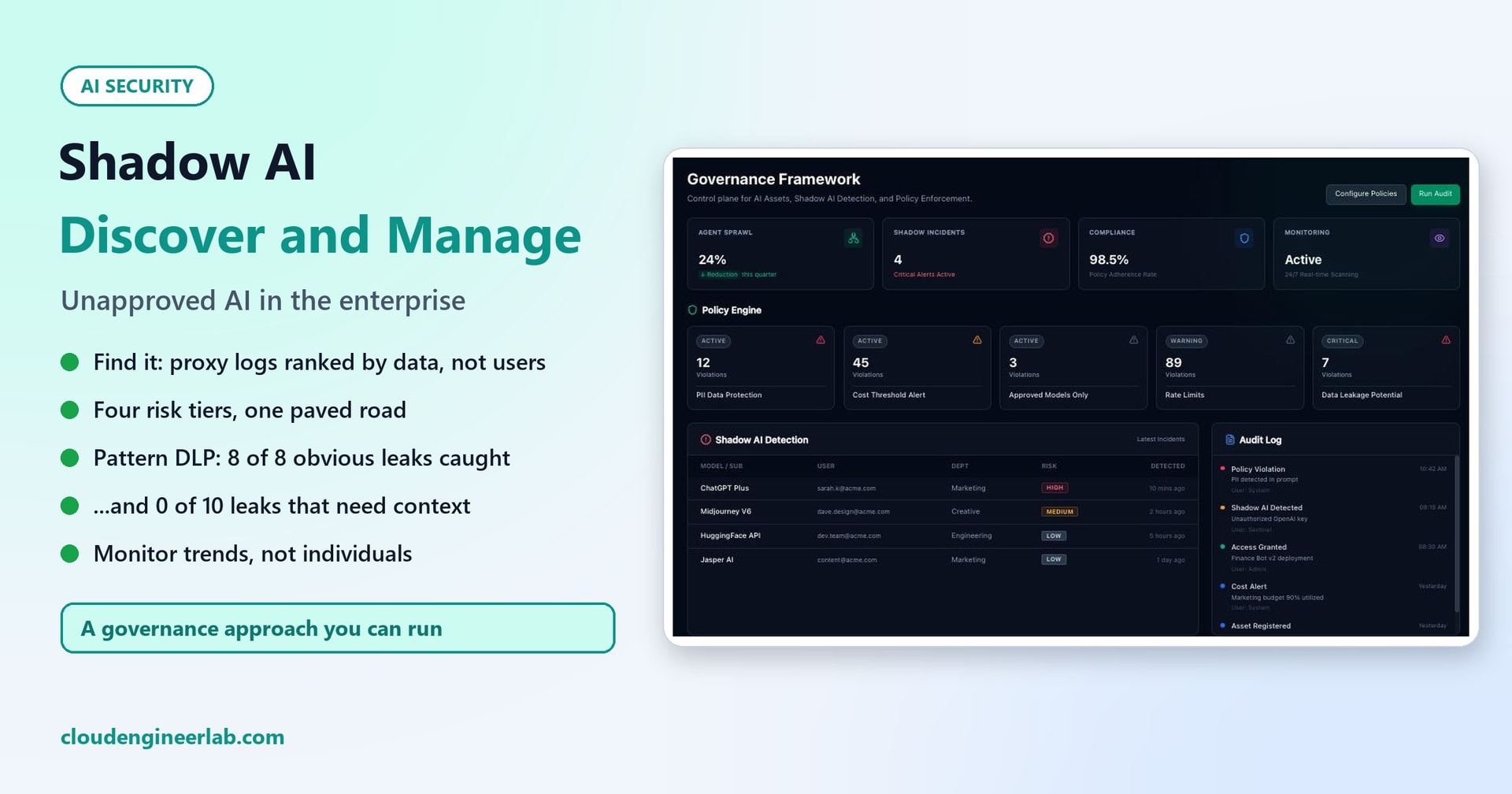
Shadow AI in the Enterprise: Discover and Manage Unapproved AI Usage
A practical governance approach for shadow AI: discovery from logs, data classes, four risk tiers, a paved road for employees, and monitoring. Plus a test of what pattern-based DLP can and can't catch.
Shadow AI is AI used for work without the organisation knowing or approving it: a personal chatbot account for drafting customer emails, a free website that summarises PDFs, a browser extension that rewrites everything you type, a note-taker that joins meetings. It's the same story as shadow IT ten years ago, with one difference that makes it more urgent: what people paste into these tools is often the most sensitive data the company has.
Shadow AI is rarely bad intent. People use these tools because they help, and because the approved option is missing, slow to get, or not as good. So blocking everything doesn't work. Usage moves to phones and home laptops, where you can see even less.
This post sets out a governance approach in six steps, and tests two pieces of it:
- Discovery from network logs, run on a synthetic month of logs for a fictional company.
- Sensitive-data detection, run on 30 labelled sample prompts, to see what pattern-based data loss prevention (DLP) actually catches.
About the data in this post
The proxy logs are synthetic: 30 days and 400 users at Northwind, a fictional company, generated by a script. They show how discovery works and what it reveals, not how common shadow AI is in the real world. The prompts in the detection test use fake data or published test values, such as the example IBAN from the IBAN documentation and the standard Visa test card number.
Domains ending in .example stand for the long tail of small AI websites every organisation finds. Classifying a well-known service as "not approved" here is a policy choice for the fictional Northwind, not a judgement of that service.
The Approach at a Glance
The order matters. If you start with blocking (step 5) before steps 1 to 4, you'll block the wrong things, and people will route around you.
Step 1: Discover What's Actually in Use
You can't govern what you can't see. Useful sources, roughly in order of how much they show:
- Web proxy, secure web gateway or firewall logs: which AI domains are contacted, by whom, and how much data is uploaded.
- A cloud app security tool (a CASB, such as Microsoft Defender for Cloud Apps), which keeps a catalog of thousands of apps, including a generative AI category, with risk scores.
- OAuth consents in your identity provider: AI apps employees have connected to their work mailbox, calendar or files.
- Browser extension inventory from your endpoint management: AI writing extensions read everything typed into web pages.
- Expense reports and card statements: personal AI subscriptions claimed back.
- Simply asking. An anonymous survey ("which AI tools help you, and for what?") finds use cases logs can't.
We wrote a short discovery script that maps log lines to a catalog of known AI apps and adds up users, departments and uploaded data per app. Run on the synthetic month, it produced:
App                            Tier Users   Uploaded  Top departments
Microsoft 365 Copilot             1   199       34 MB  Engineering 44, Sales 41, Support 37
GitHub Copilot Business           1    84       15 MB  Engineering 70, IT 14
ChatGPT (personal account)        2   147       27 MB  Sales 40, Marketing 26, Support 24
Claude (personal account)         2    30        6 MB  Engineering 11, Support 6, Sales 4
Gemini (personal account)         2    29        5 MB  Sales 7, Engineering 6, Support 4
Perplexity (personal account)     2    28        5 MB  Support 8, Engineering 7, Sales 4
AI grammar extension              3    41        8 MB  Sales 10, Engineering 7, Support 7
AI slide generator                3    35      201 MB  Marketing 17, Sales 9, Engineering 4
AI meeting note-taker             4    21     7320 MB  Sales 10, Marketing 3, Finance 3
AI PDF chat site                  4    14      248 MB  Legal 6, Finance 5, Sales 1

Not in the catalog:
  translatedocs.example        users  10  uploaded    146 MB  NOT flagged: nothing in the name says AI
  summarize-ai.example         users  10  uploaded     85 MB  flagged as likely AI by name
The exact numbers come from our generator, but two lessons hold for any real report:
- Rank by data, not by users. The most popular unapproved tool was a personal chatbot, used by 147 people. But the meeting note-taker, with 21 users, uploaded about 7.3 GB, far more than everything else together, because it uploads meeting recordings. The PDF chat site had only 14 users, mostly in Legal and Finance, uploading whole documents. A report sorted by headcount puts the riskiest tools at the bottom.
- Name-based discovery misses things. Our simple "does the domain look like AI?" check caught
summarize-ai.examplebut missedtranslatedocs.example, which received 146 MB, about two thirds of it from HR and Legal. Use a maintained app catalog, and review the top unknown domains by upload volume, not just the ones with "AI" in the name.
Discovery is about patterns, not people
The goal of discovery is to learn what work people are trying to do, so you can offer a safe way to do it. Report by app and department, not by named individual, and say so openly. People will tell you far more about their AI use if they don't expect to be punished for it.
Step 2: Classify the Data, Not Just the Tools
A tool isn't risky on its own. It's risky for a kind of data. Most organisations already have data classes; if yours doesn't, four are enough:
| Class | Examples |
|---|---|
| Public | Published web content, marketing copy, public documentation |
| Internal | Process documents, meeting notes, internal how-tos |
| Confidential | Customer data, contracts, prices, source code, HR matters, unreleased plans |
| Highly confidential | Personal data in bulk, health data, financial results before release, M&A, credentials |
The core of an AI policy is a simple matrix of which data class may go into which tool tier:
| Data class | Tier 1: approved | Tier 2: public data only | Tier 3: not approved | Tier 4: blocked |
|---|---|---|---|---|
| Public | ✅ | ✅ | ❌ | ❌ |
| Internal | ✅ | ❌ | ❌ | ❌ |
| Confidential | ✅ | ❌ | ❌ | ❌ |
| Highly confidential | ✅ with extra rules (for example, a labelled site or a named tool only) | ❌ | ❌ | ❌ |
Employees can remember one rule: if it isn't public, it only goes into an approved tool.
Step 3: Put Every AI Tool in a Risk Tier
Each app in the catalog gets a tier based on a few facts you can check. In our catalog, each entry records them:
    "AI meeting note-taker": {"domains": ["meetingnotes-ai.example"], "contract": False, "work_sign_in": False,
                              "trains_on_data": None, "uploads_files": True, "tier": 4,
                              "alternative": "Teams meeting recap (licensed)"},
The questions behind a tier:
| Question | Why it matters |
|---|---|
| Is there a contract and data processing agreement? | Without one, you have no say over what happens to your data |
| Do people sign in with their work account? | Work sign-in means you can control access, apply policies and remove access when someone leaves |
| Is your data used for training, and how long is it kept? | Training and long retention mean the data outlives the task |
| Where is the data processed? | Data location matters for GDPR and customer contracts |
| Does it upload files, record meetings or read your screen? | Bulk data and other people's data, not just one prompt |
| Is there an admin console and audit log? | Without one, you can't investigate anything |
Our four tiers:
| Tier | Meaning | Northwind examples | What happens |
|---|---|---|---|
| 1. Approved | Contract, work sign-in, no training on our data | Microsoft 365 Copilot, GitHub Copilot Business | Promoted and supported |
| 2. Public data only | Consumer accounts with no contract | Personal ChatGPT, Gemini, Claude and Perplexity accounts | Allowed for public information; reminders shown |
| 3. Not approved | Not reviewed yet, or no business owner | AI slide generator, AI grammar extension | Pointed to the approved alternative; can be requested |
| 4. Blocked | Uploads documents or joins meetings with no review | AI PDF chat site, AI meeting note-taker | Blocked, with a message explaining why and what to use instead |
Every tier 2, 3 and 4 entry has an approved alternative. That's what makes the policy workable. When a tool is proposed for tier 1, review it like any other supplier, including its licence terms: AI Model Supply Chain shows how easily a licence restriction is missed.
Step 4: Build the Paved Road
The most effective shadow AI control isn't technical. It's making the approved way the easy way. For each common task found in discovery, name the approved tool:
| What people were doing | Unapproved tool found | The approved way |
|---|---|---|
| Summarising long PDFs and contracts | AI PDF chat site | Copilot with the file in OneDrive or SharePoint |
| Meeting notes and actions | AI meeting note-taker | The licensed Teams meeting recap |
| Drafting emails and posts | Personal chatbot accounts | Microsoft 365 Copilot with a work sign-in (a practical guide) |
| Building slides | AI slide generator | Copilot in PowerPoint |
| Translating documents | Unknown translation site | An approved translation service with a contract |
| Writing code | Personal assistants | GitHub Copilot Business |
Then make the rest easy too:
- A request process for new AI tools: one short form, a named reviewer, and an answer within a set time, for example ten working days. If approval takes three months, shadow AI is the rational choice.
- A one-page guide: the data rule, the approved tools, and how to request a new one.
- Short, practical training. Use real examples of what not to paste, and why. In the EU, the AI Act already expects organisations to ensure staff using AI have a sufficient level of AI literacy.
- A no-blame amnesty when you launch: tell people which tools you found, offer the alternative, and set a date after which tier 4 gets blocked.
Step 5: Guardrails, and What Pattern Detection Can Really Do
For the riskiest cases, add technical controls. The obvious one is DLP: check what's being pasted or uploaded, and warn or block when it looks sensitive.
We tested how much pattern-based detection can see. We wrote six detectors, with checksum validation so a random number doesn't count as a bank account:
DETECTORS = {
    "IBAN":        (re.compile(r"\b[A-Z]{2}\d{2}(?: ?[A-Z0-9]{4}){3,7}(?: ?[A-Z0-9]{1,3})?\b"), iban_ok),
    "BSN":         (re.compile(r"\b\d{9}\b"), bsn_ok),
    "Card number": (re.compile(r"\b(?:\d[ -]?){13,19}\b"), lambda s: luhn_ok(re.sub(r"\D", "", s))),
    "Email":       (re.compile(r"\b[\w.+-]+@[\w-]+\.[\w.]+\b"), None),
    "API key":     (re.compile(r"\b(?:sk|pk|api|key)[-_][A-Za-z0-9_-]{16,}\b"), None),
    "Label":       (re.compile(r"\b(?:highly )?confidential\b|\binternal only\b", re.I), None),
}
The BSN check is the Dutch citizen service number's "11-proof", the IBAN check is the standard mod-97 test, and card numbers use the Luhn check. So 123456782 (a valid BSN format) is flagged, while the order number 123456789 isn't.
We ran them on 30 labelled prompts of three kinds:
| Prompts | How many | Flagged |
|---|---|---|
| Sensitive, with a recognisable pattern (IBAN, BSN, card, emails, a key, a "confidential" label) | 8 | 8 |
| Sensitive, but only recognisable from context | 10 | 0 |
| Not sensitive | 12 | 2 (false alarms) |
The ten it missed are exactly the leaks that matter most:
- "Write a renewal email to Contoso Retail; their contract is EUR 1.2M and we will offer 12% discount."
- "Make a table of salaries: Emma Bakker 74k, Daan Smit 68k, Sofie de Jong 91k."
- "Improve this text: Q3 revenue fell 8% to EUR 41M; we announce it to the market on 4 November."
- "Summarise our plan to acquire Fabrikam Logistics before the announcement in January."
- "Help me write to my manager that Lisa from Support is on sick leave for burn-out until March."
- A database connection string with a production server name, a firewall rule for the finance database, unreleased pricing, a customer list with overdue invoices, and a candidate's background check.
And the two false alarms: "How do I mark a Word document as confidential?" (the word "confidential") and a public support email address in an FAQ answer.
Pattern-based DLP catches identifiers, not meaning
Detectors are excellent at structured identifiers: bank accounts, citizen numbers, card numbers, keys. Use them. But salaries, contract values, unreleased results, health information and strategy have no pattern. Those are protected by where the data lives (labelled documents in approved locations), which tools can reach it (tier 1 only), and people knowing the rule, not by scanning text. Expect some false alarms too, and use "warn and explain" rather than silent blocks for borderline cases, so people learn instead of getting frustrated.
Mapping the guardrails to Microsoft tools
If you run Microsoft 365, most of this maps onto tools you may already license. Names and features change often, so check current documentation for your licences.
| Guardrail | Example tooling |
|---|---|
| Discover AI apps and mark them sanctioned or unsanctioned | Microsoft Defender for Cloud Apps (its catalog includes generative AI apps); blocking unsanctioned apps on devices through Defender for Endpoint |
| See what sensitive data goes to AI apps | Microsoft Purview's AI-focused data security posture features and activity reporting |
| Warn or block pasting and uploading sensitive data to unapproved sites | Purview Endpoint DLP and browser DLP, with sensitivity labels |
| Make data-in-place carry its classification | Sensitivity labels on files and sites, applied automatically where possible |
| Control browser extensions | Intune policies for Edge and Chrome extension allow-lists |
| Control which apps can use work identities | Entra ID app consent policies and Conditional Access |
Step 6: Monitor Trends, Not Individuals
Governance needs a few numbers you track every month:
| Metric | What "good" looks like |
|---|---|
| Share of AI traffic going to tier 1 tools | Rising |
| People using tier 3 and 4 tools | Falling after the paved road launches |
| Data uploaded to tier 3 and 4 tools | Falling, and investigated when it spikes |
| New AI domains discovered per month | Reviewed and tiered within the month |
| Tool requests: number and time to decision | Requests coming in, decisions within your target |
| DLP warnings, by data type and tier | Falling as people learn the rule |
Report these by department and app, not by person, except where a specific incident needs investigating under your normal HR and security processes. Monitoring employees' use of tools has legal and trust implications. In the Netherlands, for example, introducing a system that monitors employee behaviour generally needs the works council's consent. Involve HR, legal and employee representatives early.
Finally, keep the catalog alive. New AI features appear inside tools you already approved: an existing SaaS product adds an AI assistant overnight. Review the catalog every quarter, and make "does this product now include AI?" part of every software renewal.
A 90-Day Rollout
| When | What |
|---|---|
| Days 1 to 30 | Run discovery; survey staff; agree data classes and the data/tier matrix; draft the catalog |
| Days 31 to 60 | Launch the paved road: approved tools, the one-page guide, the request process, training, and an amnesty message |
| Days 61 to 90 | Block tier 4 with explanatory messages; turn on DLP in warn mode for identifiers; start the monthly metrics |
| Every quarter | Review the catalog, re-run discovery, adjust tiers, report trends |
Checklist
- Discovery from proxy logs, the app catalog, OAuth consents, browser extensions and a staff survey.
- Results ranked by data uploaded, not just users; unknown domains reviewed by volume.
- Data classes defined, with one simple rule: non-public data only goes into approved tools.
- Every AI tool in a tier, with the facts behind it (contract, sign-in, training, retention, location, uploads).
- Every non-approved tool has a named approved alternative.
- A fast request process with a named reviewer and a target time.
- DLP for structured identifiers, in warn mode first; sensitivity labels for what patterns can't see.
- Tier 4 blocked, with a message saying why and what to use instead.
- Monthly trend metrics by app and department; works council and legal involved.
- The catalog reviewed every quarter, including AI features added to approved products.
The Short Version
| Part | What to do | What our tests showed |
|---|---|---|
| Discover | Logs, app catalog, consents, extensions, survey | Ranked by users, the riskiest tools came last; by data, the 21-user note-taker led at about 7.3 GB |
| Discover the unknown | Review unknown domains by upload volume | A name-based check missed a translation site that received 146 MB |
| Data classes | One rule: non-public data only in approved tools | |
| Risk tiers | Approved, public only, not approved, blocked | Every non-approved tool needs an alternative |
| Paved road | An approved tool for each real task, and a fast way to ask | |
| Guardrails | DLP, labels, blocks for the worst cases | Pattern DLP caught 8 of 8 identifier leaks, 0 of 10 context leaks, plus 2 false alarms |
| Monitoring | Trends by app and department |
Shadow AI shows you what your employees need. Find out what they're using and why, give them a safe way to do it, and protect the data that matters with more than pattern matching.

Written by
Chetan Yamger
Cloud Engineer · AI Automation Architect · Modern Workplace Consultant
Cloud Engineer, AI Automation Architect, and Modern Workplace Consultant based in Amsterdam, Netherlands. Specializing in scalable, secure enterprise solutions with Microsoft Azure, Intune, PowerShell, and AI-driven automation using ChatGPT, Gemini, and modern LLM technologies.
Stay in the loop.
New articles, straight to you.
Deep-dive technical articles on Intune, PowerShell, and AI — no noise, no spam.
Discussion
Share your thoughts — your email stays private
Leave a comment