
Build an AI Security Alert Triage Assistant
An assistant that summarises alerts, correlates approved context, prioritises investigations and writes analyst notes, without ever closing an incident. Built and measured on 22 sample alerts.
A security operations team doesn't suffer from too few alerts. It suffers from too many, arriving one at a time, each missing the context that would tell you whether it matters. AI looks like the obvious fix: let it read the alerts, work out what's going on, and tell the analyst what to look at first.
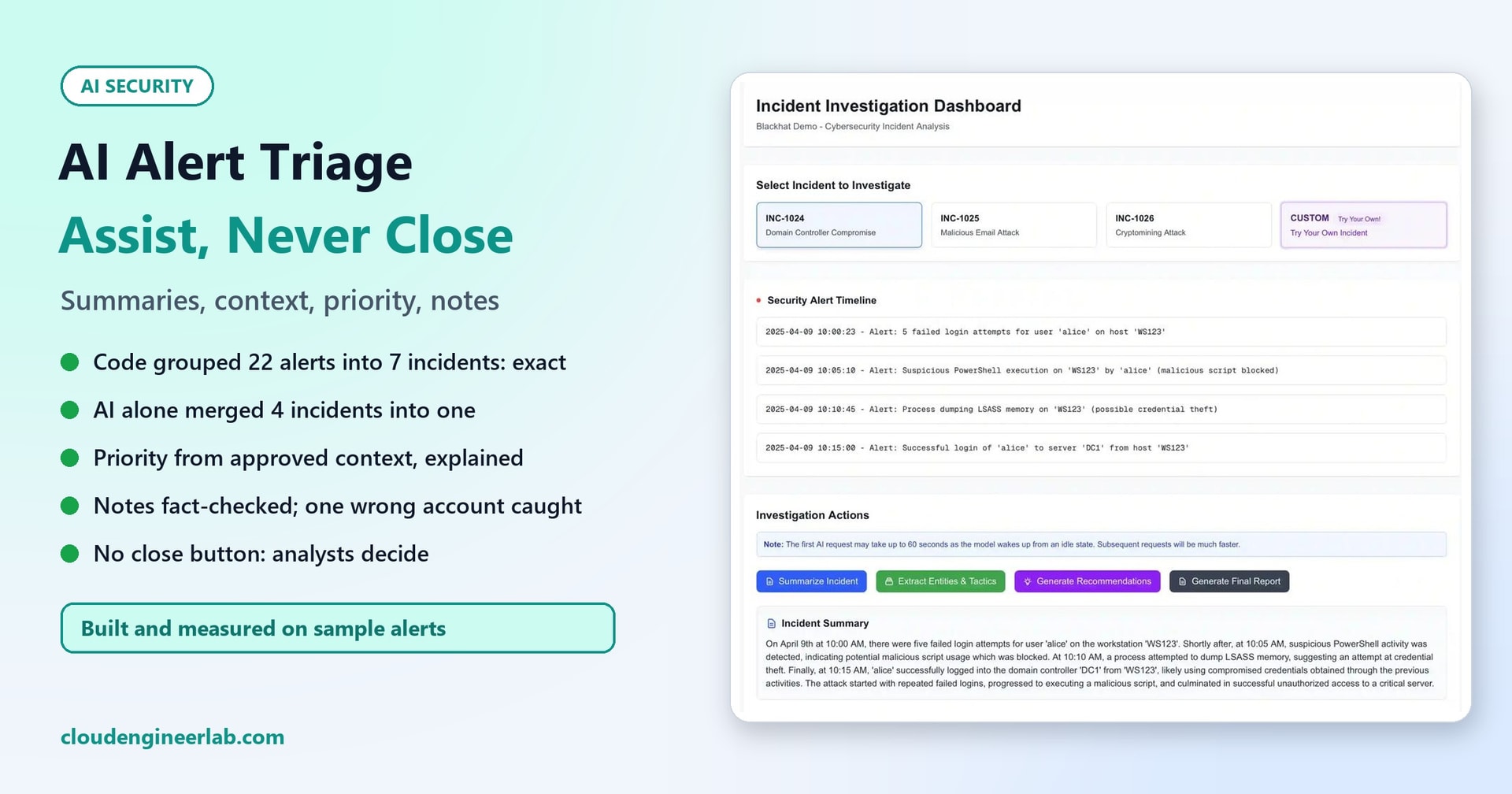
The dashboard on this post's cover shows the appealing version: one click, and four alerts become a readable story. This post builds a triage assistant that does four jobs: summarise alerts, correlate them with approved context, prioritise the investigations, and write analyst notes. It's measured honestly, including where the AI made things worse. One rule runs through the whole design: the assistant never closes, suppresses or changes an incident. It has no permission to.
How we tested
- 22 synthetic alerts for a fictional company, Contoso, forming 7 incidents with known correct groupings and priorities:
- I1: a credential-theft chain on one account, ending in a domain controller logon (like the cover's example).
- I7: impossible travel after an MFA push flood.
- I2: a phishing click and download.
- I3: cryptomining on a build server.
- I5: an admin tool used by a service account whose approved exception has expired.
- I4: an approved vulnerability scanner.
- I6: adware on a kiosk.
- Approved context: an asset register (role and criticality), an identity list (department, privileged or not), and an exceptions list (who may do what, approved by whom, until when).
- The model: Qwen2.5-Coder-7B-Instruct, running locally at temperature 0 (Apache-2.0 licensed).
- The code: 229 lines of Python in three files.
The Rule: An Assistant, Not an Analyst
Before any code, decide what the assistant may and may not do:
| The assistant may | The assistant may not |
|---|---|
| Read alerts and the approved context sources | Read anything else, or call external services |
| Group alerts and suggest a priority, with reasons | Change an incident's severity, status or owner |
| Write a summary, timeline, unknowns and suggested next steps | Close, resolve, suppress or merge incidents |
| Flag a concern that the priority is wrong, with evidence | Contain devices, disable accounts or block anything |
In practice, give its identity read-only access to alerts. In Microsoft's security stack, for example, that means reading alerts and incidents through the security API without the permissions that update them. Containment stays a separate, human-approved action (human-in-the-loop AI covers that gate).
There's a second reason for read-only. Alert fields contain text written by whoever triggered the alert: file names, command lines, email subjects. An assistant that reads them must treat them as data, never instructions, and an assistant that can't close anything can't be talked into closing anything (prompt injection and agent hijacking explains why).
Attempt 1: Let the AI Do Everything
The tempting design is to give the model all 22 alerts and ask it to group them into incidents and prioritise each one. We tried it twice: once with the alerts alone, once with the approved context added.
| Incidents formed | Grouping precision | Grouping recall | Priority exactly right (of 7) | |
|---|---|---|---|---|
| AI, alerts only | 6 | 0.33 | 0.88 | 4 |
| AI, alerts + approved context | 5 | 0.29 | 0.88 | 3 |
Precision here means: of all the pairs of alerts the AI put together, how many really belong together. A third.
The serious failure was what it did with the credential-theft chain. It pulled out the LSASS memory access alert on its own as priority 1, and put the failed sign-ins, the blocked PowerShell and the domain controller logon into a 13-alert bucket at priority 3. That bucket also held the approved scanner and the phishing alerts. The single most important alert in the set, a first interactive logon to a domain controller right after credential theft, ended up in the "later" pile. Adding the context made the grouping worse, not better.
It did put the impossible-travel sign-in on its own at priority 1, citing "High severity and possible initial access". That's the right priority, though it left the MFA push flood that preceded it in the low-priority bucket.
Attempt 2: Code Correlates, Using Only Approved Context
Grouping alerts is a well-defined job, so we gave it to code. Alerts that share an account or a device within four hours belong together:
def correlate(alerts, window_hours=4):
    """Group alerts that share a user or a host within the time window (union-find)."""
    parent = {a["id"]: a["id"] for a in alerts}

    def find(x):
        while parent[x] != x:
            parent[x] = parent[parent[x]]
            x = parent[x]
        return x
    for i, a in enumerate(alerts):
        for b in alerts[i + 1:]:
            close = abs((datetime.fromisoformat(a["time"]) - datetime.fromisoformat(b["time"])).total_seconds()) <= window_hours * 3600
            shared = (a["user"] and a["user"] == b["user"]) or (a["host"] and a["host"] == b["host"])
            if close and shared:
                parent[find(a["id"])] = find(b["id"])
    groups = {}
    for a in alerts:
        groups.setdefault(find(a["id"]), []).append(a)
    return sorted(groups.values(), key=lambda g: g[0]["time"])
Result: exactly the right 7 incidents, with precision and recall both 1.00. Note what it deliberately doesn't use: IP addresses. Shared IPs are a weak link (NAT, proxies, VPN gateways) and would have merged unrelated incidents. Real correlation rules need tuning for your environment, but they're rules you can read, test and change.
Priority from approved context, with the arithmetic shown
Priority comes from a simple, visible score:
- Severity: 1 to 3 points.
- The most critical asset involved: 0 to 4 points, from the asset register.
- A privileged account involved: +2.
- Attack stages: +1 for two distinct stages, +2 for three or more.
Approved exceptions are applied too, and their expiry matters:
    exc = [exception_for(a) for a in group]
    if all(exc):
        e = exc[0]
        if e["expires"] >= TODAY:
            score -= 5; reasons.append(f"matches approved exception (approved by {e['approved_by']}, expires {e['expires']}) (-5)")
        else:
            reasons.append(f"matched an exception that EXPIRED on {e['expires']}: needs review, not suppression")
    p = 1 if score >= 8 else 2 if score >= 5 else 3 if score >= 3 else 4
For the credential-theft chain, the reasons read: highest severity high (+3); most critical asset DC1 (+4); 3 attack stages: Credential Access, Execution, Lateral Movement (+2), for priority 1. An analyst can check every point.
Result: 4 of 7 priorities exactly right, and all 7 within one level. We didn't tune the rules to the answers; the three misses are worth reading:
| Incident | Rules said | Should be | What the rules couldn't see |
|---|---|---|---|
| I7: impossible travel after MFA flood | P2 | P1 | "MFA approved": the attack probably succeeded |
| I2: phishing | P3 | P2 | The user clicked and downloaded the file |
| I5: expired admin-tool exception | P2 | P3 | A known deployment tool, just with paperwork out of date |
In each case the deciding fact is in the alert's text, which a numeric score can't read. That's a useful job for the AI, as long as it can't change the priority itself.
Attempt 3: The AI Writes the Analyst Notes
With the incidents grouped and scored, the AI wrote a note for each one: summary, timeline, why this priority, unknowns, next steps and a recommendation. Then a fact-checker verified that every time, IP and device name in the note appears in that incident's alerts.
Every note passed the fact-check, with no invented times, IPs or devices. But reading them showed problems a fact-check can't see:
- Every note recommended "investigate now", including the approved scanner and the kiosk adware. The recommendation ignored the priority it was given.
- Next steps were either one item or all seven: the full list of options, copied out, for two incidents.
- It blamed a person. "Alice attempted to steal credentials from LSASS memory on WS123." The alerts show activity on the alice account, which in this scenario is almost certainly compromised. A note like that, forwarded to a manager, could do real harm to an innocent employee.
- It got the context wrong. It called SCAN-01 "a critical vulnerability scanner", though the asset register says standard criticality. And it treated a valid exception, expiring in 2027, as "a priority to investigate".
Attempt 4: Code Decides, the AI Narrates
So we moved every decision out of the AI's hands:
- Code sets the recommendation from the priority and the exception status. An expired exception means "review expired exception"; a valid one, or priority 4, means "likely benign: analyst to confirm".
- Code suggests next steps from each alert's attack stage: sign-in review for credential access, the process tree for execution, a mail trace for phishing, and so on.
- Code adds the asset and identity labels from the registers, so the AI never describes how critical anything is.
- The AI writes only the narrative: summary, timeline and unknowns, describing accounts and devices, not people's intentions.
def decided_parts(group, priority):
    excs = [exception_for(a) for a in group]
    if all(excs) and excs[0]["expires"] < TODAY:
        rec = "review expired exception"
    elif all(excs) or priority == 4:
        rec = "likely benign: analyst to confirm"
    else:
        rec = {1: "investigate now", 2: "investigate today", 3: "investigate this week"}[priority]
The AI also gets one way to disagree: a priority concern (raise or lower), which must include an exact quote from an alert as evidence. Code checks that the quote really exists:
        concern = ai.get("priority_concern") or {}
        quote = (concern.get("evidence") or "").strip().strip('"')
        quote_ok = bool(quote) and any(quote.lower() in (a["title"] + " " + a["detail"]).lower() for a in g)
Results across the 7 incidents:
- Recommendations were now sensible: "investigate now" for the credential theft, "review expired exception" for the admin tool, "likely benign: analyst to confirm" for the scanner and the adware.
- No note blamed a person. The credential-theft summary began "The alice account on WS123 has experienced multiple failed sign-ins, a blocked PowerShell command, a possible credential theft attempt, and a sign-in to the domain controller."
- The priority concerns were mixed:
| Incident | Rules / truth | AI concern | Quote verified | Assessment |
|---|---|---|---|---|
| I2 phishing | P3 / P2 | Raise: "User clicked a malicious URL" | ✅ | Useful: it caught what the rules missed |
| I7 impossible travel | P2 / P1 | Raise | ❌ (it merged the title and detail into one quote) | Right direction; shown to the analyst as unverified |
| I5 expired exception | P2 / P3 | Raise: "The alice account created remote services..." | ❌ | Wrong account and wrong direction; rejected |
| I1, I3 | Already right | Raise | ✅ | Unnecessary, harmless |
The I5 note is the instructive one. The AI described the deployment service account's activity as the alice account's, mixing up two incidents. The quote check rejected it as evidence. But our fact-checker missed the same mistake in the summary, because it only checked times, IPs and device names, not account names. We added account names:
found |= {u for u in IDENTITIES if re.search(r"\b" + re.escape(u) + r"\b", text, re.I)} # account names tooand the I5 note was then flagged: ['alice']. A fact-checker only catches the kinds of fact you teach it to check, so give it every entity type your notes mention.
The AI's concern is a prompt for the analyst, not a decision
A verified quote with "raise" was right for the phishing incident. An unverified one was right for impossible travel, and wrong for the expired exception. Show the concern to the analyst with its verification status, and let them decide. Never let it change the priority automatically.
What the Analyst Sees
For each incident, the assistant hands over one note:
- Priority and the reasons behind it, from the rules.
- The recommendation and suggested next steps, from code.
- Asset and identity labels, from the registers.
- A summary, timeline and unknowns, from the AI, fact-checked.
- A priority concern, if any, with its quote and whether that quote was verified.
- Any fact-check failures, shown in the note, not hidden.
Then the analyst investigates, decides, and closes or escalates the incident. That last step is theirs, every time. The assistant's value is getting them to the right incident sooner, with the context already gathered.
How It Compares to the AI-Only Version
| AI does everything | Code first, AI narrates | |
|---|---|---|
| Incidents grouped correctly | Precision 0.29 to 0.33 | 1.00 |
| Domain controller logon | Put in a priority 3 bucket | In the priority 1 incident |
| Priorities exactly right (of 7) | 3 to 4 | 4, all 7 within one level |
| Recommendations | "Investigate now" for everything (in the first notes) | Matched to priority and exception status |
| Blaming people | "Alice attempted to steal credentials" | Accounts and devices only |
| Invented facts reaching the analyst | Not checked | Fact-checked; one wrong account caught and flagged |
| Can it close an incident? | Depends on its permissions | No: it has none |
Checklist
- The assistant's identity is read-only on alerts and incidents; it has no close, resolve, suppress or containment permissions.
- It uses only approved context sources: asset register, identity data, exceptions with owners and expiry dates.
- Code correlates alerts with rules you can read and test.
- Code computes priority and shows its reasons; expired exceptions are flagged, not applied.
- Code sets the recommendation and the suggested next steps.
- The AI writes the summary, timeline and unknowns, about accounts and devices, not people.
- Every note is fact-checked for times, IPs, devices and accounts; failures are shown.
- AI priority concerns need an exact quote, and the analyst decides.
- Alert text is treated as untrusted data, never instructions.
- The whole pipeline is tested on labelled incidents, and re-tested whenever the rules, prompts or model change.
The Short Version
| Job | Who does it | What we measured |
|---|---|---|
| Correlate alerts | Code | 7 of 7 incidents exactly; AI alone merged four incidents into one bucket |
| Prioritise | Code, from approved context | 4 of 7 exact, 7 of 7 within one; the misses were in alert text |
| Spot what rules miss | AI, with a quoted reason | Caught the phishing click; one wrong-account concern rejected |
| Write notes | AI, then fact-checked | No invented times or devices; one wrong account caught after we extended the check |
| Close incidents | The analyst | The assistant has no permission to |
A triage assistant earns its place by making analysts faster, not by replacing their judgement. Let code do the counting and the rules, let the AI write the story, check what it writes, and keep the decisions with the people accountable for them.

Written by
Chetan Yamger
Cloud Engineer · AI Automation Architect · Modern Workplace Consultant
Cloud Engineer, AI Automation Architect, and Modern Workplace Consultant based in Amsterdam, Netherlands. Specializing in scalable, secure enterprise solutions with Microsoft Azure, Intune, PowerShell, and AI-driven automation using ChatGPT, Gemini, and modern LLM technologies.
Stay in the loop.
New articles, straight to you.
Deep-dive technical articles on Intune, PowerShell, and AI — no noise, no spam.
Discussion
Share your thoughts — your email stays private
Leave a comment