
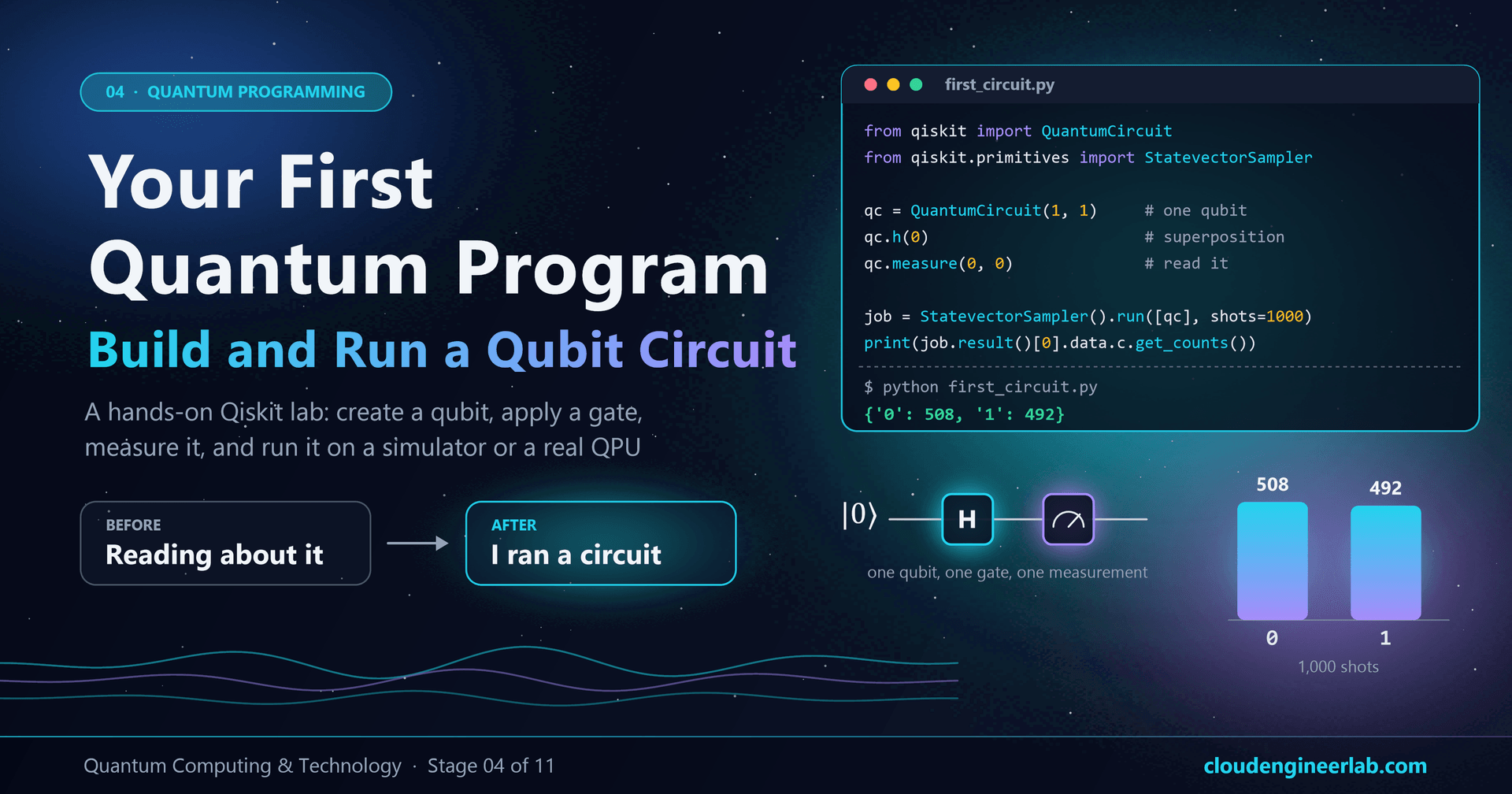
Your First Quantum Program: Build and Run a Qubit Circuit With Qiskit
A hands-on lab: install Qiskit, create a qubit, apply a Hadamard gate, measure it and run it, first on a simulator, then on a real IBM quantum computer.
Every post in this learning path so far has been about understanding quantum computers. This one is about using one.
By the end of this lab you will have written a quantum program in Python, run it on a quantum simulator on your own computer, seen it produce genuinely random results from a superposition, changed it to watch interference and entanglement happen, and, if you want to, sent it to a real quantum computer in an IBM data centre.
It takes about 20 minutes, and you don't need an account or any special hardware for the main part. The goal is simple: to go from "quantum computing is interesting" to "I just ran a quantum circuit."
Stage 04 of the learning path
This is the first hands-on lab, in stage 04, Quantum Programming, of the Quantum Computing & Technology learning path. You don't need to have read the earlier posts to follow it, but What Is Quantum Computing? A Beginner's Guide explains what the code is doing in plain language, and Superposition, Entanglement and Measurement Explained Without Heavy Mathematics explains why the results look the way they do. Every code block in this post was run on Qiskit 2.5.2 before publishing.
What You'll Build
Here's the journey, and each step below is one section of this lab:
And here's the circuit itself, the "hello world" of quantum computing: one qubit, one gate, one measurement.
What you need
| You need | Why | Notes |
|---|---|---|
| Python 3.10 or newer | Qiskit is a Python library | Check with python --version |
| A terminal | To install packages and run the script | PowerShell or Command Prompt on Windows, Terminal on macOS or Linux |
| A text editor | To write the script | VS Code, Notepad++, anything |
| 20 minutes | For the core lab | Plus about 10 more for the optional real-hardware step |
| An IBM Quantum account | Only for the optional final step | Free; not needed for anything else |
No Python installed? Use your browser instead
Open a free Google Colab notebook, run !pip install qiskit in the first cell, then paste each code block from this lab into its own cell. Everything up to the real-hardware step works the same way.
Step 1: Python
Open a terminal and check your Python version:
python --versionYou should see something like Python 3.12.4. Anything from 3.10 upwards is fine. (On some macOS and Linux systems the command is python3 instead of python; use whichever works throughout this lab.)
Step 2: Install the Quantum SDK (Qiskit)
An SDK (software development kit) is the toolbox you write quantum programs with. We'll use Qiskit, IBM's open-source SDK and the most widely used quantum programming toolkit. It runs on any normal computer, includes a built-in simulator, and can send the same code to real quantum hardware.
It's good practice to install it in a virtual environment, a self-contained folder of packages for this project, so it can't clash with anything else on your machine:
# Create a project folder and a virtual environment inside it
mkdir quantum-lab
cd quantum-lab
python -m venv .venv
Activate the environment:
# Windows (PowerShell)
.venv\Scripts\Activate.ps1# macOS or Linux
source .venv/bin/activateYour prompt should now start with (.venv). Install Qiskit:
pip install qiskitCheck that it worked:
python -c "import qiskit; print(qiskit.__version__)"You should see a version number such as 2.5.2. That's it: you have a quantum SDK.
Old tutorials won't work
Qiskit changed a lot when version 1.0 arrived in 2024. Code you find online that uses execute(...), Aer.get_backend(...) or IBMQ.load_account() is from older versions and will fail with an import error. Everything in this lab uses the current API.
Step 3: Create a Qubit
Create a file called first_circuit.py in your quantum-lab folder. Start with this:
from qiskit import QuantumCircuit

qc = QuantumCircuit(1, 1)
QuantumCircuit(1, 1) creates a circuit with:
- 1 qubit, the quantum part. Every qubit in Qiskit starts in the state |0⟩.
- 1 classical bit, an ordinary bit where the measurement result will be stored.
Think of the circuit as a musical score with one line for the qubit and one line for the classical bit. Instructions are added from left to right, in time order.
Step 4: Apply a Gate
Add one line:
qc.h(0)This applies a Hadamard gate (H) to qubit number 0. The Hadamard is the gate that takes a definite 0 and turns it into an equal superposition: a state with the same chance of being measured as 0 or 1.
Peek at the state (only a simulator can do this)
On a real quantum computer, you can never look at a qubit's state without measuring it, and measuring destroys the superposition. On a simulator, the state is just numbers in your computer's memory, so you can inspect it. This is a quick experiment, separate from your main script. Run it in a Python prompt (type python in your terminal) or a separate file:
from qiskit import QuantumCircuit
from qiskit.quantum_info import Statevector

peek = QuantumCircuit(1)
peek.h(0)

state = Statevector(peek)
print(state)
print(state.probabilities())
Output:
Statevector([0.70710678+0.j, 0.70710678+0.j],
            dims=(2,))
[0.5 0.5]
The first line shows the two amplitudes, one for 0 and one for 1, each about 0.707 (one divided by the square root of two). The +0.j part is the imaginary part of each number, zero here. The second line converts the amplitudes into probabilities by squaring them: 50% for 0, 50% for 1. That's superposition, written as numbers.
Step 5: Measure
Back in first_circuit.py, add the measurement, and print the circuit so you can see it:
qc.measure(0, 0)
print(qc)
qc.measure(0, 0) means "measure qubit 0 and store the result in classical bit 0". When you run the script, print(qc) draws the circuit as text in your terminal: a line labelled q with an H box and an M box on it, and a double line labelled c underneath, connected to the M. Here's the same circuit, labelled:
![The first quantum circuit, labelled: a qubit wire q starts in state 0, an H gate written as qc.h(0) creates an equal superposition, a measurement written as qc.measure(0, 0) reads the qubit, a double line carries the result down to classical bit c[0], and the result is 0 or 1, about 50/50. Time flows left to right](/_next/image?url=%2Fimages%2Fblog%2Ffirst-quantum-circuit-anatomy-diagram.png&w=3840&q=75)
Step 6: Run the Circuit
Now run it. For the core lab we'll use a simulator that's built into Qiskit, called StatevectorSampler. A simulator calculates exactly what an ideal, error-free quantum computer would do, then samples random results from that. It runs instantly on your laptop.
Add these lines:
from qiskit.primitives import StatevectorSampler

sampler = StatevectorSampler()
job = sampler.run([qc], shots=1000)
result = job.result()
shots=1000 means run the circuit 1,000 times. As every post in this series has explained, one run of a quantum circuit gives you one random result. To see the pattern, you repeat it.
Step 7: Get the Result
Finally, read the counts:
counts = result[0].data.c.get_counts()
print(counts)result[0]is the result for the first (and only) circuit you sent..data.cpicks the classical register namedc, whichQuantumCircuit(1, 1)created for you..get_counts()tallies how many times each outcome appeared.
The complete program
Here's the whole of first_circuit.py in one place:
from qiskit import QuantumCircuit
from qiskit.primitives import StatevectorSampler

# 1. Create one qubit and one classical bit
qc = QuantumCircuit(1, 1)

# 2. Apply a Hadamard gate: put the qubit into superposition
qc.h(0)

# 3. Measure the qubit into the classical bit
qc.measure(0, 0)
print(qc)

# 4. Run the circuit 1,000 times on the built-in simulator
sampler = StatevectorSampler()
job = sampler.run([qc], shots=1000)
result = job.result()

# 5. Count the results
counts = result[0].data.c.get_counts()
print(counts)
Run it:
python first_circuit.pyAfter the circuit drawing, you'll see something like this. This is the actual output from the run made while testing this post:
{'1': 546, '0': 454}You just ran a quantum circuit.
Run it again. The numbers change: maybe 503 and 497, or 489 and 511. That's not a bug. Each shot is a genuinely random sample from a 50/50 superposition, so the split varies the way 1,000 coin flips would. Over many shots, it averages out to half and half.
Want the same numbers every time?
For testing, you can make the simulator repeatable by giving it a seed: StatevectorSampler(seed=42). The same seed always produces the same counts. Real quantum hardware has no seed; its randomness is physical.
Step 8: Experiment, and Watch Quantum Effects Happen
Now the interesting part. Change the circuit and predict the result before you run it. Each experiment below was run on Qiskit 2.5.2, and the output column shows what came back.
| Experiment | Change to the circuit | Result (1,000 shots) | What it shows |
|---|---|---|---|
| A. Remove the gate | Delete qc.h(0) | {'0': 1000} | Qubits start in 0 and stay there |
| B. Flip instead | Replace qc.h(0) with qc.x(0) | {'1': 1000} | X is the quantum NOT gate |
| C. Two Hadamards | Use qc.h(0) twice in a row | {'0': 1000} | Interference: two "random" gates give a certain answer |
| D. Few shots | Change shots=1000 to shots=10 | {'1': 6, '0': 4} | Small samples are noisy |
| E. Many shots | Change to shots=10000 | {'0': 4967, '1': 5033} | More shots, closer to exactly 50/50 |
Experiment C is the one to pause on. One Hadamard gives a 50/50 result. If the qubit were simply "randomly 0 or 1", applying a second Hadamard would still give 50/50. Instead it gives 0 every single time. The two paths that lead to 1 cancel each other out. That's interference, the effect every quantum algorithm is built on, and you've just watched it happen. The two-box experiment explains exactly why.
Bonus: entangle two qubits
Make a new file, bell.py, and build the famous Bell state:
from qiskit import QuantumCircuit
from qiskit.primitives import StatevectorSampler

bell = QuantumCircuit(2)
bell.h(0)          # put qubit 0 into superposition
bell.cx(0, 1)      # CNOT: entangle qubit 1 with qubit 0
bell.measure_all() # measure both qubits

result = StatevectorSampler().run([bell], shots=1000).result()
print(result[0].data.meas.get_counts())
Output from the test run:
{'00': 487, '11': 513}Each qubit on its own is a 50/50 coin, but they always agree: you only ever see 00 or 11, never 01 or 10. That's entanglement.
Notice one difference from the first program: because this circuit uses measure_all(), Qiskit creates the classical register for you and names it meas, so the result is read with .data.meas instead of .data.c.
Step 9 (Optional): Run It on a Real Quantum Computer
Everything so far ran on a simulator: a perfect, imaginary quantum computer. Now let's send the same circuit to a real one, a superconducting quantum processor in an IBM data centre, cooled to about 270 times colder than outer space.
1. Get access
Create a free account
Copy your API key
Install the runtime package
pip install qiskit-ibm-runtime.Store the key outside your code
$env:QISKIT_IBM_TOKEN = "your-key-here". On macOS or Linux: export QISKIT_IBM_TOKEN="your-key-here".Never commit your API key
If your key is written into a script and that script ends up in a Git repository, anyone who sees the repository can use your quantum allowance. Reading it from an environment variable, as below, keeps it out of your code. The same rule applies to every cloud credential you'll ever handle.
2. Run on hardware
Create real_hardware.py:
import os

from qiskit import QuantumCircuit
from qiskit.transpiler.preset_passmanagers import generate_preset_pass_manager
from qiskit_ibm_runtime import QiskitRuntimeService, Sampler

# Connect to IBM Quantum using the key from your environment variable
service = QiskitRuntimeService(
    channel="ibm_quantum_platform",
    token=os.environ["QISKIT_IBM_TOKEN"],
)

# Pick the real quantum computer with the shortest queue
backend = service.least_busy(operational=True, simulator=False)
print("Running on:", backend.name)

# The same circuit as before
qc = QuantumCircuit(1, 1)
qc.h(0)
qc.measure(0, 0)

# Translate the circuit into the gates this specific chip supports
pm = generate_preset_pass_manager(backend=backend, optimization_level=1)
isa_circuit = pm.run(qc)

# Send it to the quantum computer
sampler = Sampler(mode=backend)
job = sampler.run([isa_circuit], shots=1000)
print("Job ID:", job.job_id())

counts = job.result()[0].data.c.get_counts()
print(counts)
Run it with python real_hardware.py. A few things are different from the simulator:
- There's a queue. Your job waits its turn with jobs from other people around the world. It may take seconds or, at busy times, much longer. The job ID lets you find it later on the IBM Quantum Platform dashboard.
- There's a compile step.
generate_preset_pass_managertranslates your Hadamard gate into the specific operations that chip actually supports. How Does a Quantum Computer Actually Work? explains what happens to your circuit from here: control pulses, a dilution refrigerator, and a readout chain. - The results include errors. For this circuit you'll still see roughly 50/50. But try experiment B (
qc.x(0)) on real hardware: instead of a perfect{'1': 1000}, you'll typically see a small number of 0s as well, from readout and gate errors. Why Quantum Computers Make So Many Errors explains where they come from.
Two notes on the runtime package, which changes faster than Qiskit itself:
- A DeprecationWarning about
SamplerV2is harmless. Inqiskit-ibm-runtime0.50, IBM began replacing its Sampler with a new client-side implementation. The plainSamplerimport used above is the name IBM is moving over, so this script keeps working as the package updates. The way you call it, and the way you read the counts, stay the same. - If your account has several instances,
QiskitRuntimeServicealso acceptsinstance="..."; copy the value from your dashboard. If connection options change, check IBM's current Qiskit Runtime documentation; the circuit part of this code stays the same.
The script was tested end to end against one of IBM's offline "fake" backends, which mimics a real device's gates and noise. On it, the x experiment returned {'1': 994, '0': 6}: mostly right, with a few errors, which is exactly what real hardware looks like.
Now you've run a circuit on a real quantum computer.
Troubleshooting
| Problem | Likely cause | Fix |
|---|---|---|
ModuleNotFoundError: No module named 'qiskit' | The virtual environment isn't active, or Qiskit was installed into a different Python | Activate .venv again, then reinstall with pip install qiskit |
| PowerShell says running scripts is disabled when activating | Windows' default script policy | Run Set-ExecutionPolicy -Scope CurrentUser RemoteSigned, or use Command Prompt with .venv\Scripts\activate.bat |
ImportError: cannot import name 'execute' from 'qiskit' | Code from an old tutorial | Use StatevectorSampler as shown in this lab; execute was removed in Qiskit 1.0 |
AttributeError: 'DataBin' object has no attribute 'meas' (or 'c') | Reading the wrong register name | Circuits made with QuantumCircuit(1, 1) use .data.c; circuits using measure_all() use .data.meas |
| The circuit drawing shows strange symbols | Your terminal isn't using UTF-8 | Use Windows Terminal or VS Code's terminal, or set PYTHONIOENCODING=utf-8 |
KeyError: 'QISKIT_IBM_TOKEN' | The environment variable isn't set in this terminal | Set it again; environment variables only last for the current terminal session unless saved |
| Your hardware job seems stuck | It's in the queue | Check its status on the IBM Quantum Platform dashboard using the job ID |
What You Just Did
Look back at what happened in this lab, in the language of the earlier posts:
| What you typed | What it means |
|---|---|
QuantumCircuit(1, 1) | Created one qubit, starting in state 0, and one classical bit |
qc.h(0) | Put the qubit into an equal superposition |
Statevector(...) | Peeked at the amplitudes, which only a simulator allows |
qc.measure(0, 0) | Measured: turned the quantum state into one classical bit |
shots=1000 | Repeated the circuit, because one run gives one random sample |
get_counts() | Read the distribution of results, the real answer of a quantum program |
| Two Hadamards | Saw interference turn randomness into certainty |
bell.cx(0, 1) | Created entanglement between two qubits |
QiskitRuntimeService | Sent the same circuit to real quantum hardware |
Every quantum algorithm, from search to chemistry to code-breaking, is built from exactly these pieces: qubits, gates, measurement, shots and counts. The circuits get bigger, but the workflow you just used doesn't change.
What's Next on the Learning Path
Next in stage 04, Quantum Gates Explained introduces every gate you'll need (X, Y, Z, H, CNOT, rotations and measurement), each with a circuit you can run. After that, we'll build bigger circuits: multiple qubits and gates, reading results properly, and even a small error-correcting repetition code you can watch catch an error, connecting this lab to Quantum Error Correction: How Do We Protect a Qubit?. Then stage 05, Quantum Algorithms, uses these same tools to show how real quantum algorithms work. The full 11-stage path is listed at the end of the beginner's guide.

Written by
Chetan Yamger
Cloud Engineer · AI Automation Architect · Modern Workplace Consultant
Cloud Engineer, AI Automation Architect, and Modern Workplace Consultant based in Amsterdam, Netherlands. Specializing in scalable, secure enterprise solutions with Microsoft Azure, Intune, PowerShell, and AI-driven automation using ChatGPT, Gemini, and modern LLM technologies.
Stay in the loop.
New articles, straight to you.
Deep-dive technical articles on Intune, PowerShell, and AI — no noise, no spam.
Discussion
Share your thoughts — your email stays private
Leave a comment