
Prompt Engineering Explained: Why Some AI Prompts Work Better Than Others
The AI didn't get worse. The prompt was vague. Here's the actual difference between a request that gets a generic answer and one that gets a genuinely useful one.
"ChatGPT gave me a useless answer" almost always means the same thing: the prompt gave the model nothing to work with except the words themselves. The model isn't being lazy and it isn't broken, it's doing exactly what a vague request actually asks for, the most statistically average answer that could plausibly apply to anyone who might have typed that sentence.
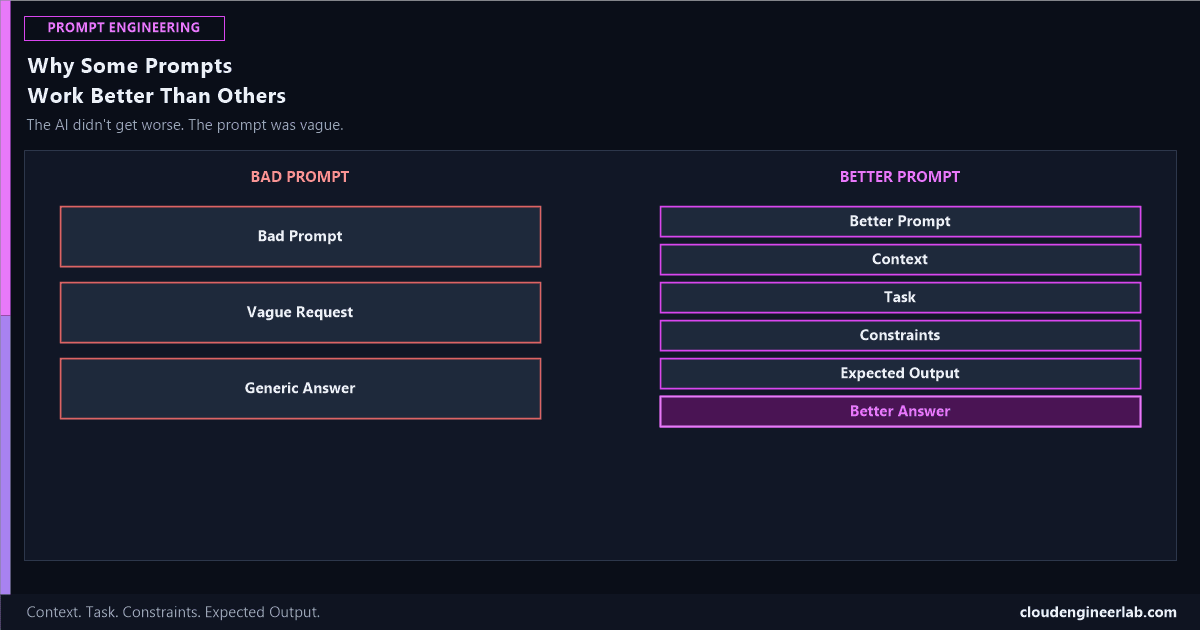
Bad Prompt
   ↓
Vague Request
   ↓
Generic Answer

Better Prompt
   ↓
Context
   ↓
Task
   ↓
Constraints
   ↓
Expected Output
   ↓
Better Answer
The Bad Path: Why a Vague Request Gets a Generic Answer
Bad Prompt
"Write me a PowerShell script to check disk space." Six words shorter than this sentence, and every one of them is doing less work than it looks like.
Vague Request
The model has no idea which disks, on what kind of machine, reporting to whom, in what format, or what should happen if a disk is actually low. Every one of those is a real decision, and none of them were made in the prompt, so the model has to guess all of them at once.
Generic Answer
A script that checks the C: drive on the local machine and writes free space to the console. Technically correct, and almost never what the person actually needed, because the actual need was never in the prompt to begin with.
The model isn't reading your mind, it's reading your words
Every unstated detail in a prompt gets filled in with whatever's most common across the entire training data, not with what you specifically meant. A generic answer isn't a failure of the AI, it's an accurate reflection of how little the prompt actually specified.
The Better Path: Four Ingredients, In Order
Context
Who you are, what environment you're working in, and why the task matters. This is the single most skipped ingredient, and a system prompt is the most efficient way to set it once instead of repeating it every time.
"I manage a fleet of about 400 Windows 11 laptops through Intune. I need a script our helpdesk team can run without any PowerShell experience."
Task
The actual, specific thing you want done, stated as an instruction, not a topic.
"Check free disk space on the C: drive and flag any device under 10% free."
Constraints
The real-world limits the output has to respect: what it can't assume, what environment it has to run in, what it must not do.
"Must run on Windows 10 and 11 without additional modules. Must not require local admin rights beyond what a standard Intune remediation script already has. Output needs to be readable by a non-technical helpdesk agent."
Expected Output
The exact shape of what a good answer looks like, not just the content but the format.
"A single .ps1 script formatted for an Intune remediation policy, with inline comments explaining each section, and a plain-English warning message if free space is under the threshold."
Notice what changed, not just that more words were added
The bad prompt asked for a topic. The better prompt describes a finished deliverable, who it's for, what it has to handle, and what "done" actually looks like. The exact prompt structure built from these four ingredients for PowerShell specifically is worked through in full here.
Side by Side
| Bad Prompt | Better Prompt | |
|---|---|---|
| Context | None | Fleet size, platform, audience |
| Task | Implied by a topic | Explicitly stated as an instruction |
| Constraints | None | OS versions, permissions, skill level of the reader |
| Expected Output | Unspecified | Exact format, deployment target, explanatory style |
| Result | One generic script, needs rework | A deployment-ready script matching the real environment |
This Applies Beyond Scripts
The same four ingredients work identically for a non-technical request. "Write a project update" is a bad prompt for the same reason "write me a script" is: no context, no stated task beyond a topic, no constraints, no defined output. "Write a two-paragraph project update for a non-technical stakeholder, covering what shipped this week, what's blocked, and what's next, in a tone appropriate for a Friday status email" has all four ingredients, and it's not longer because it's trying harder, it's longer because it's actually specifying the deliverable.
Where to go from here
The full reusable anatomy these four ingredients are drawn from, adding Role, Examples, and Output Format on top, ten ready-to-copy prompts already built around this structure for common IT admin tasks, and a real, tested comparison of how ChatGPT, Gemini, and Copilot each handle the same well-structured prompt, are all good next stops.
Summary
The one habit worth building
Before sending a prompt, check it against four questions: does it say who this is for and why (Context), does it state an instruction rather than a topic (Task), does it name what the output can't assume or must respect (Constraints), and does it describe the actual shape of a finished answer (Expected Output). A prompt missing any of these isn't wrong, it's just incomplete, and an incomplete prompt gets an incomplete answer every time, not because the model failed, but because it was never told what "complete" meant.
Which of these four ingredients do you skip most often without realizing it? Constraints is the one I see missed most, people specify what they want built but never what it has to avoid or assume. Drop a comment with your own habit.

Written by
Chetan Yamger
Cloud Engineer · AI Automation Architect · Modern Workplace Consultant
Cloud Engineer, AI Automation Architect, and Modern Workplace Consultant based in Amsterdam, Netherlands. Specializing in scalable, secure enterprise solutions with Microsoft Azure, Intune, PowerShell, and AI-driven automation using ChatGPT, Gemini, and modern LLM technologies.
Stay in the loop.
New articles, straight to you.
Deep-dive technical articles on Intune, PowerShell, and AI — no noise, no spam.
Discussion
Share your thoughts — your email stays private
Leave a comment