
Long Prompts vs Short Prompts: Does More Context Actually Help?
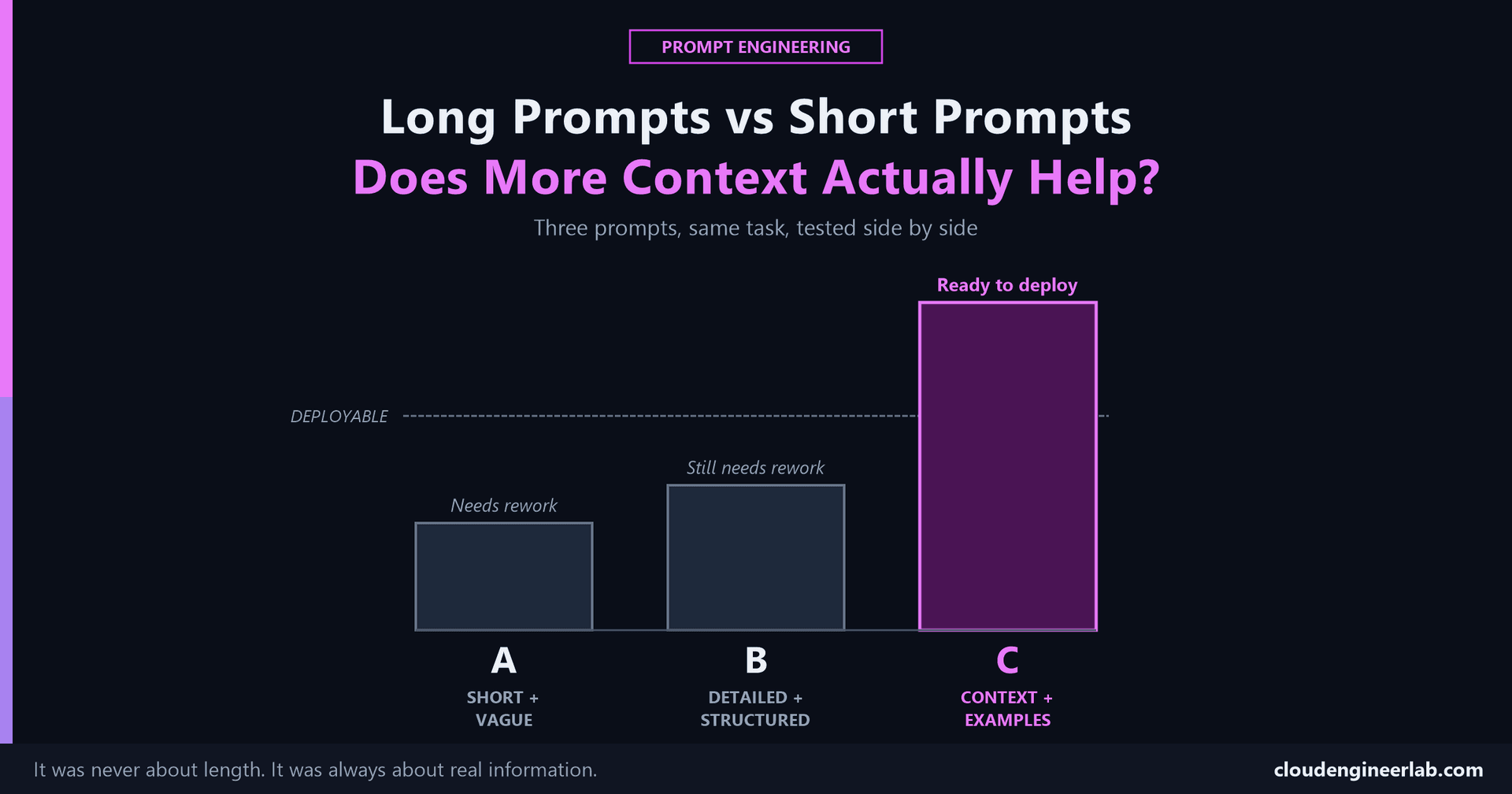
Three versions of the same request, short and vague, long and structured, and long with real information, tested against each other instead of argued about.
Every post so far in this series made a claim. This one tests the claims against each other, on the exact same task, so the conclusion comes from comparing actual outputs rather than from another paragraph of argument.
How this test is run
These three prompts and their representative outputs are worked through explicitly, the same way every worked example elsewhere in this series has been, not run as a formal, multi-trial statistical study. What you're seeing is the well-documented, repeatable pattern behind each version, not a claim of precise measured percentages.
The task: write a script that checks disk space and flags devices running low, the exact example this whole series opened with.
Prompt A: Short and Vague
Write me a PowerShell script to check disk space.Typical output: a script that checks the C: drive on the local machine and prints free space to the console. Technically functional, and it assumes a single local machine, no threshold for "low," and no real deployment target, because none of that was in the prompt.
Prompt B: Detailed and Structured
You are a PowerShell expert.
Context: I need to monitor disk space.
Task: Write a script that checks disk space and flags low space.
Requirements: Make it robust and well-commented.
Output: A complete PowerShell script.
Typical output: longer, better-commented, often wrapped in a function with basic error handling. It looks noticeably more professional than Prompt A's output. It also still checks an assumed local drive, still guesses at what "low" means, and still has no idea this needs to run through Intune remediation on a locked-down device, because "make it robust" and "I need to monitor disk space" aren't real information, they're structure with nothing specific inside it.
This is the result worth sitting with
Prompt B is five times longer than Prompt A and follows the anatomy's structure correctly, a role, a context line, a task, a requirements line, an output line. It still doesn't produce a genuinely usable script, because every slot in that structure is filled with a vague restatement instead of an actual fact. The template was right. The content poured into it wasn't.
Prompt C: Context, Examples, and Constraints
You are a senior Intune administrator managing 400 Windows 11 devices
for a financial services company currently under a security audit.

Context: This script will run as an Intune remediation script on
locked-down devices. Our helpdesk (non-PowerShell experts) needs to
read the output directly.

Task: Check C: drive free space and flag any device under 10% free.

Constraints: Use only built-in Get-PSDrive or WMI, no additional
modules (the remediation context won't allow installing one). Must
not error on a drive that doesn't exist.

Example output format:
DEVICE-1234: 8% free - ACTION NEEDED
DEVICE-5678: 45% free - OK

Output: A single .ps1 script formatted for Intune remediation, with
inline comments.
Typical output: a script using only built-in cmdlets, checking the actual specified threshold, producing output in the exact demonstrated format, structured to drop directly into an Intune remediation policy. Ready to deploy without a rework pass.
What Actually Changed Between B and C
| Prompt A | Prompt B | Prompt C | |
|---|---|---|---|
| Length | Shortest | Medium | Longest |
| Structure | None | Full anatomy structure | Full anatomy structure |
| Real information | None | None | Deployment target, threshold, module constraint, example format |
| Typical result | Needs a full rework pass | Looks more polished, still needs a rework pass | Ready to deploy |
The actual finding
Length alone explains almost none of the difference between B and C, they're both long. Structure alone explains almost none of it either, they both follow the same anatomy. The entire difference is real information: a specific deployment target, a specific threshold, a specific module constraint, and a concrete example of the output format. Prompt C isn't better because it's longer. It's better because the extra length is made of facts, not padding.
The Actual Answer to the Title's Question
Does more context help? Only the kind that's actually specific to the task. Prompt B proves the negative case: extra words that restate the request more formally don't move the outcome much. Prompt C proves the positive case: extra words that supply a real constraint, a real target, or a real example move it a great deal. This is also why dumping an entire irrelevant document into a prompt "just in case" can perform worse than one relevant sentence, more length in the wrong direction doesn't help either.
The Series, Tied Together
Reading order, if you're starting from here
Why some prompts work better than others → the anatomy of a good prompt → zero-shot vs few-shot → why context matters more than clever prompts → turning the anatomy into a reusable template → chaining templates into multi-step workflows → making the output format actually reliable → this post, which is really just all of the above, tested against each other on one task.
Have you rewritten a "detailed" prompt that still didn't work, only to realise it was detailed without actually being specific? That's precisely Prompt B's failure mode, and it's an easy one to fall into because the prompt genuinely looks more thorough. Drop a comment with what you found when you added the missing specifics.

Written by
Chetan Yamger
Cloud Engineer · AI Automation Architect · Modern Workplace Consultant
Cloud Engineer, AI Automation Architect, and Modern Workplace Consultant based in Amsterdam, Netherlands. Specializing in scalable, secure enterprise solutions with Microsoft Azure, Intune, PowerShell, and AI-driven automation using ChatGPT, Gemini, and modern LLM technologies.
Stay in the loop.
New articles, straight to you.
Deep-dive technical articles on Intune, PowerShell, and AI — no noise, no spam.
Discussion
Share your thoughts — your email stays private
Leave a comment