
Prompt Templates: Stop Writing the Same Prompt Again and Again
Six ingredients, written once as a template with variables, instead of retyped from memory every time. This is where prompt engineering starts becoming engineering.
The anatomy of a good prompt gave you six ingredients to include every time. This post is about not typing them from memory every time. Write the structure once, as a template with variables, and every future prompt becomes filling in blanks instead of reconstructing the whole thing from scratch.
One-Time Prompt
       ↓
   Template
       ↓
   Variables
       ↓
Reusable Workflow
This is the anatomy, made reusable
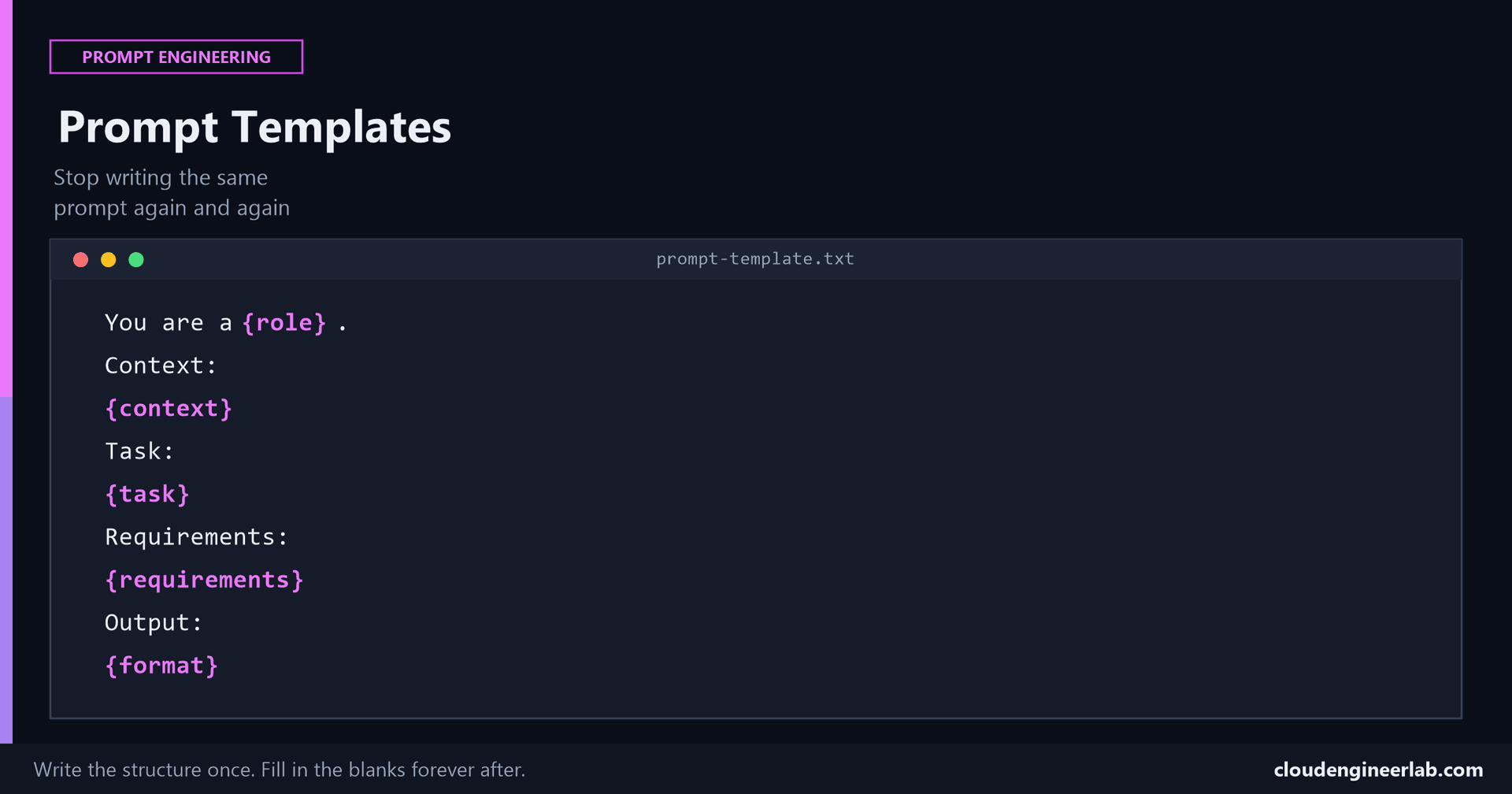
Every placeholder below maps directly onto one of the six ingredients already covered in full: {role} is Role, {context} is Context, {task} is Task, {requirements} is Constraints, {format} is Output Format. Examples, the sixth ingredient, gets filled in per use, not baked into the template itself, since the right example usually depends on the specific task.
The Template
You are a {role}.
Context:
{context}
Task:
{task}
Requirements:
{requirements}
Output:
{format}
Five blanks. Fill them in once per task, and you get a fully-structured prompt without reconstructing the anatomy from memory each time, and without accidentally skipping an ingredient because you were in a hurry.
The Same Template, Three Different Tasks
Explaining an error code to a non-technical user
{role}: "IT support specialist who explains technical issues in plain language." {context}: "A non-technical employee's laptop shows error 0x80070005 during a OneDrive sync." {task}: "Explain what this means and what the user should do." {requirements}: "No jargon, three sentences maximum, reassuring tone." {format}: "A short message ready to send directly to the employee."
Writing a PowerShell script
{role}: "senior Intune administrator." {context}: "Managing 400 Windows 11 devices, currently under a security audit." {task}: "Write a script that flags devices without BitLocker enabled." {requirements}: "Microsoft Graph PowerShell SDK only, no additional modules, must not error on devices that haven't checked in recently." {format}: "A single code block plus a two-sentence explanation of authentication."
Summarising an incident for a stakeholder update
{role}: "IT operations lead writing a status update." {context}: "A three-hour outage affecting email access for approximately 200 users, now resolved." {task}: "Write a summary for a non-technical leadership audience." {requirements}: "Two paragraphs maximum, no technical acronyms, include what's being done to prevent recurrence." {format}: "Plain text suitable for pasting into an email."
Notice what stayed constant
The structure never changed. Only the five values did. That's the entire point, the thinking about what makes a good prompt happens once, when you write the template, not every single time you need a prompt for a new but similar task.
Where This Starts Becoming Engineering
Templates are versionable
A template saved in a file, a shared document, a script, a Notion page, can be improved over time and everyone using it benefits from the improvement. A prompt typed fresh into a chat window every time can't be improved, it can only be retyped slightly differently, with no guarantee the improvement sticks or spreads to a teammate.
Templates remove skill variance across a team
Two people manually writing a prompt for the same task produce two differently-structured prompts, often of noticeably different quality. Two people filling in the same template produce two prompts with identical structure and comparable quality, because the hard part, the anatomy, was already solved once.
Templates make testing possible
You can't systematically test "a good prompt I typed once." You can systematically test a template, run it with five different realistic values for each variable and check whether the output holds up consistently, which is the actual beginning of treating prompts as something you engineer and validate rather than something you improvise.
Templates are composable
Once a task is a template, the output of one template can become a variable value for the next, an incident summary template's output feeding into a stakeholder-communication template's {context} variable, for instance. This is the first step toward chaining prompts into an actual workflow instead of a series of disconnected one-off requests.
A Small Starter Library
| Template purpose | Key variables |
|---|---|
| Explain a technical issue to a non-technical user | role, error/issue, tone, length limit |
| Generate a script for a specific admin task | role, environment, task, constraints, output format |
| Summarise an incident for stakeholders | audience, what happened, resolution, prevention steps |
| Draft documentation for a new process | audience, process steps, format (checklist, narrative, table) |
Ten ready-made prompts for common IT admin tasks and the dedicated PowerShell prompt structure are both good starting points to turn into templates of your own using this exact pattern.
Summary
The shift this post is actually about
A one-time prompt solves today's task. A template solves every future task shaped like it. Context is still the ingredient that matters most inside each fill-in, a template doesn't remove that requirement, it just stops you from having to rebuild the surrounding structure from scratch every single time you need to supply it.
Do you already keep a personal library of prompt templates, or is every prompt still typed fresh each time? If you do have one, what was the task that finally convinced you it was worth building? Drop a comment, that's usually the most useful signal for what to templatize next.

Written by
Chetan Yamger
Cloud Engineer · AI Automation Architect · Modern Workplace Consultant
Cloud Engineer, AI Automation Architect, and Modern Workplace Consultant based in Amsterdam, Netherlands. Specializing in scalable, secure enterprise solutions with Microsoft Azure, Intune, PowerShell, and AI-driven automation using ChatGPT, Gemini, and modern LLM technologies.
Stay in the loop.
New articles, straight to you.
Deep-dive technical articles on Intune, PowerShell, and AI — no noise, no spam.
Discussion
Share your thoughts — your email stays private
Leave a comment