
The Anatomy of a Good AI Prompt
Six ingredients, combined into one prompt, that work for almost any task. Not another list of prompts to copy, the actual structure they're all built from.
Why some prompts work better than others covered the diagnosis. This is the actual anatomy, the reusable structure underneath every strong prompt, so instead of copying someone else's prompt and hoping it transfers to your situation, you can build your own for whatever you're actually working on.
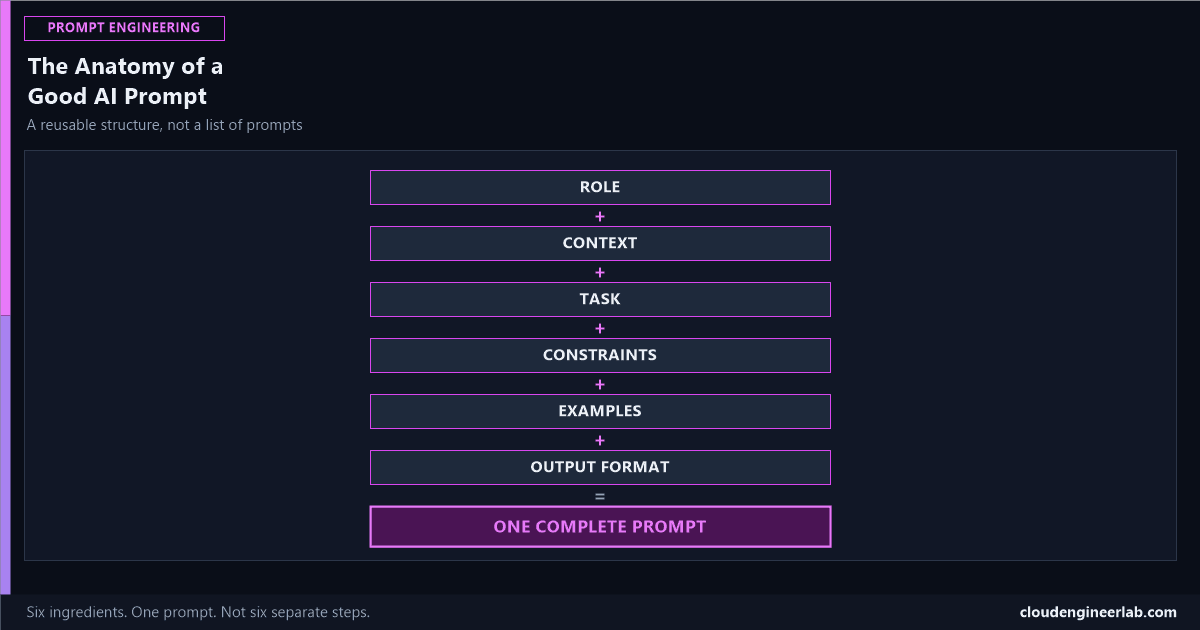
ROLE
  +
CONTEXT
  +
TASK
  +
CONSTRAINTS
  +
EXAMPLES
  +
OUTPUT FORMAT
This is addition, not a sequence
These six pieces don't execute one after another like steps in a process. They all belong in the same prompt, combined, before you ever send it. Think of it less like a pipeline and more like a recipe: leave an ingredient out and the result is still recognisable, just noticeably worse.
Role
Who the AI should act as while answering. This is a system prompt's job when it's persistent across a whole conversation, covered in full here, and it's just as valuable stated once, inline, for a single prompt.
"You are a senior Microsoft Intune administrator with deep experience in Win32 app packaging and enterprise compliance policy."
Why this changes the actual answer, not just the tone
A role doesn't just make the response sound more expert, it narrows which part of the model's training the answer draws from. "Explain BitLocker" from no assigned role gets a general definition. The same question with an enterprise-Intune-administrator role assigned gets an answer that assumes you already know what a hard drive is and skips straight to key escrow and compliance policy configuration.
Context
The specific situation the task is happening in: your environment, your constraints, why this matters right now.
"I manage 400 Windows 11 devices through Intune for a mid-sized financial services company. We're currently being audited for compliance with a client's security requirements."
Without this, the model has no way to calibrate how formal, how detailed, or how risk-averse the answer needs to be. A financial-services audit context and a small startup's "let's just get this working" context call for genuinely different advice to the same technical question. Of all six ingredients, this is the one that matters most, more than any clever wording choice elsewhere in the prompt.
Task
The specific instruction, stated as an action, not a topic. This is the exact distinction the diagnostic post covers in depth: "PowerShell scripts" is a topic. "Write a PowerShell script that checks BitLocker status on all Intune-managed devices and flags any that aren't encrypted" is a task.
"Write a PowerShell script that queries BitLocker status via the Microsoft Graph API and outputs a list of non-compliant devices."
Constraints
What the output can't assume, must respect, or must avoid. This is the ingredient most people skip entirely, and it's often the one doing the most work.
"Must use Microsoft Graph PowerShell SDK, not the legacy AzureAD module. Must not require local admin rights beyond what Intune's own remediation script context already provides. Must handle devices that haven't checked in recently without erroring out."
A missing constraint doesn't produce an error, it produces a wrong answer that looks right
Leave out "must not require additional modules" and you'll get a perfectly good script that fails the moment someone runs it on a locked-down machine where installing a new module isn't allowed. The model has no way to know that restriction exists unless the prompt states it.
Examples
Showing the model what a correct input-output pair actually looks like, known as few-shot prompting, is the single most underused ingredient in this whole structure, and often the highest-leverage one for tasks with a specific format or tone.
"Here's the format I want for each flagged device:
[DEVICE NAME] - [LAST CHECK-IN DATE] - [BITLOCKER STATUS] - [ACTION NEEDED]Example:LAPTOP-4471 - 2026-09-18 - Not Encrypted - Trigger remediation"
One good example beats three paragraphs of description
Describing a desired format in prose leaves room for the model to interpret it differently than you meant. Showing one concrete example removes almost all of that ambiguity, because there's no interpretation gap between what you described and what you actually wanted. When this ingredient is actually worth including, and how many examples is enough, is covered in full here.
Output Format
The final shape the response should take: not just structure, but medium. A script versus a table versus a short paragraph versus a checklist. The full technique for making this actually reliable, especially for JSON and other machine-parsed formats, is covered here.
"Return only the PowerShell script in a single code block, followed by a two-sentence explanation of how it authenticates."
What Breaks When You Skip One
| Skipped ingredient | What actually happens |
|---|---|
| Role | Generic, textbook-level answers instead of ones calibrated to real expertise |
| Context | The model can't judge how formal, detailed, or risk-aware to be |
| Task | A topic overview instead of the specific thing you needed done |
| Constraints | A technically correct answer that fails the moment it meets your real environment |
| Examples | The model guesses your intended format, and often guesses wrong |
| Output Format | A wall of text when you needed a script, or a script when you needed an explanation |
The Whole Thing, Assembled
All six ingredients, as one actual prompt
"You are a senior Microsoft Intune administrator with deep experience in Win32 app packaging and enterprise compliance policy. I manage 400 Windows 11 devices through Intune for a mid-sized financial services company currently being audited for compliance. Write a PowerShell script that queries BitLocker status via the Microsoft Graph API and outputs a list of non-compliant devices. It must use the Microsoft Graph PowerShell SDK, not the legacy AzureAD module, must not require local admin rights beyond what Intune's own remediation script context provides, and must handle devices that haven't checked in recently without erroring out. Format each flagged device as [DEVICE NAME] - [LAST CHECK-IN DATE] - [BITLOCKER STATUS] - [ACTION NEEDED], for example LAPTOP-4471 - 2026-09-18 - Not Encrypted - Trigger remediation. Return only the script in a single code block, followed by a two-sentence explanation of how it authenticates."
That's six sentences, not six separate steps to run through. Every ingredient from this post is in there exactly once, and the result is a prompt that produces a script matching a real environment on the first try, rather than a generic starting point that needs three more rounds of clarification to get there.
Where to go next
Turning this exact structure into a reusable template with variables, instead of retyping it from memory every time, the full prompt structure built specifically for PowerShell tasks, and ten ready-made prompts already built on this exact anatomy for common IT admin work, are all good next reads.
Which of these six do you find yourself leaving out most often? Examples is the one I see skipped even by people who already know to include role, context, and constraints, probably because it feels like extra effort for something the model "should just know." Drop a comment with your own habit.

Written by
Chetan Yamger
Cloud Engineer · AI Automation Architect · Modern Workplace Consultant
Cloud Engineer, AI Automation Architect, and Modern Workplace Consultant based in Amsterdam, Netherlands. Specializing in scalable, secure enterprise solutions with Microsoft Azure, Intune, PowerShell, and AI-driven automation using ChatGPT, Gemini, and modern LLM technologies.
Stay in the loop.
New articles, straight to you.
Deep-dive technical articles on Intune, PowerShell, and AI — no noise, no spam.
Discussion
Share your thoughts — your email stays private
Leave a comment