
Intune Application Dependencies vs Supersedence: When Should You Use Each?
Both live in the same 'app relationships' menu, and picking the wrong one causes two very different failure modes. Here's the actual architecture distinction.
Both dependencies and supersedence live in the same "App relationships" section of a Win32 app's properties in Intune. Both involve pointing one app at another. And that surface similarity is exactly why people reach for the wrong one, then spend an afternoon debugging a failure that has nothing to do with what they think broke.
They solve two completely different problems. Once you see the actual distinction, you'll never confuse them again.
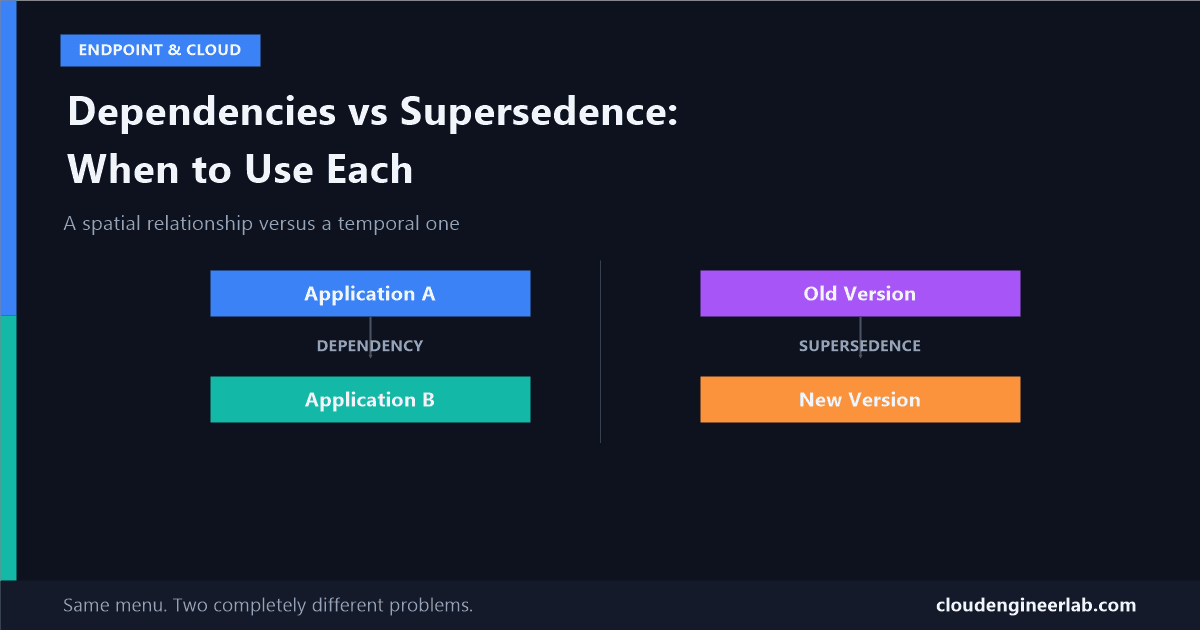
Application A                    Old Version
     ↓                                ↓
 Dependency        vs.          Supersedence
     ↓                                ↓
Application B                   New Version
The One-Sentence Distinction
A dependency is a relationship between two different apps that both need to exist on a device at the same time. Supersedence is a relationship between two versions of what is, conceptually, the same app across time.
Put another way: dependency is a spatial relationship, two things side by side, both present right now. Supersedence is a temporal relationship, one thing replacing another as time moves forward. Confusing them means asking Intune to solve a "these two things need to coexist" problem with a tool built for "this thing replaces that thing," or the reverse.
They are not interchangeable in Intune's own data model
You cannot use a supersedence relationship to express a dependency, or a dependency to express supersedence. They're stored and evaluated as genuinely separate relationship types. Picking the conceptually wrong one isn't just a style choice, it won't do what you want.
Dependencies: The Mechanics
A dependency says: Application A cannot function without Application B, so make sure B exists before A installs.
Application A
     ↓
 Dependency
     ↓
Application B
The load-bearing setting here is Automatically Install:
Automatically Install: On
Application B installs on the device even if B was never separately assigned to that user or group. It exists purely as plumbing to support A, invisible to the end user, never appearing in Company Portal on its own.
Automatically Install: Off
Application B must already be separately assigned and installed on the device through its own assignment. If it isn't, A's installation is not attempted at all, and app reporting flags the specific reason: the dependency wasn't met.
Dependencies chain. If B itself depends on C, Intune resolves the full graph and installs C, then B, then A, in the correct order, automatically. A real example: an internal line-of-business app (A) that requires a specific Visual C++ Redistributable (B), which in turn might need a Windows feature enabled (C).
Two hard limits worth knowing:
- Up to 100 dependencies, but that ceiling applies to the entire combined dependency graph across every app that shares any part of it, not 100 per individual app. A tenant with a lot of shared prerequisite apps (the same redistributable required by a dozen LOB apps) can hit this ceiling collectively faster than it looks.
- Circular dependencies are rejected outright. If A depends on B and B depends on A, Intune tells you so directly rather than allowing a broken deployment to attempt to resolve an impossible chain.
Supersedence: The Mechanics
Supersedence says: this new package is the successor to that old one, whether it's a version bump or a full replacement.
Old Version
     ↓
Supersedence
     ↓
New Version
There are two distinct flavours, controlled by the "Uninstall previous version" toggle:
| Type | What happens | When to use it |
|---|---|---|
| Update | The new installer runs and handles the upgrade itself, in place. Intune does not send a separate uninstall command. | The installer has real upgrade intelligence, an MSI with a proper upgrade code, or a vendor installer that detects and cleanly upgrades the existing install. |
| Replace | Intune explicitly uninstalls the old version first, then installs the new one as a clean install. | You're switching to a genuinely different app, or the installer has no reliable way to upgrade in place. |
Choosing Update for an installer that can't actually self-upgrade
Intune trusts you when you pick "Update" and skip the uninstall. If the new installer doesn't actually detect and cleanly replace the old one, you can end up with both versions coexisting on the device, or a broken hybrid state, silently, because nothing told Intune an uninstall was needed.
Supersedence relationships chain too, up to 10 apps deep in a single chain, letting you build a real version history (v1 superseded by v2, superseded by v3) rather than only ever pointing at the immediately previous release.
The Decision Framework
Two questions, in order, settle almost every case:
Question 1: Is this the same app across time, or two different apps needed together?
Same app, newer version, whether from the same vendor or literally a different product filling the same role (migrating PDF readers, browsers, etc.) → supersedence. A genuinely separate piece of software that this app happens to require to function → dependency.
Question 2 (if supersedence): can the new installer upgrade in place?
Yes, and you trust its upgrade logic → Update. No, or you're not confident in it, or you're switching to a different vendor entirely → Replace, with "Uninstall previous version" turned on.
Question 3 (if dependency): should this prerequisite ever be visible or usable on its own?
No, it's pure plumbing → turn on Automatically Install and don't bother assigning it separately. Yes, some users might need the redistributable or runtime independently of this specific app → assign it separately as its own app and still list it as a dependency, so both paths stay correct.
Failure Modes Worth Knowing Before You Hit Them
A missed dependency looks nothing like a detection rule failure, but gets triaged the same way. If you've read my post on why detection rules lie, you already know to check MSI product codes and registry redirection first. But a dependency failure is a completely different report entry: the app was never attempted at all, with an explicit "dependency not met" reason. Checking detection rule mechanics for a problem that's actually a missing or mis-toggled dependency wastes time chasing the wrong stage entirely.
Circular dependencies are caught. Circular confusion between dependency and supersedence isn't automatically caught in the same way. Nothing stops you from trying to structure what should be a version relationship as a dependency instead, Intune just won't do what you expect, because you're asking a "these coexist" tool to express a "this replaces that" relationship.
The 100-dependency ceiling is a shared tenant resource, not a per-app budget. If your organisation packages many small internal tools that all depend on the same handful of shared runtimes, model that shared graph deliberately rather than discovering the ceiling by accident during a busy quarter of app onboarding.
Putting It Together
Both features exist because a single Win32 app object is a snapshot: one installer, one detection rule, one set of requirements. Dependencies let that snapshot lean on other snapshots it needs beside it. Supersedence lets a sequence of snapshots represent one thing changing over time. Once that's the mental model, the menu that groups them together stops being confusing, they were never really doing the same job.
Have you hit the shared dependency-graph ceiling, or a supersedence "Update" that quietly left two versions installed? I'd like to hear the specifics. Drop a comment below.

Written by
Chetan Yamger
Cloud Engineer · AI Automation Architect · Modern Workplace Consultant
Cloud Engineer, AI Automation Architect, and Modern Workplace Consultant based in Amsterdam, Netherlands. Specializing in scalable, secure enterprise solutions with Microsoft Azure, Intune, PowerShell, and AI-driven automation using ChatGPT, Gemini, and modern LLM technologies.
Stay in the loop.
New articles, straight to you.
Deep-dive technical articles on Intune, PowerShell, and AI — no noise, no spam.
Discussion
Share your thoughts — your email stays private
Leave a comment