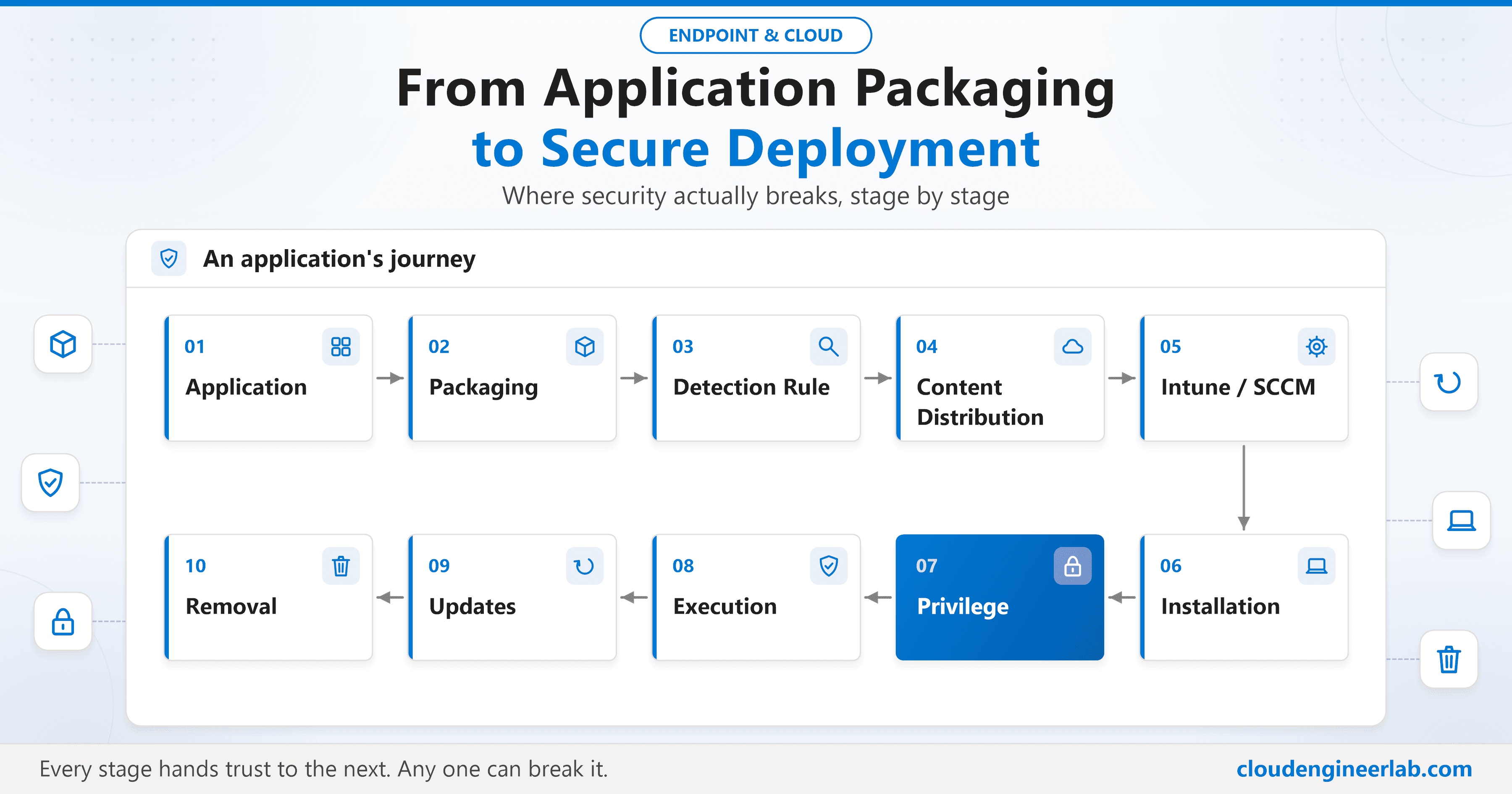
From Application Packaging to Secure Deployment: Where Security Actually Breaks
Follow one app from source to removal and see where security breaks: secrets in packages, fakeable detection, SYSTEM installs, writable folders and zombie apps.
57 posts

Follow one app from source to removal and see where security breaks: secrets in packages, fakeable detection, SYSTEM installs, writable folders and zombie apps.

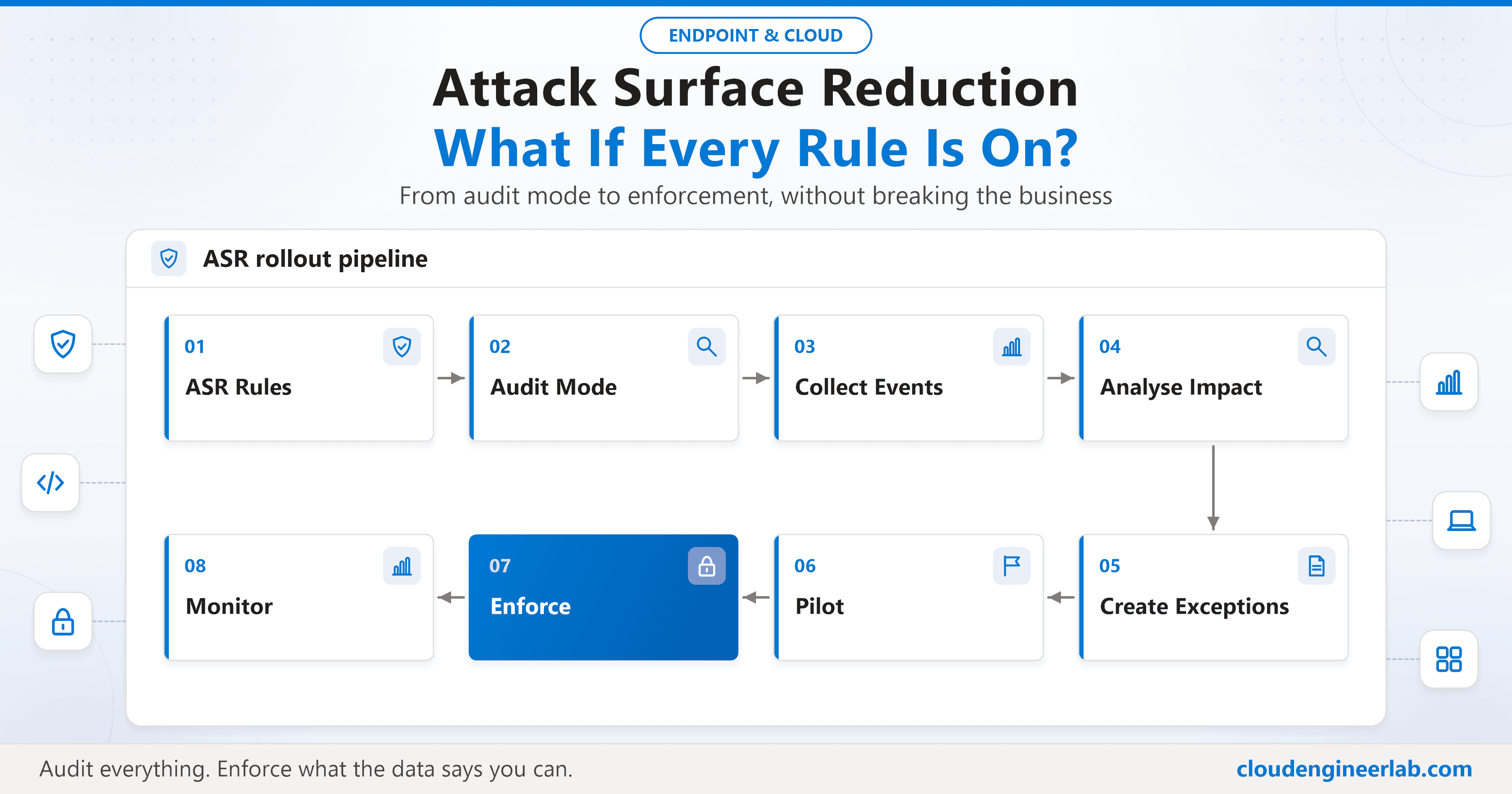
Every ASR rule on at once: what lights up in audit, what breaks Office, PowerShell, developer machines and line-of-business apps, and how to reach Block safely.


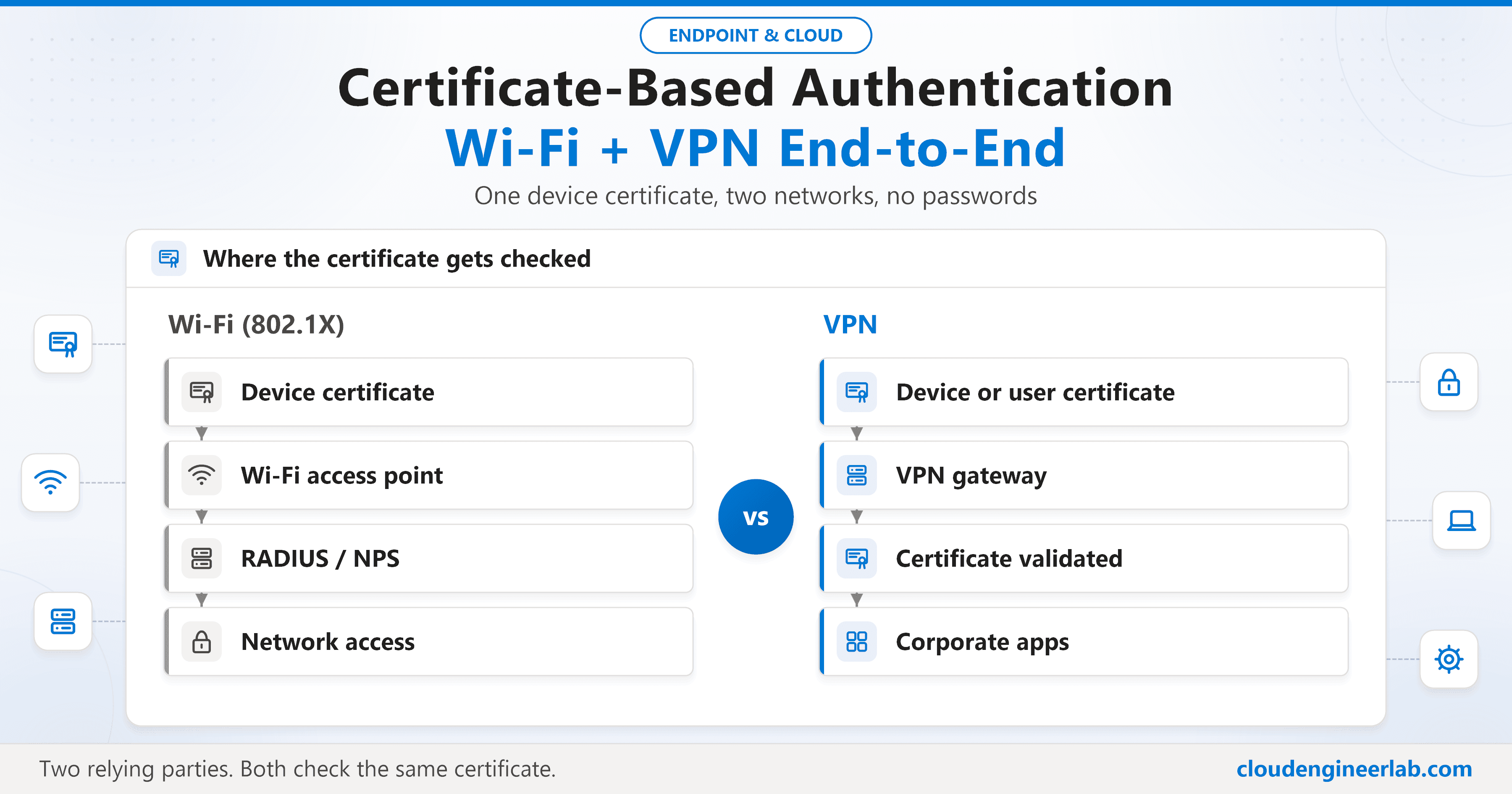
What happens after the certificate lands: device vs user certificates, 802.1X, RADIUS and NPS, VPN authentication, EKUs, trust chains and troubleshooting.

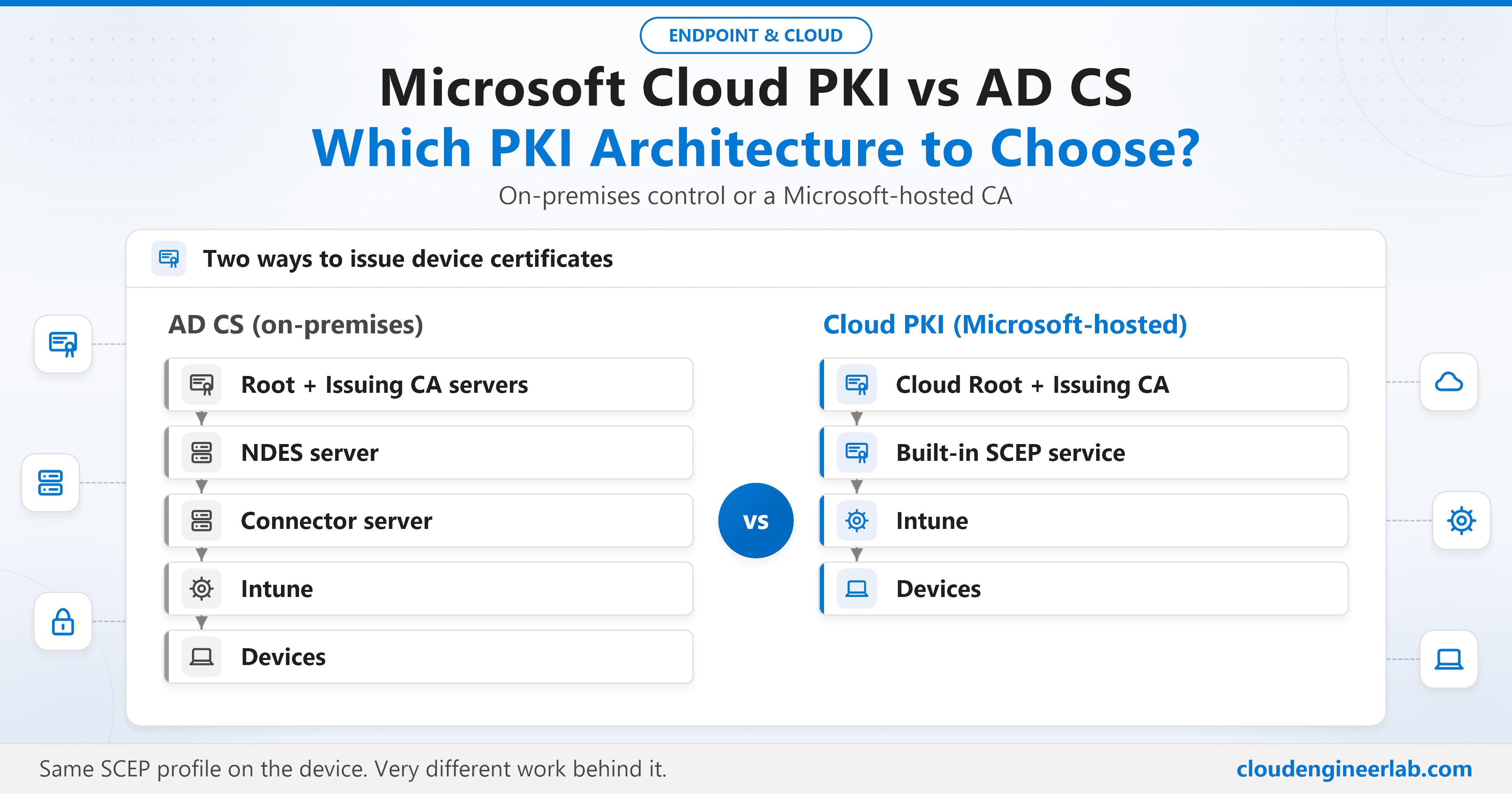
Cloud PKI removes the on-premises CA, NDES and the connector. AD CS can issue to anything. A practical comparison, and a guide to choosing, combining or moving.

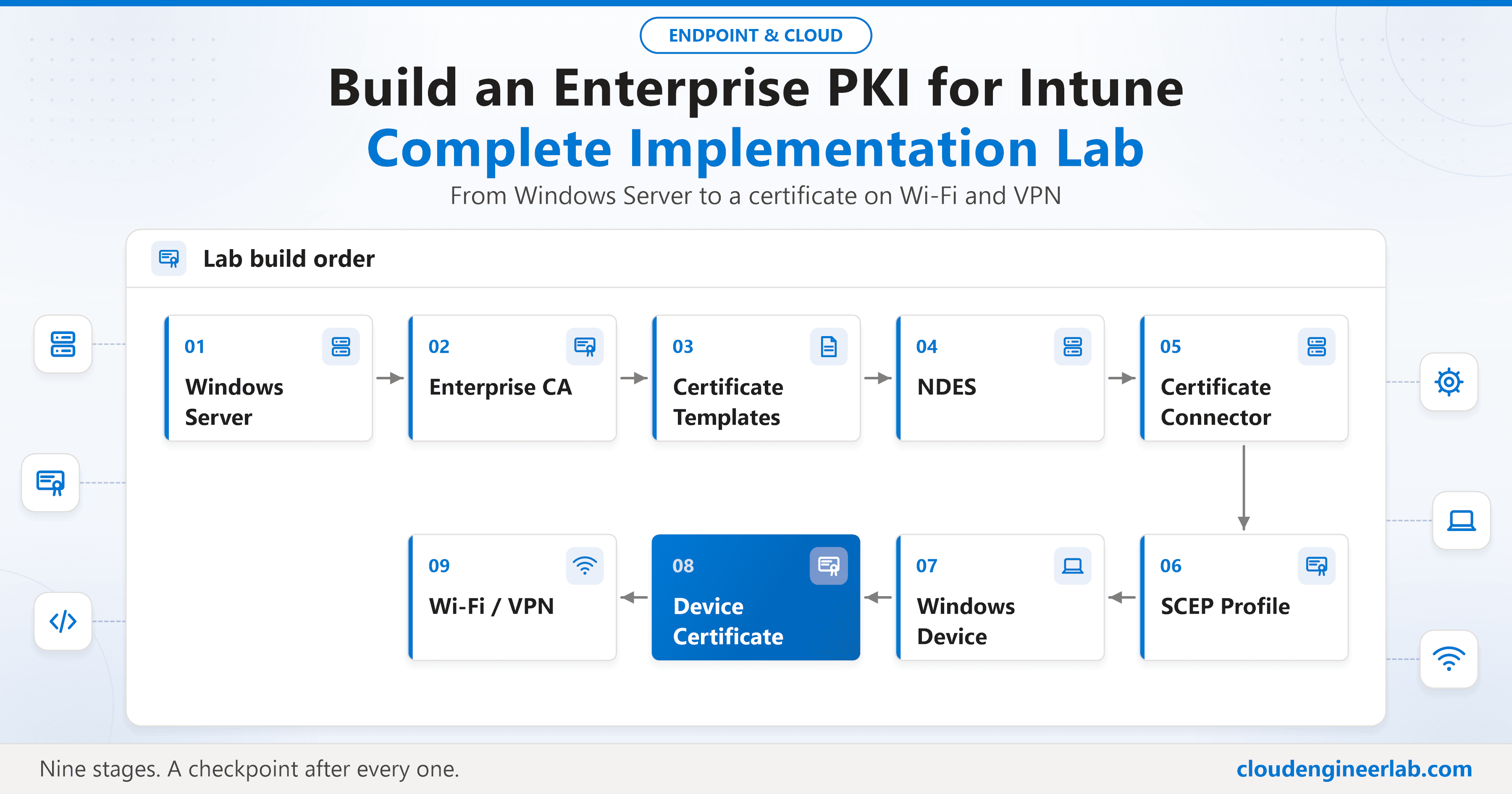
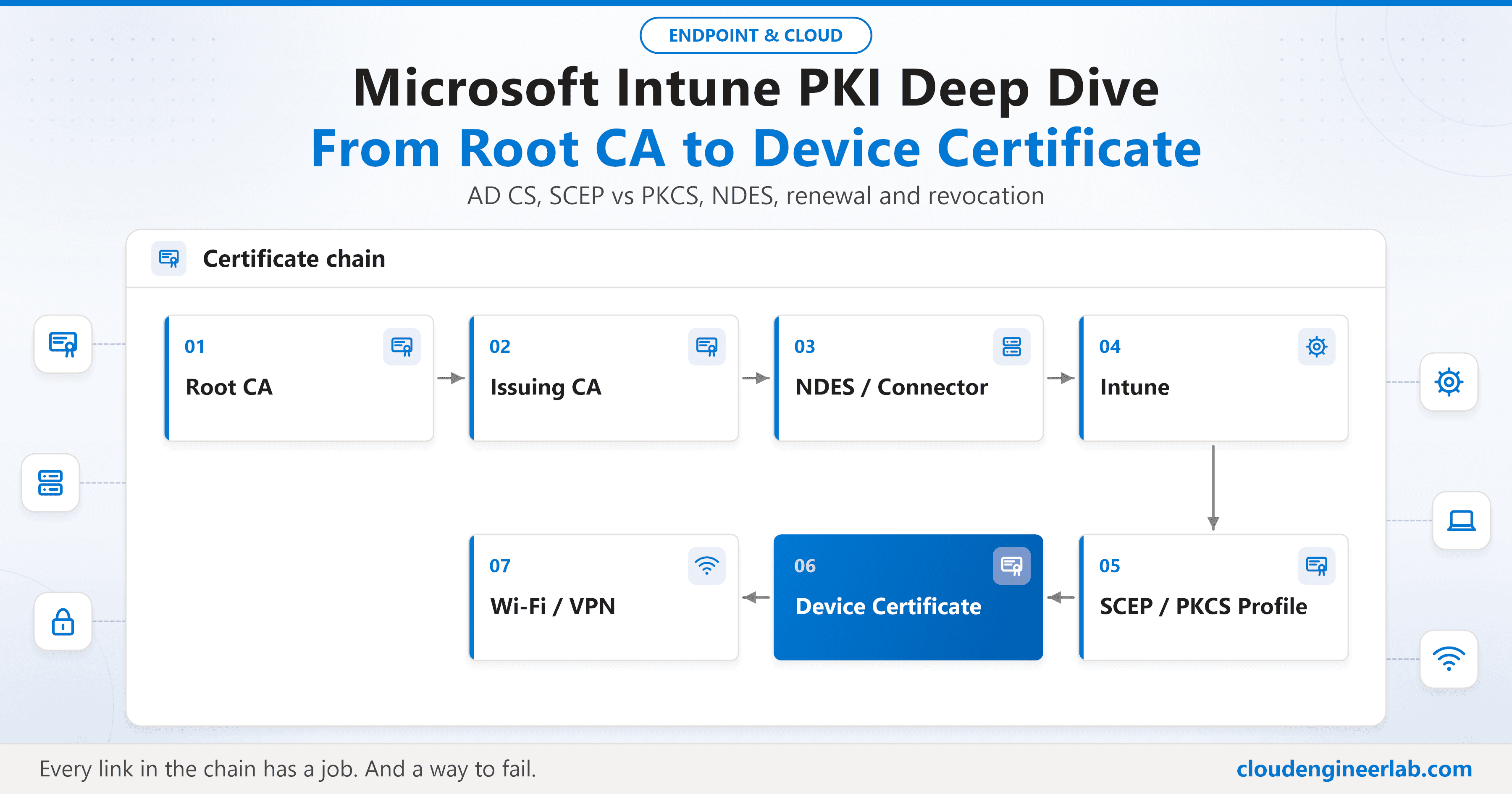
How a certificate gets from your Root CA onto an Intune-managed device: AD CS, templates, SCEP vs PKCS, NDES, the Certificate Connector, renewal and revocation.

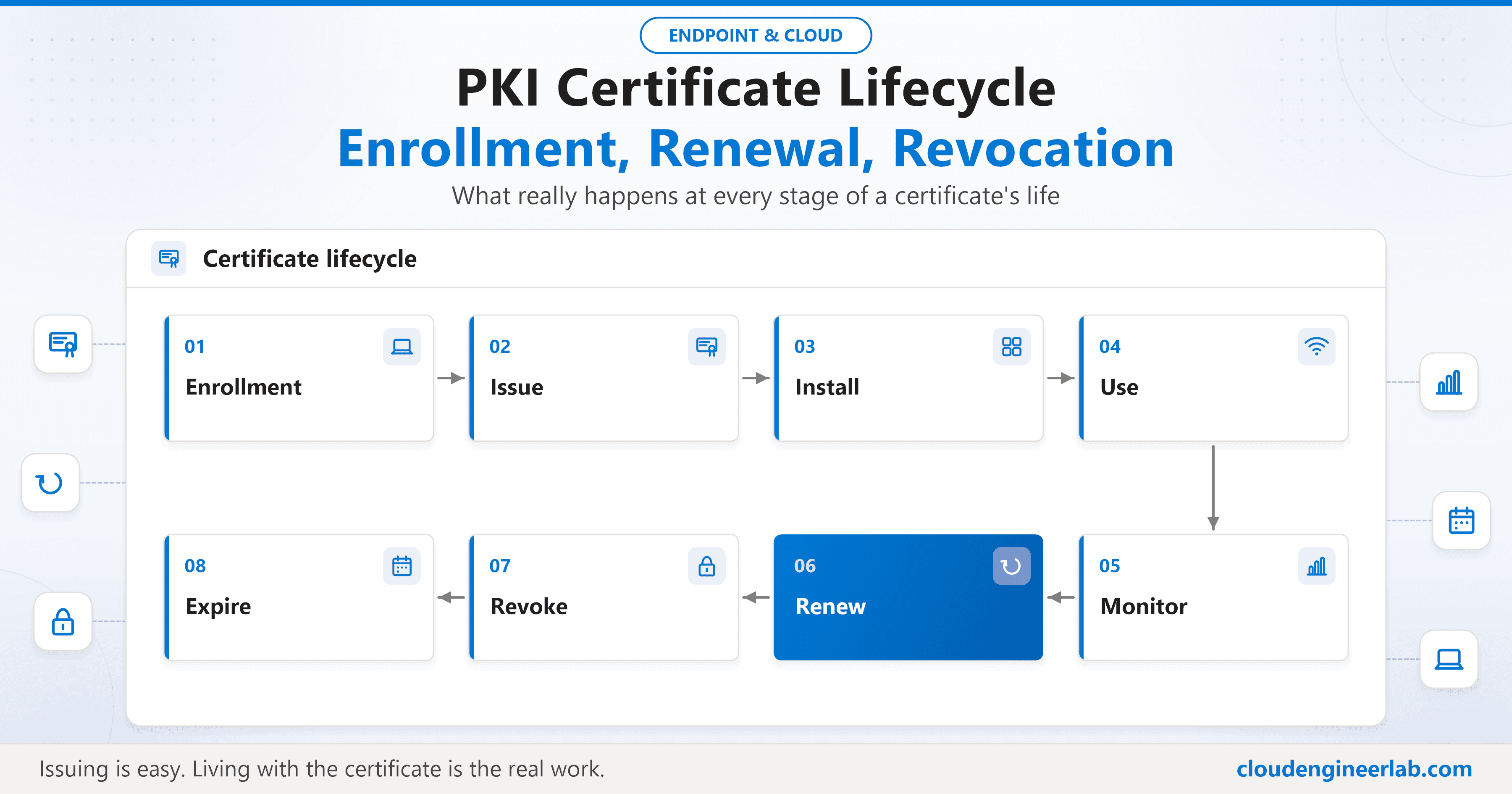
What happens when a certificate expires, a device is deleted or a user leaves: renewal thresholds, failed renewals, revocation timing, CRL vs OCSP.

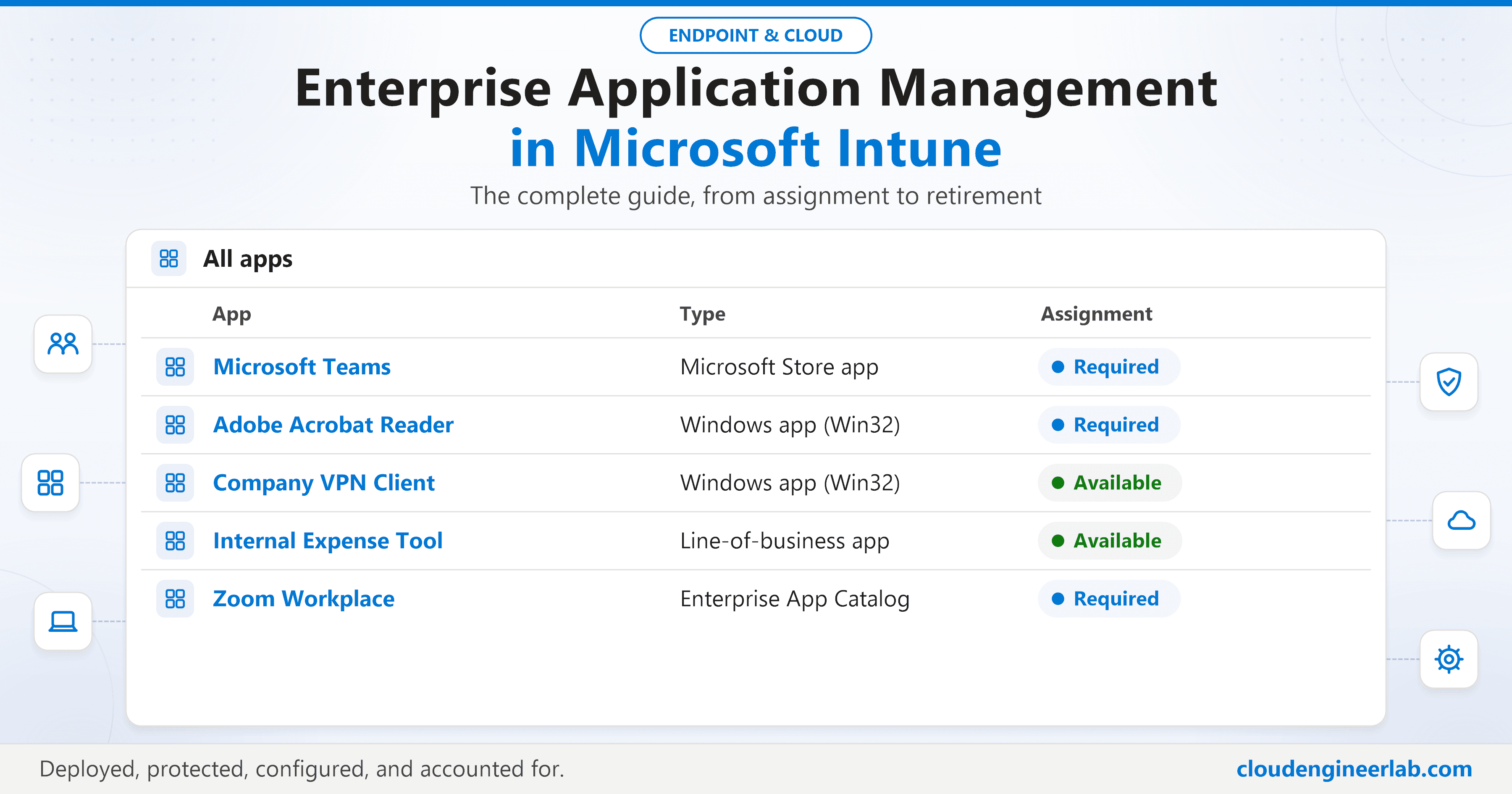
Deploying an app is the easy part. Protecting its data, configuring it on arrival, and retiring it cleanly is where most app management actually lives.

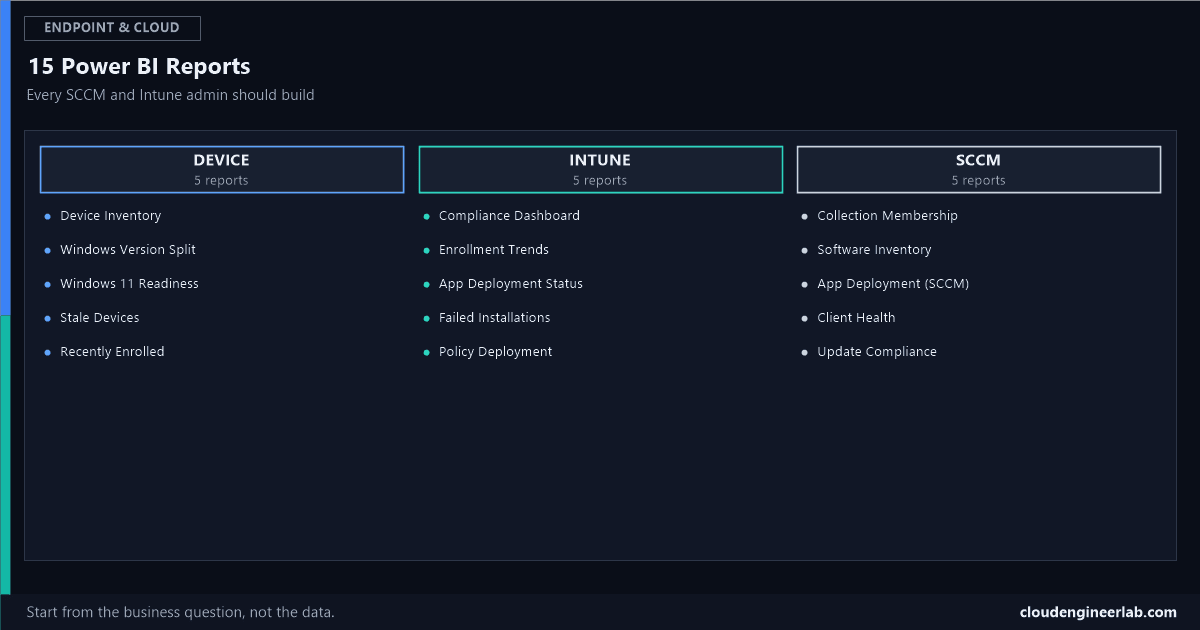
Fifteen named reports, the exact business question each one answers, and the data source, DAX, and visualization that actually deliver it.

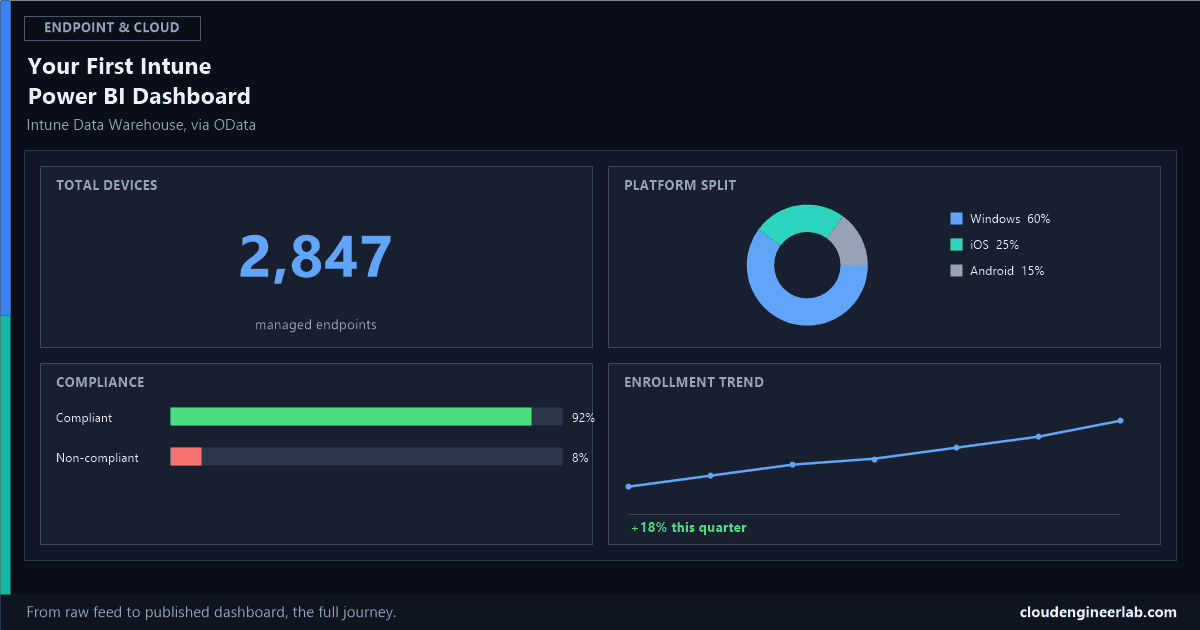
Not another 'what is Power BI' post. The full journey from the Intune Data Warehouse to a published dashboard, with real entities, relationships, and DAX.

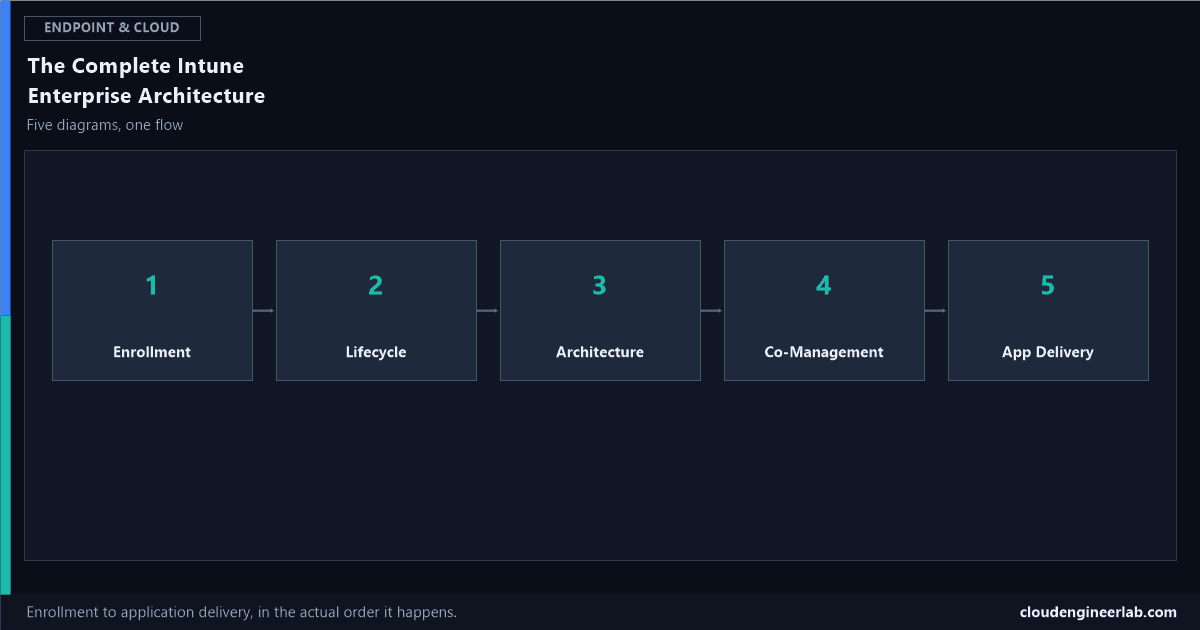
From a device coming out of the box to an application landing on it, in the actual sequence a real enterprise deployment runs, not five disconnected slides.

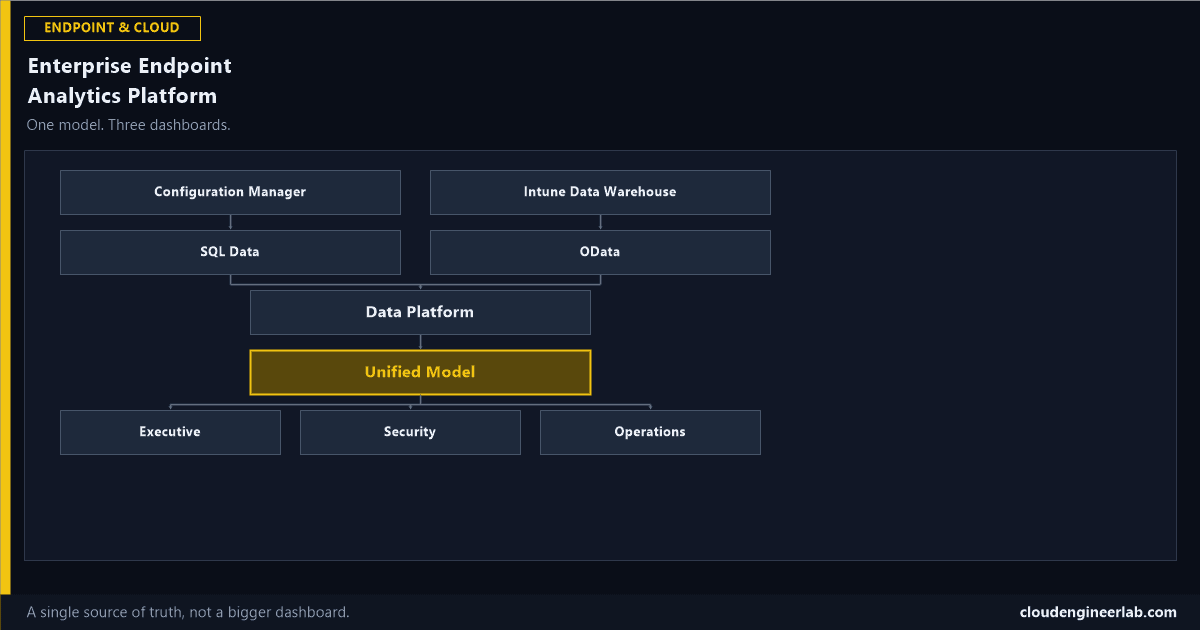
Not another dashboard. One governed model, one refresh strategy, one set of numbers everyone actually trusts, with three different reports built on top of it.

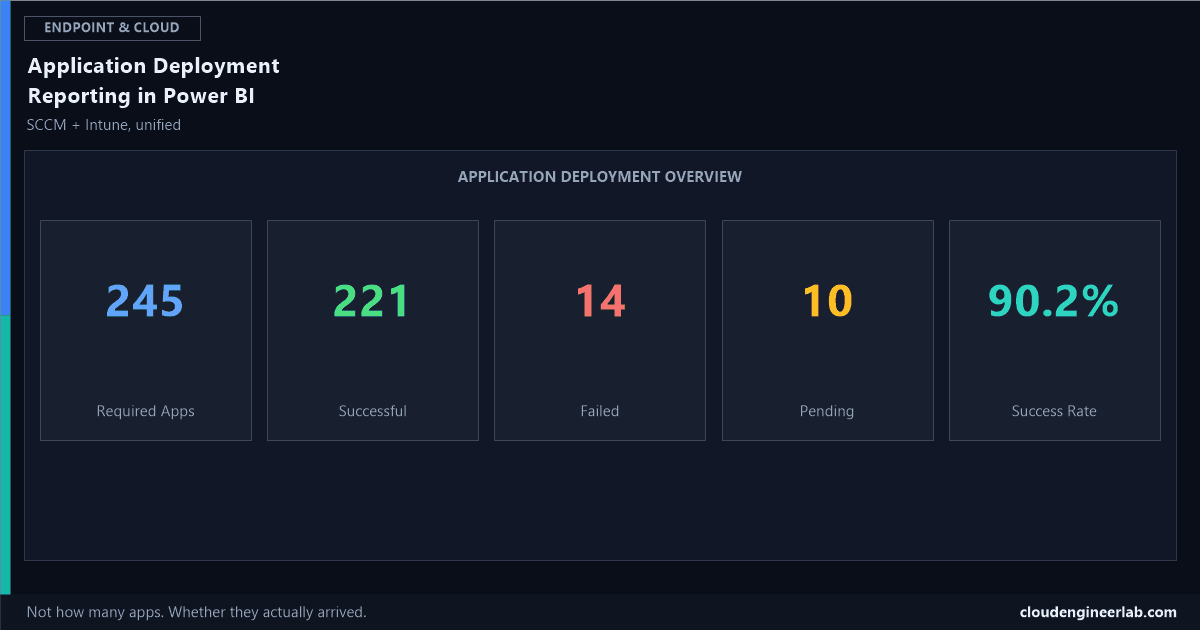
Not how many applications you have. Whether they actually reached the devices they were supposed to, and specifically why the ones that didn't, didn't.

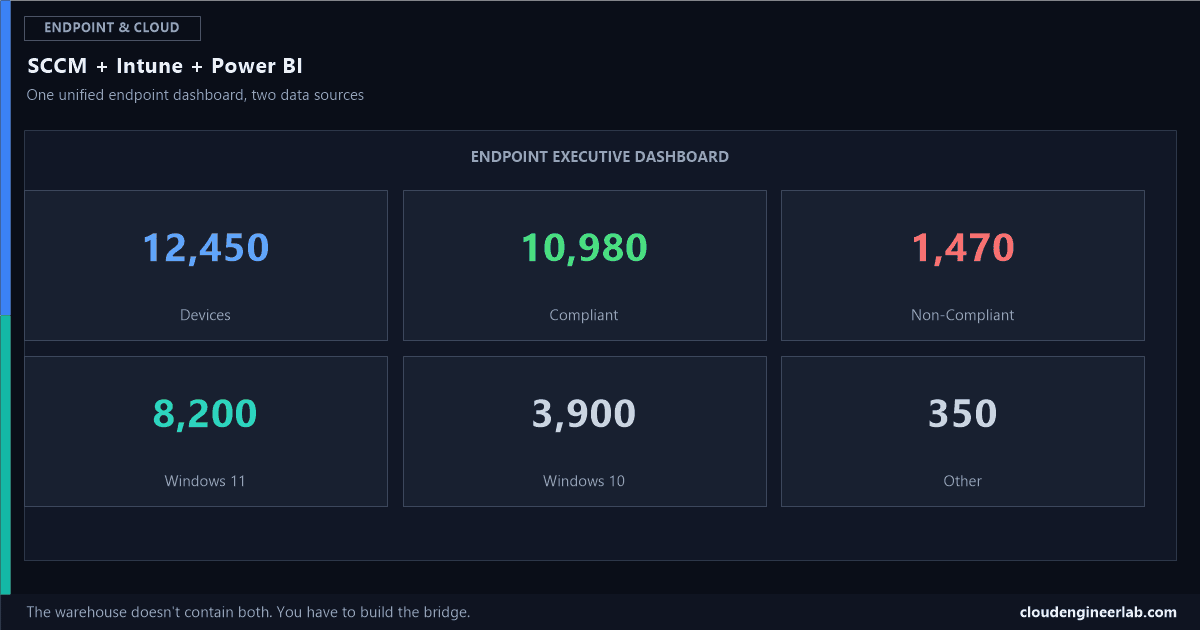
Configuration Manager and Intune are two separate data sources, not one warehouse. Here's how to actually bring them together into a single, trustworthy dashboard.

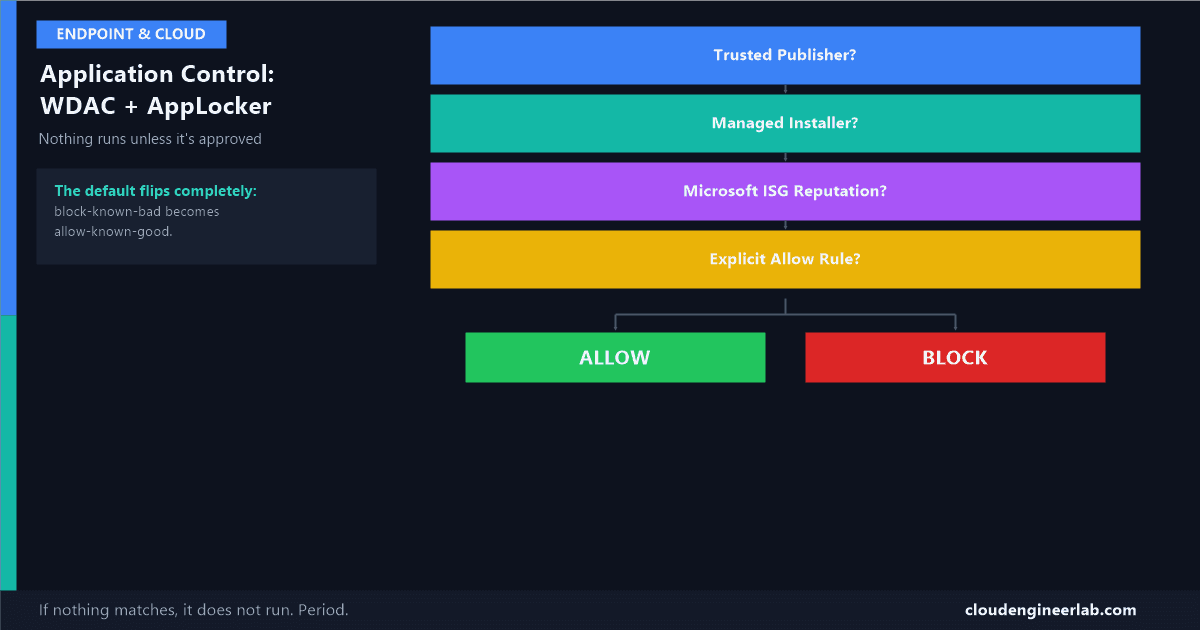
AppLocker vs WDAC vs Intune App Control for Business: how allowlisting decides what runs, and a phased strategy to enforce it without breaking the fleet.

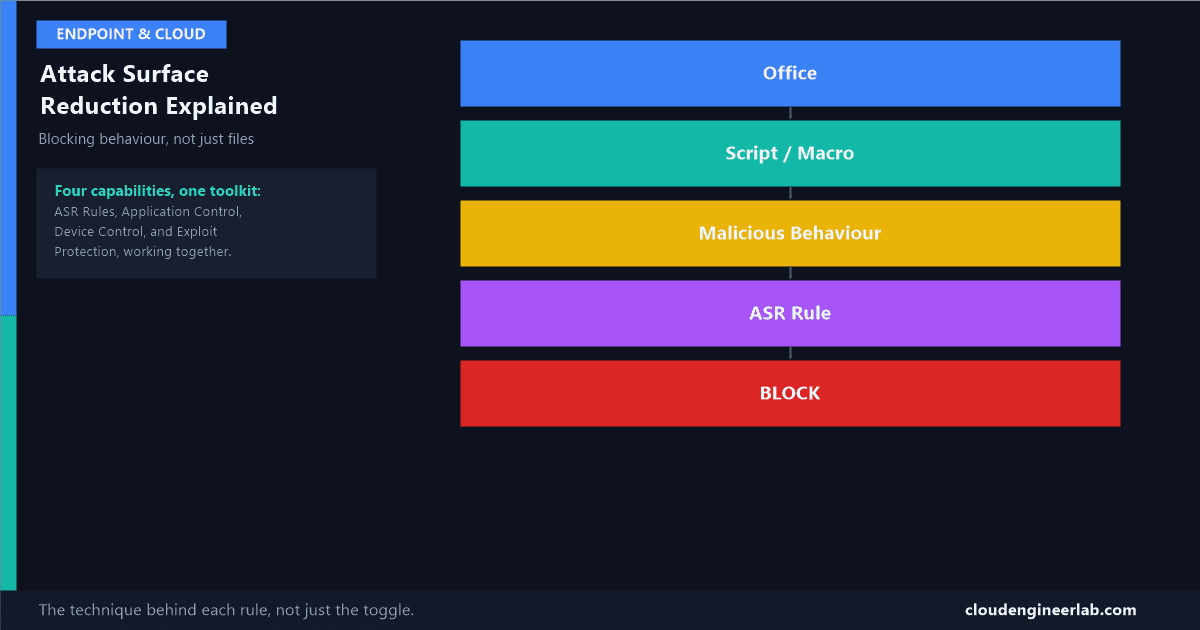
ASR rules don't detect malware, they block the specific techniques malware needs to work. Here's what each major rule actually stops, and how it fits into Intune's wider hardening toolkit.

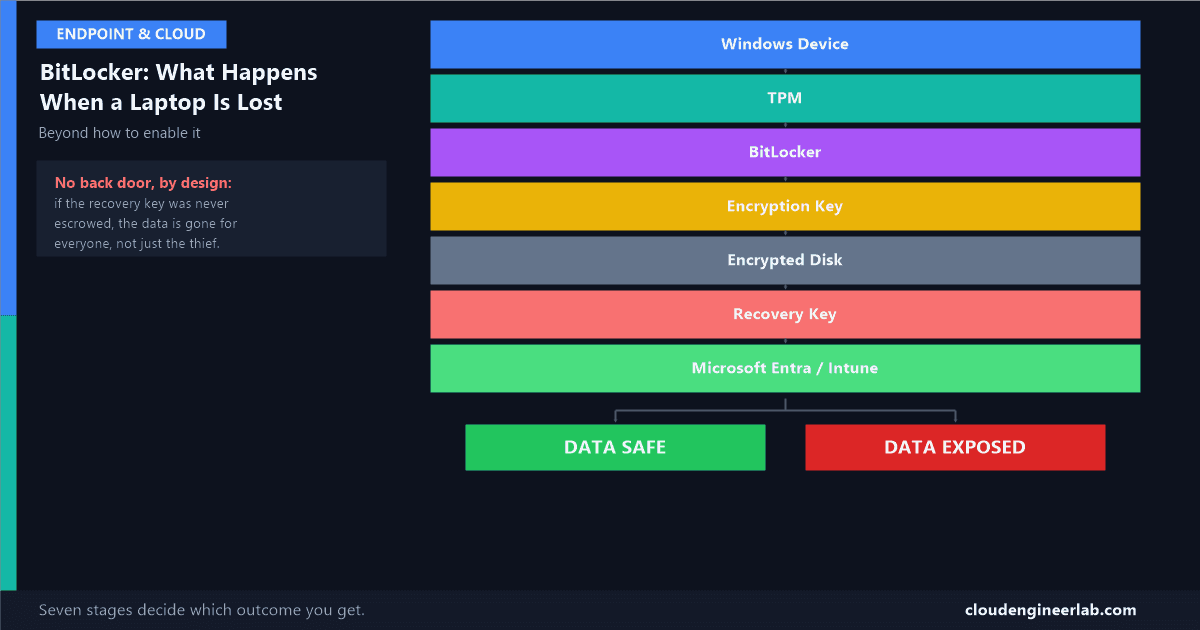
Not how to turn BitLocker on. What actually happens, at the cryptographic level, between a laptop going missing and its data staying unreadable, or not.

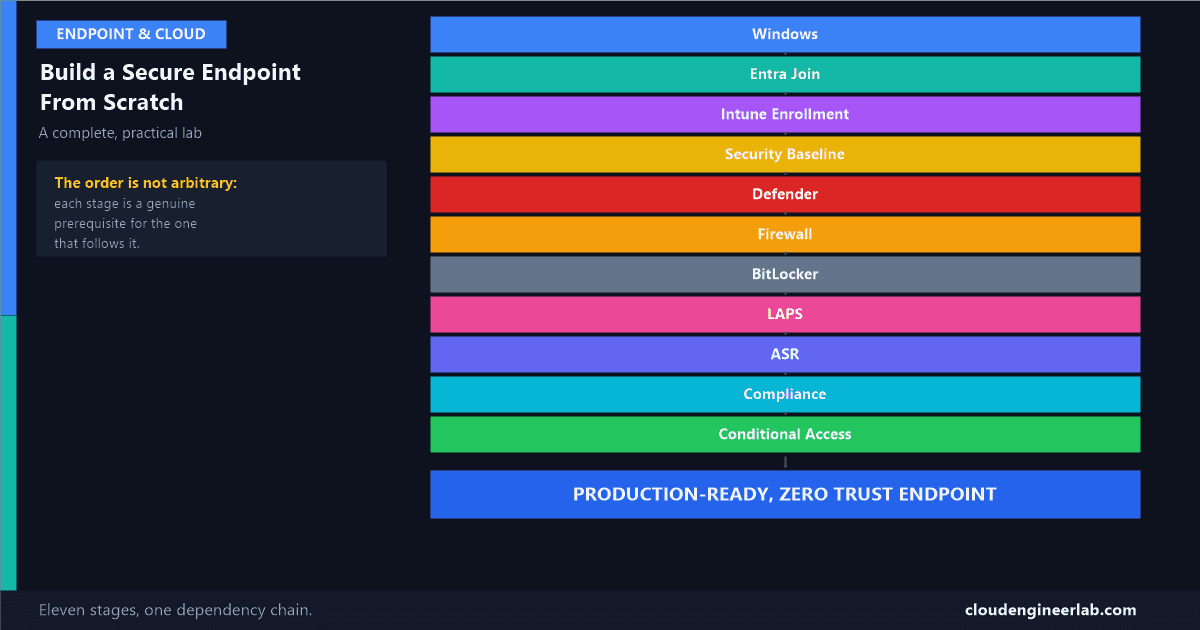
Eleven stages, in the exact order they actually depend on each other, from a blank Windows machine to a fully hardened, Conditional-Access-protected endpoint.

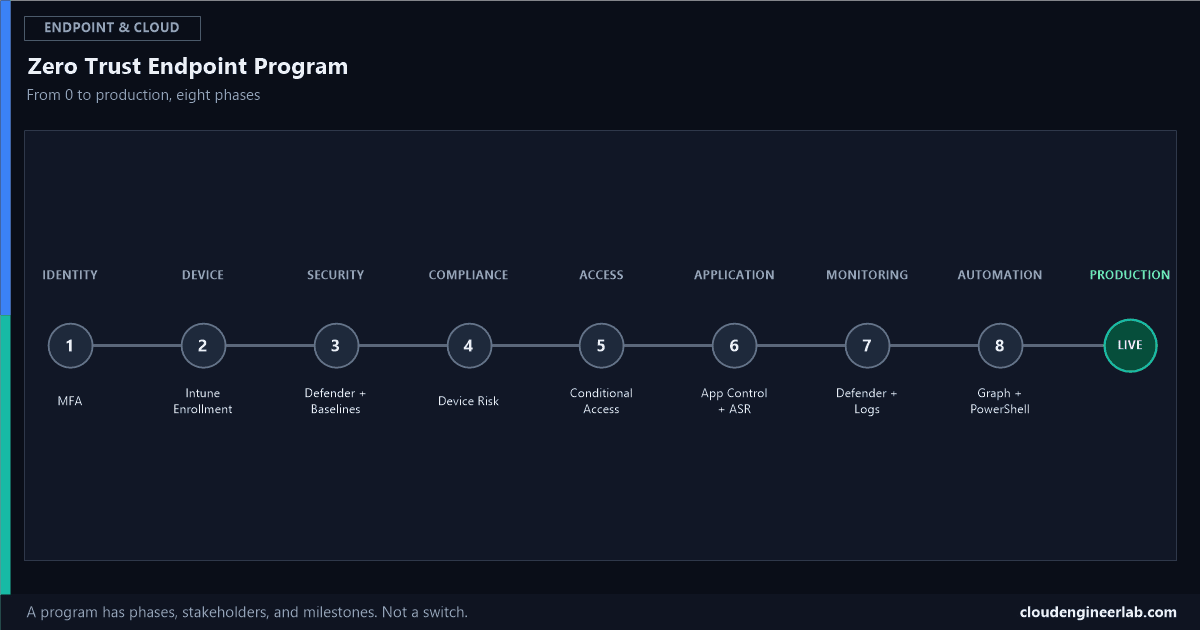
Deploying every control at once produces chaos, not Zero Trust. Eight phases, in the order a real enterprise program actually runs them, with the pitfall at each one.

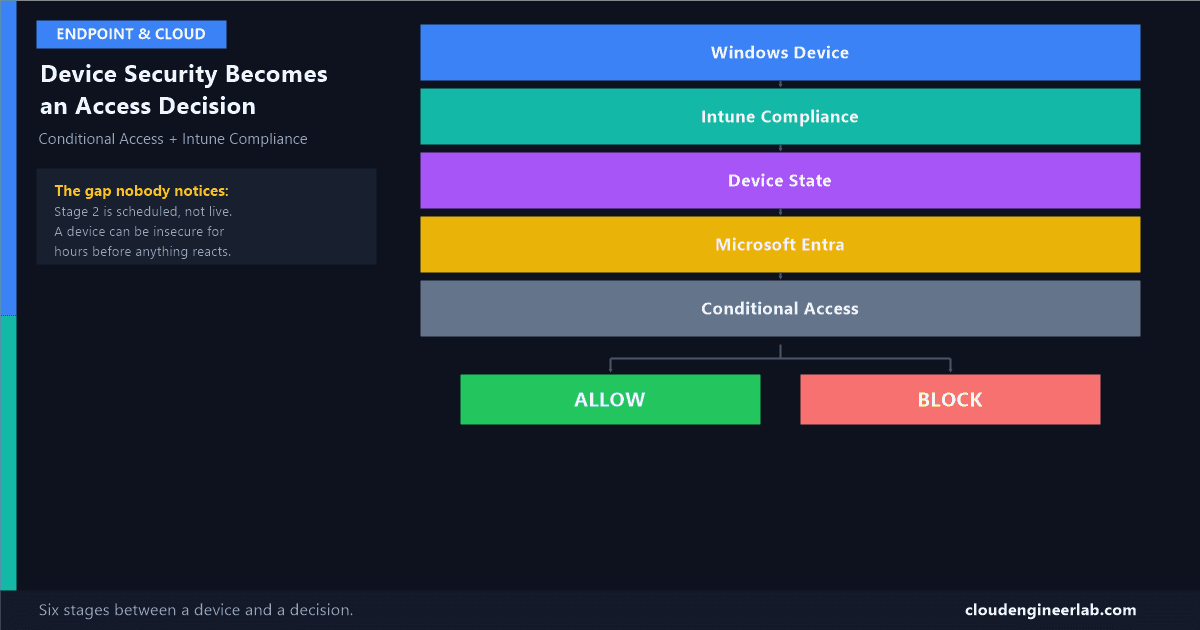
A device isn't just compliant or not. Follow the actual six-stage path a laptop's security state travels before it becomes an Allow or Block.

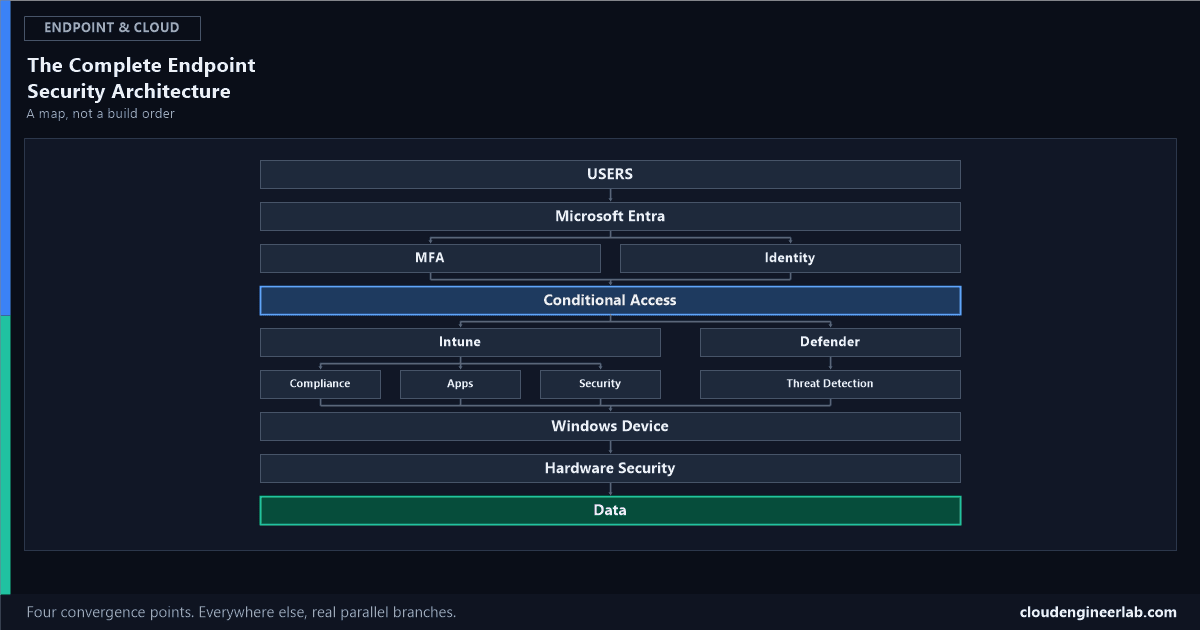
Every product covered on this site, placed on one map, showing exactly what branches in parallel and what has to converge before the next layer can trust it.

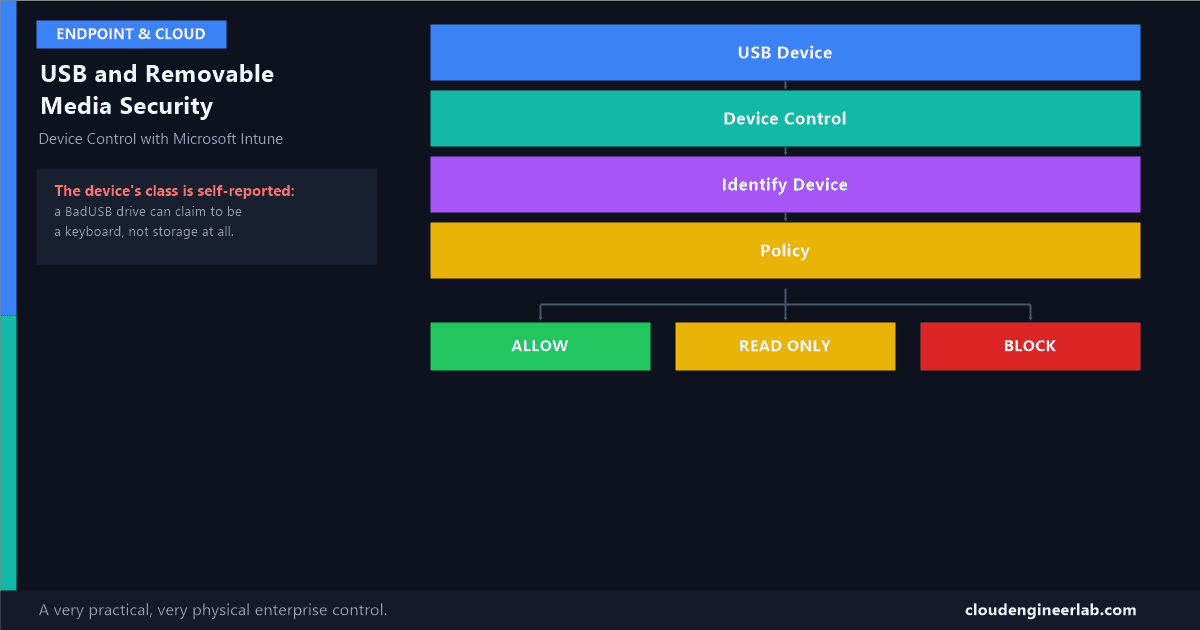
A USB drive is a fully hardened fleet's last unhardened door. How Intune actually identifies a plugged-in device and decides Allow, Block, or Read-only.

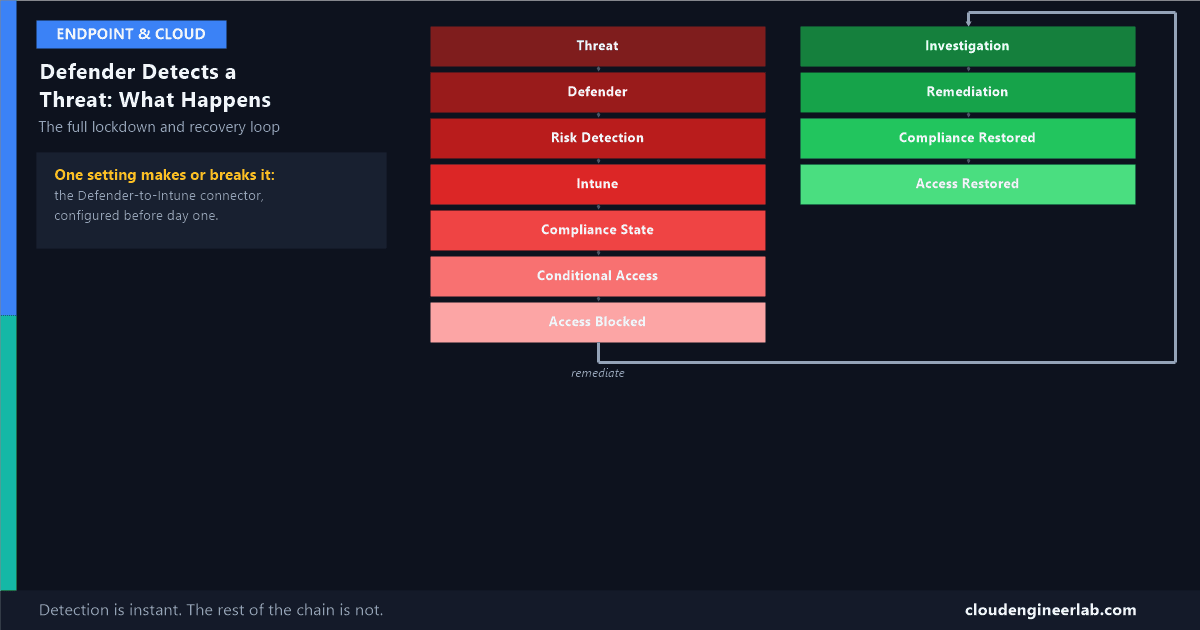
Eleven stages from a live threat to a locked-out device, and eleven more back to normal. The full closed loop, with the real lag at every handoff.

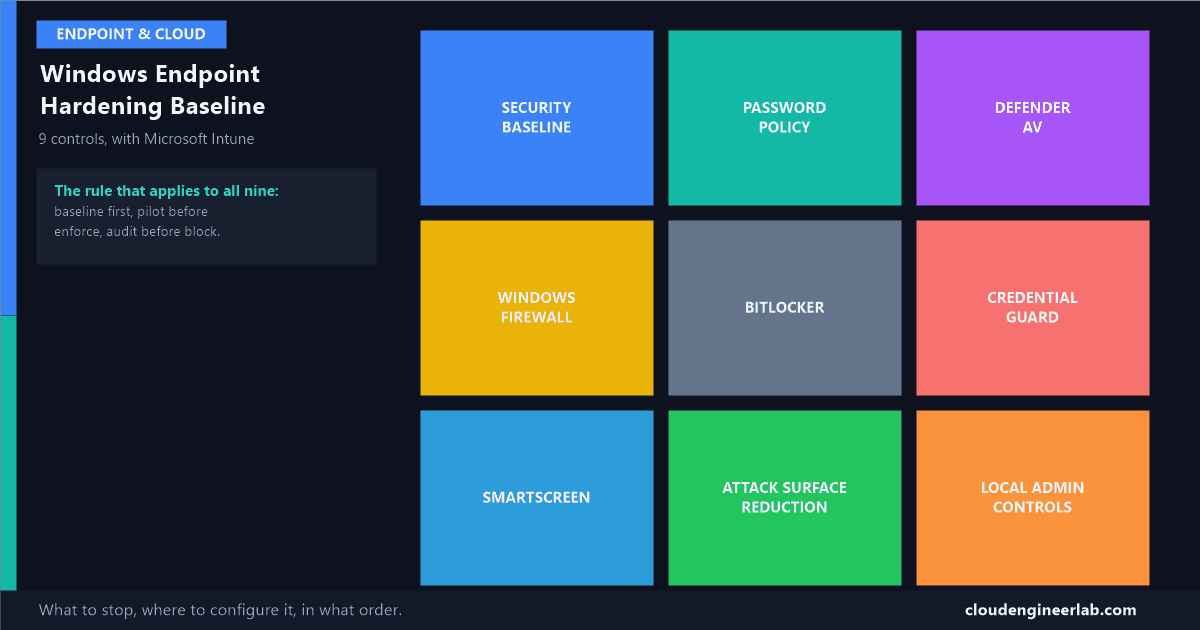
Nine controls that actually move the needle on Windows security, what each one stops, the exact Intune blade to configure it in, and the order to roll them out safely.

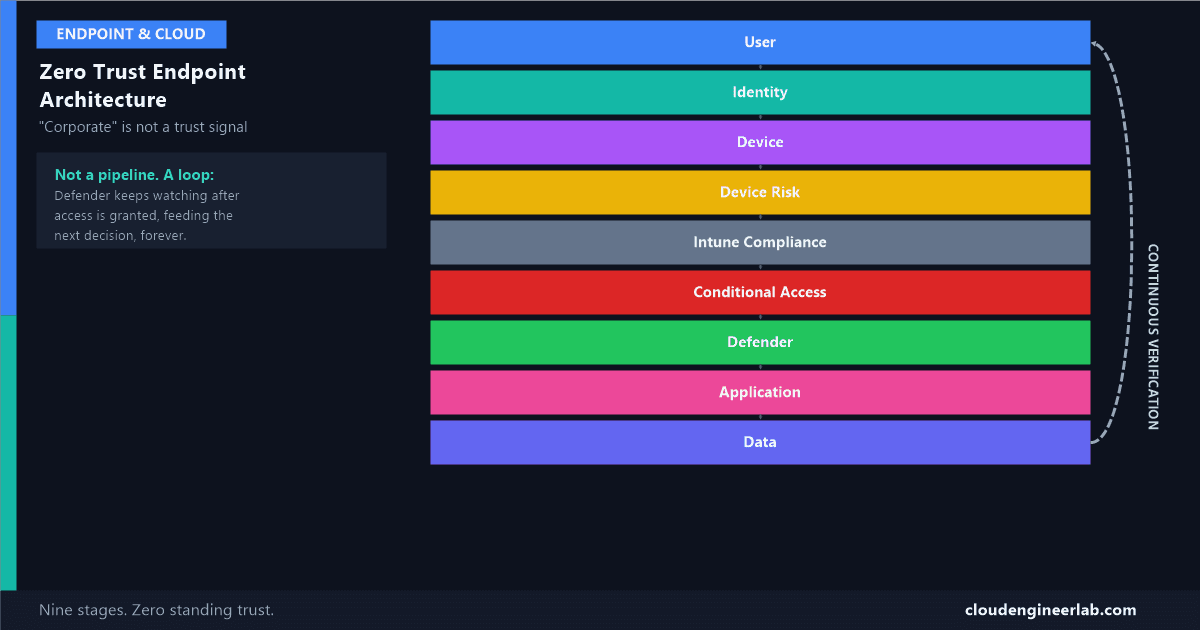
A domain-joined, company-issued laptop is not automatically trustworthy. Nine layers, one continuous loop, and why 'corporate' was never the actual trust signal.

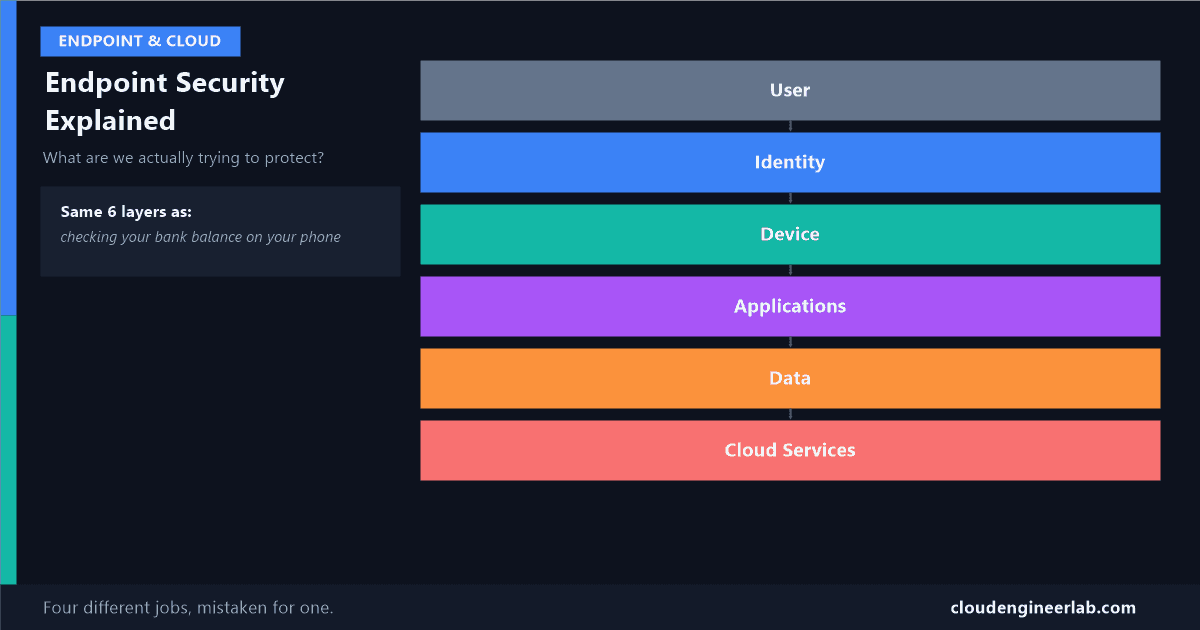
"Endpoint security" sounds like one thing. It's actually four different jobs stacked on top of each other, and mixing them up is how real breaches happen.

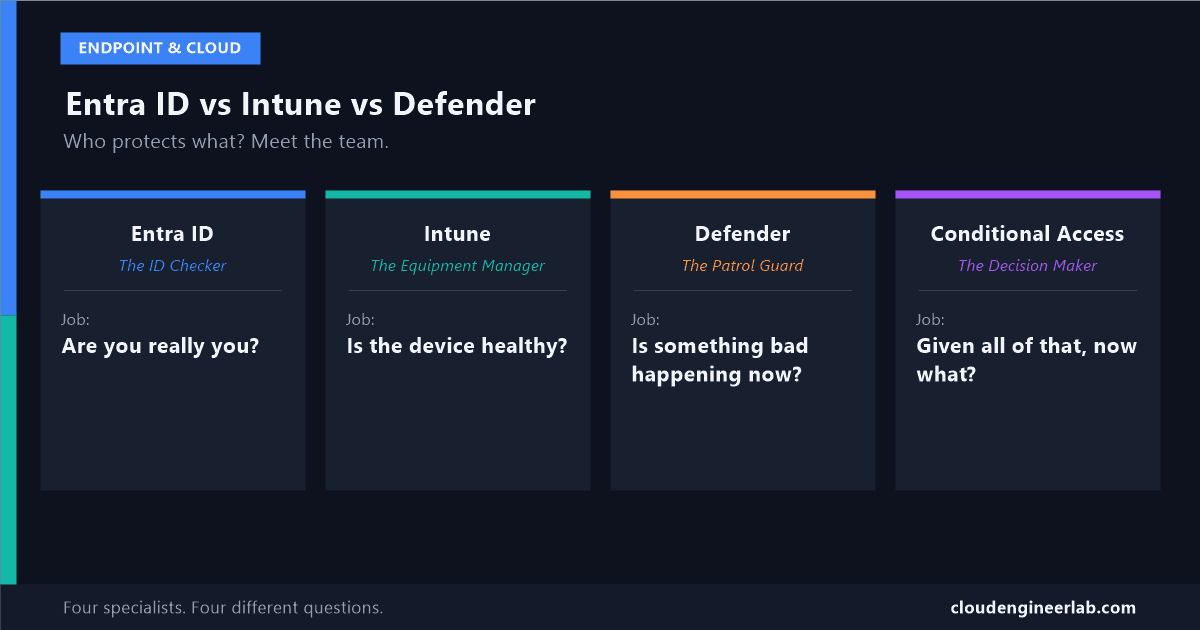
Three products, three different jobs, one common mistake: assuming any one of them alone is 'the security team.' Meet each one and find out who actually handles what.

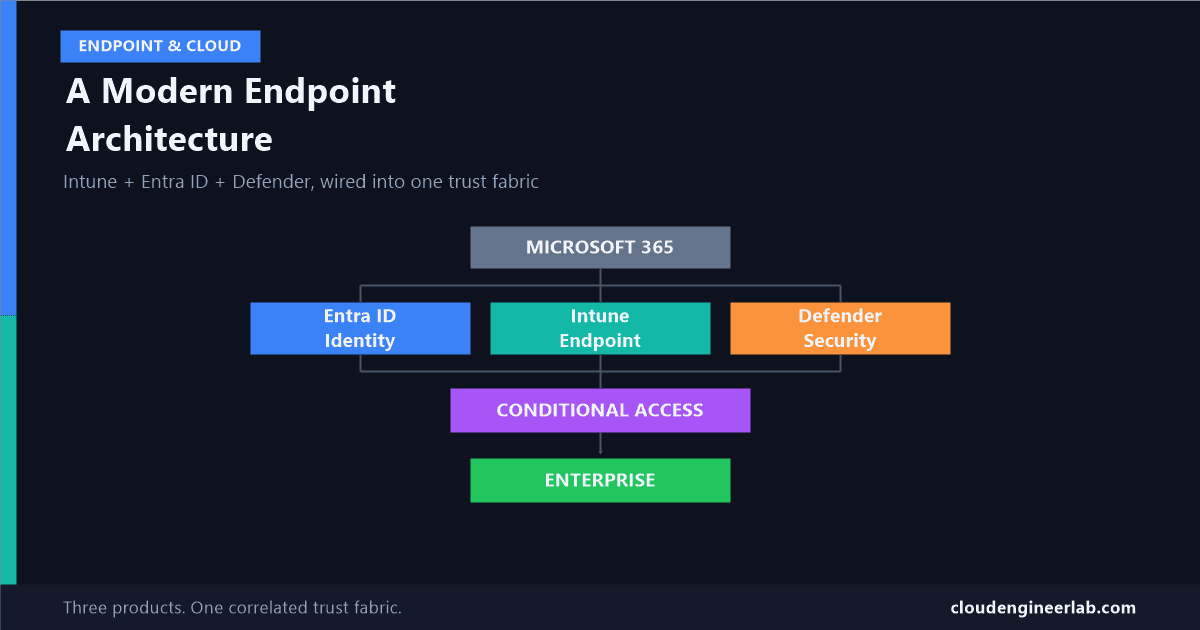
These three products aren't separate tools bolted together, they're one correlated trust fabric. Most tenants deploy all three and never actually wire them into it.

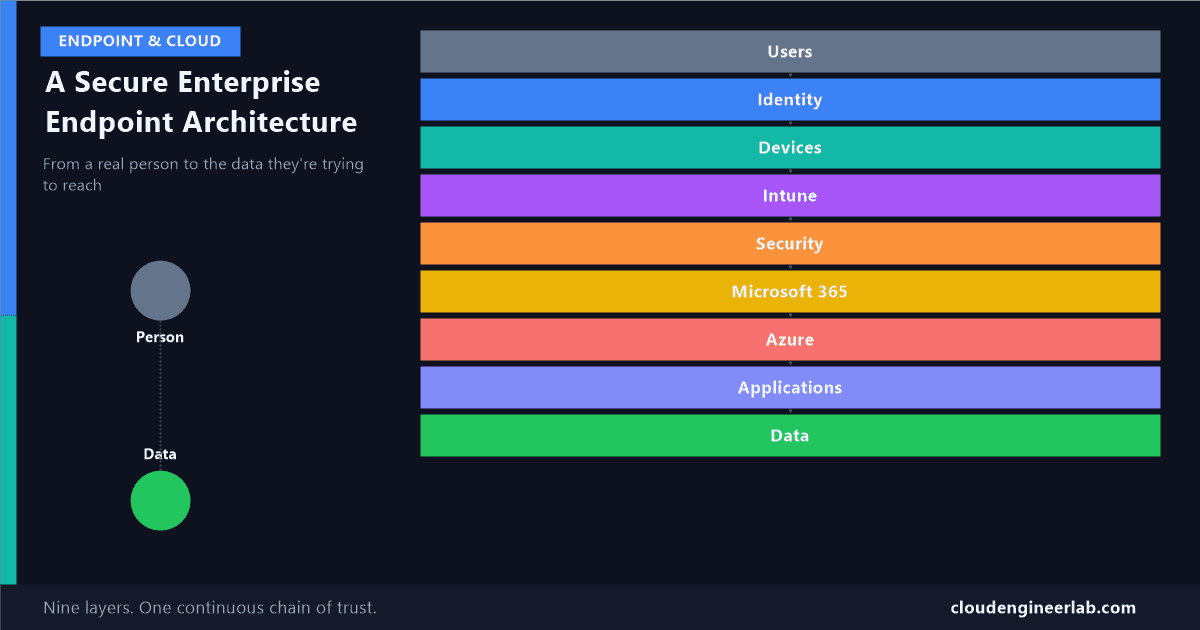
Listing Azure services answers the wrong question. The real one is how trust actually flows from a real person down to the data they're trying to reach.

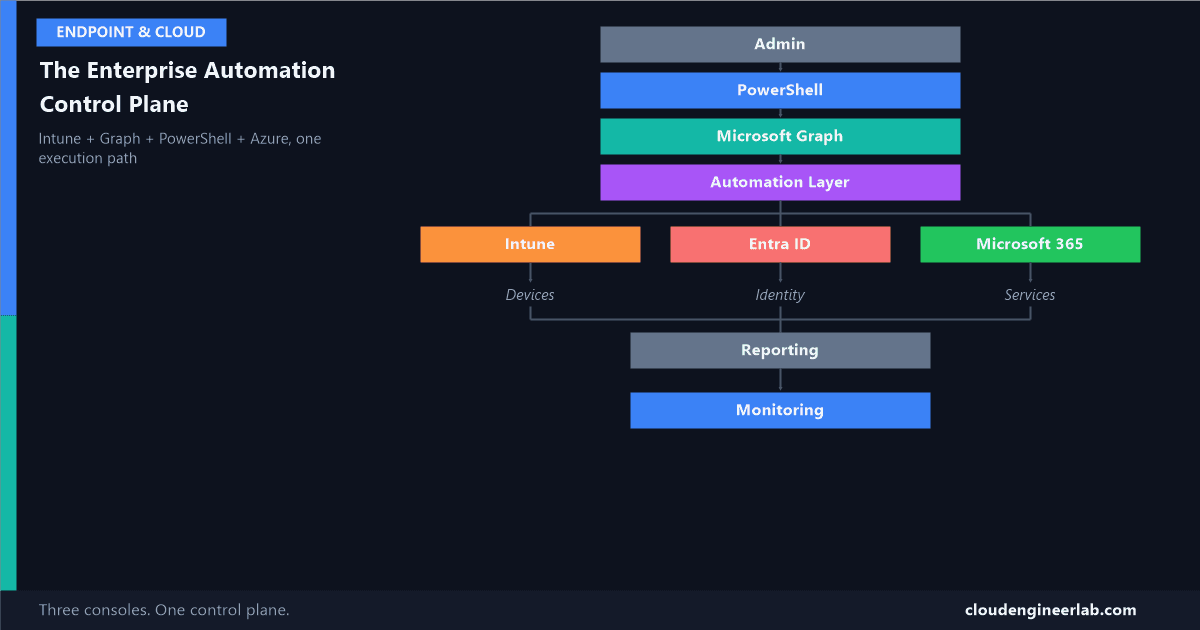
Most tenants run three separate admin experiences, Intune, Entra ID, M365, with three mental models and three audit trails. Here's what replaces all three with one.

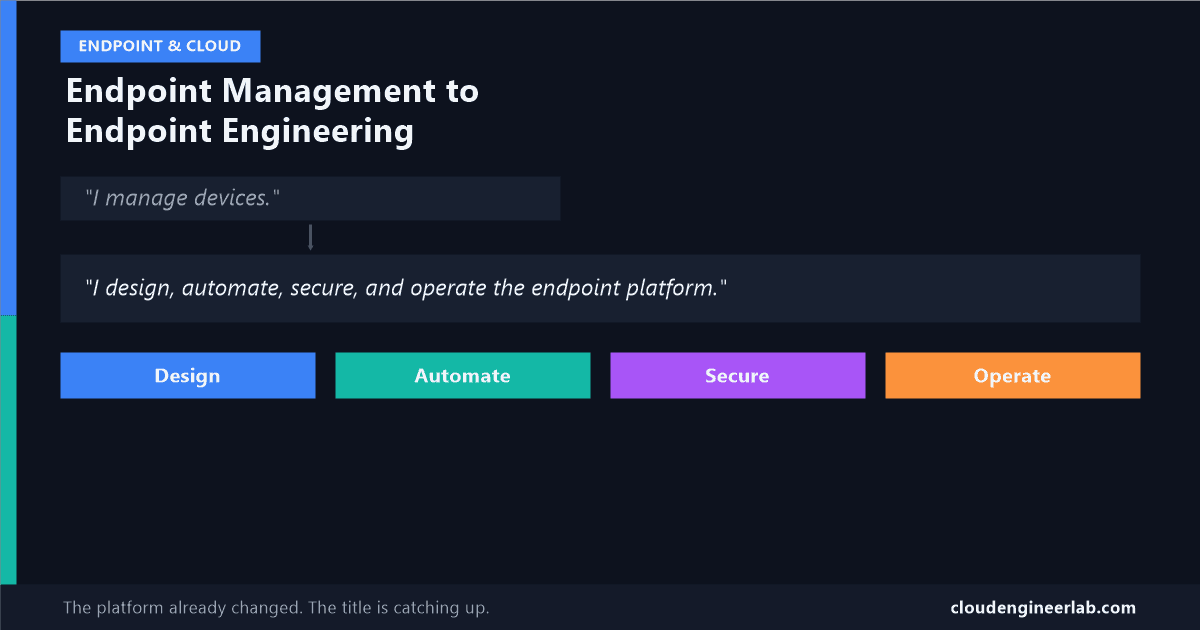
The routine parts of endpoint admin are being automated away, by Microsoft itself. What's left is a genuinely different job, and most job titles haven't caught up yet.

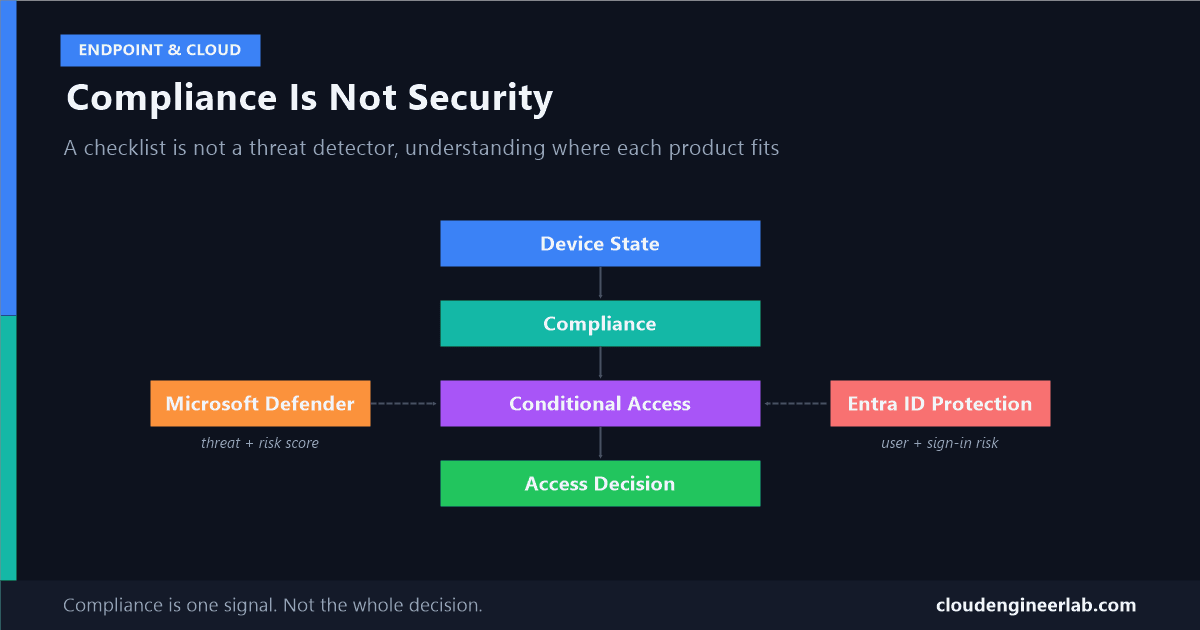
A fully patched, encrypted, PIN-locked device can still be actively compromised. Here's why compliance is a checklist, not a security guarantee, and what actually is.

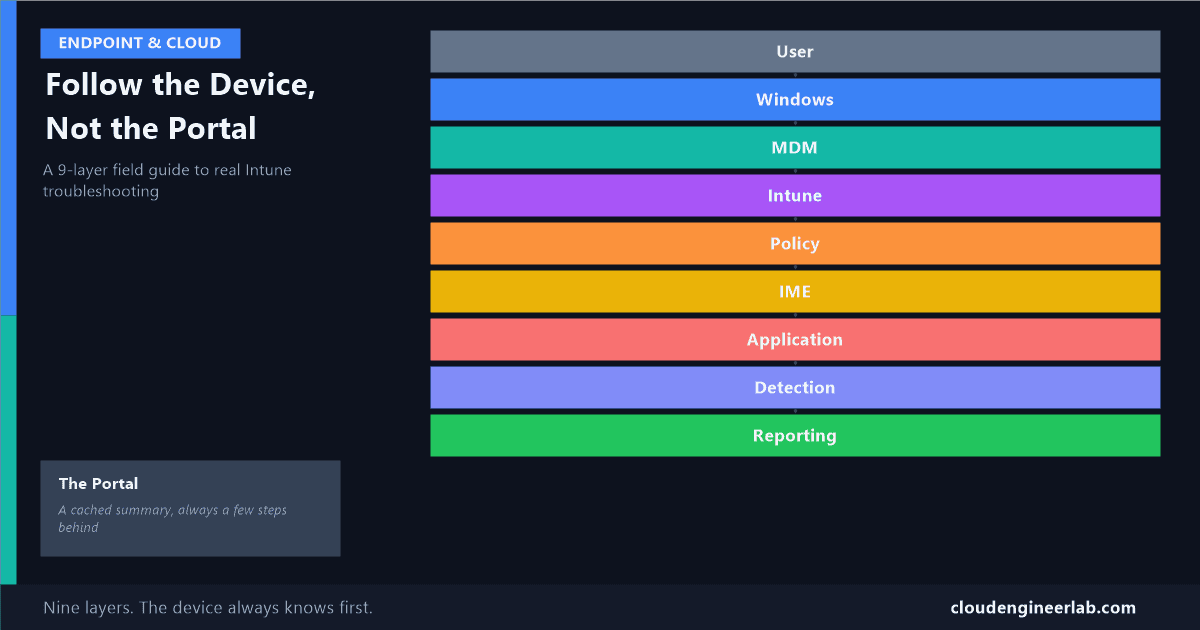
The admin centre is a reported view assembled from several independent systems, each with its own delay. Here's where the actual truth lives, layer by layer.

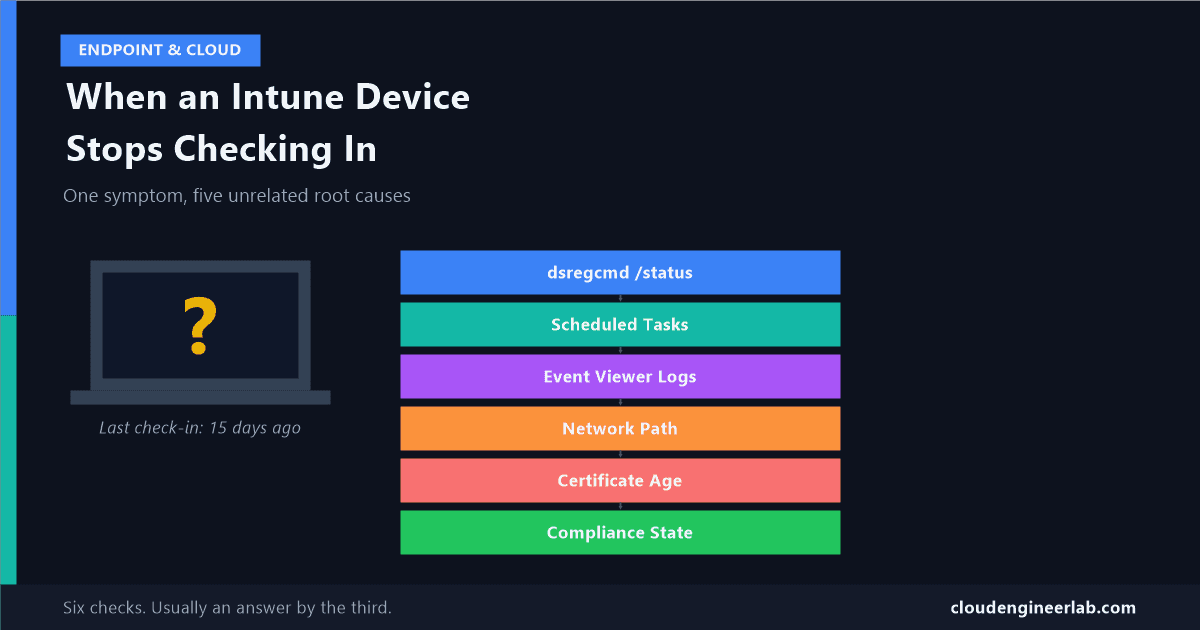
"Hasn't checked in" isn't one problem, it's at least five different problems wearing the same badge. A real diagnostic flow, log by log, command by command.

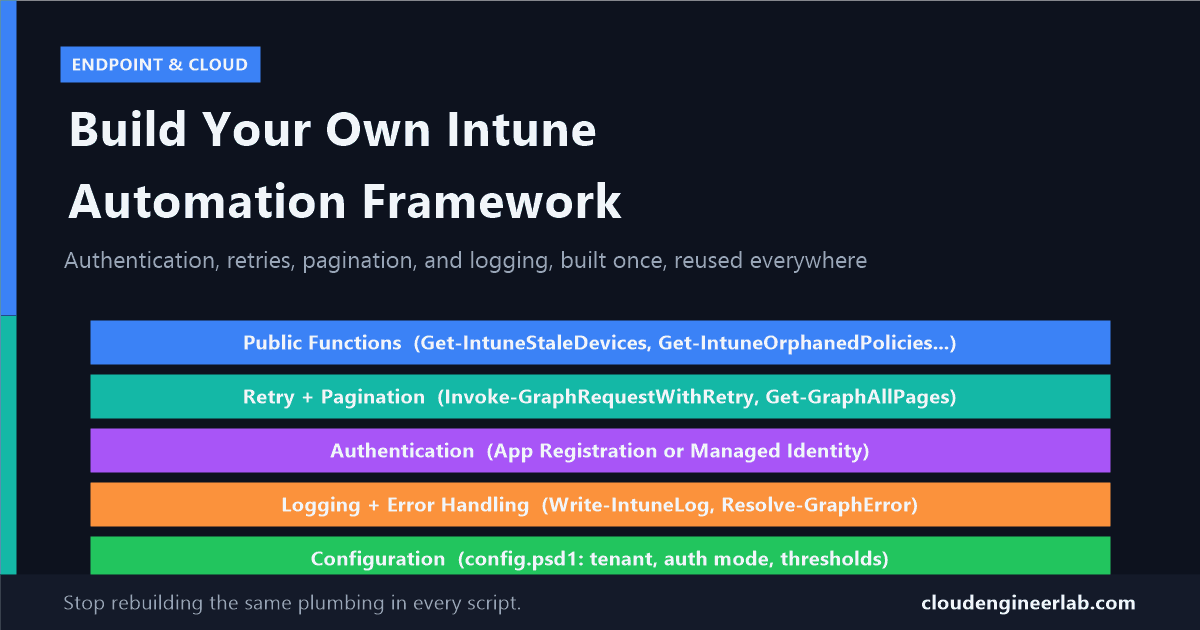
Individual scripts don't scale past the third one. Here's how to structure authentication, retries, pagination, and logging into a reusable PowerShell module.

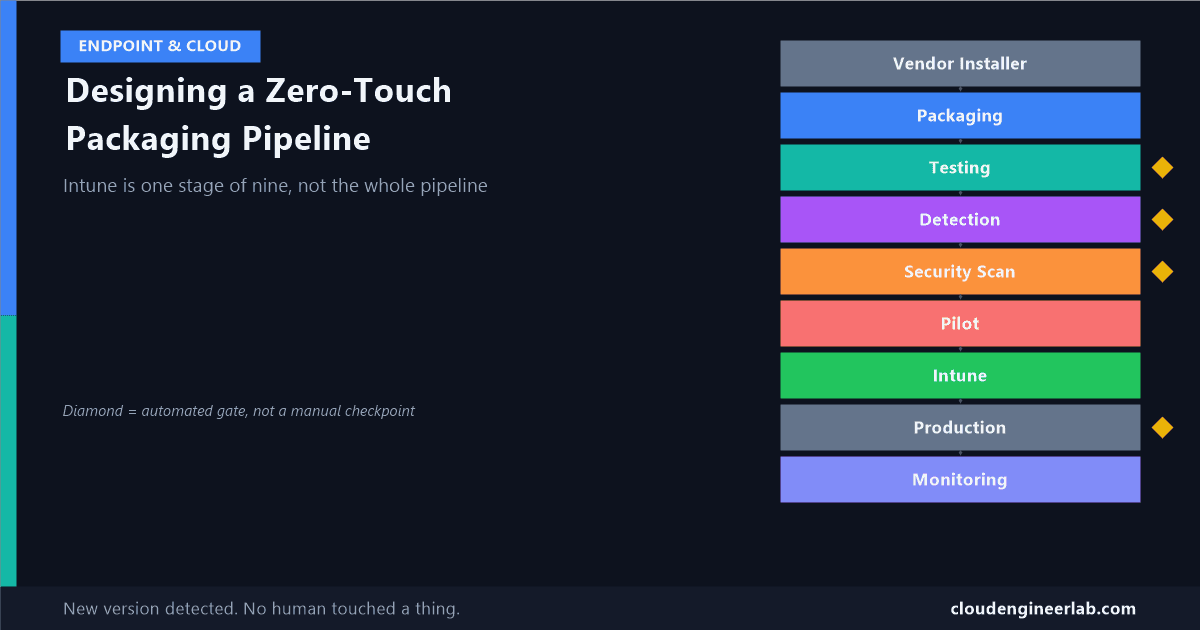
Intune is one stage in a nine-stage pipeline, not the whole story. Real tools for packaging, testing, scanning, and gating an app before it ever reaches a device.

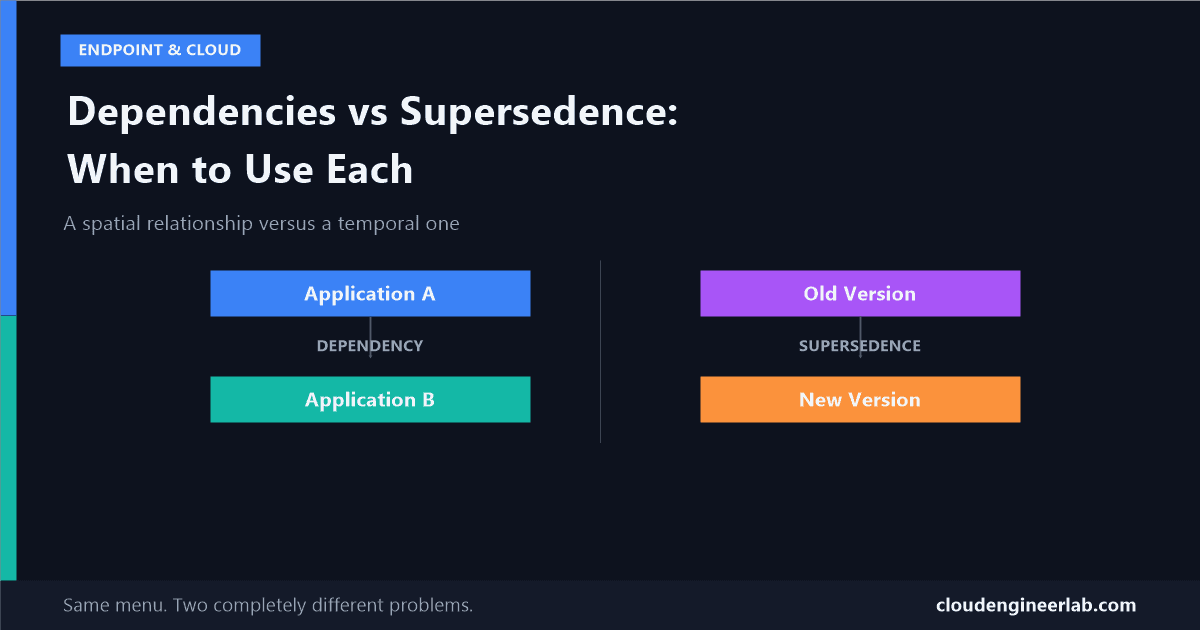
Both live in the same 'app relationships' menu, and picking the wrong one causes two very different failure modes. Here's the actual architecture distinction.

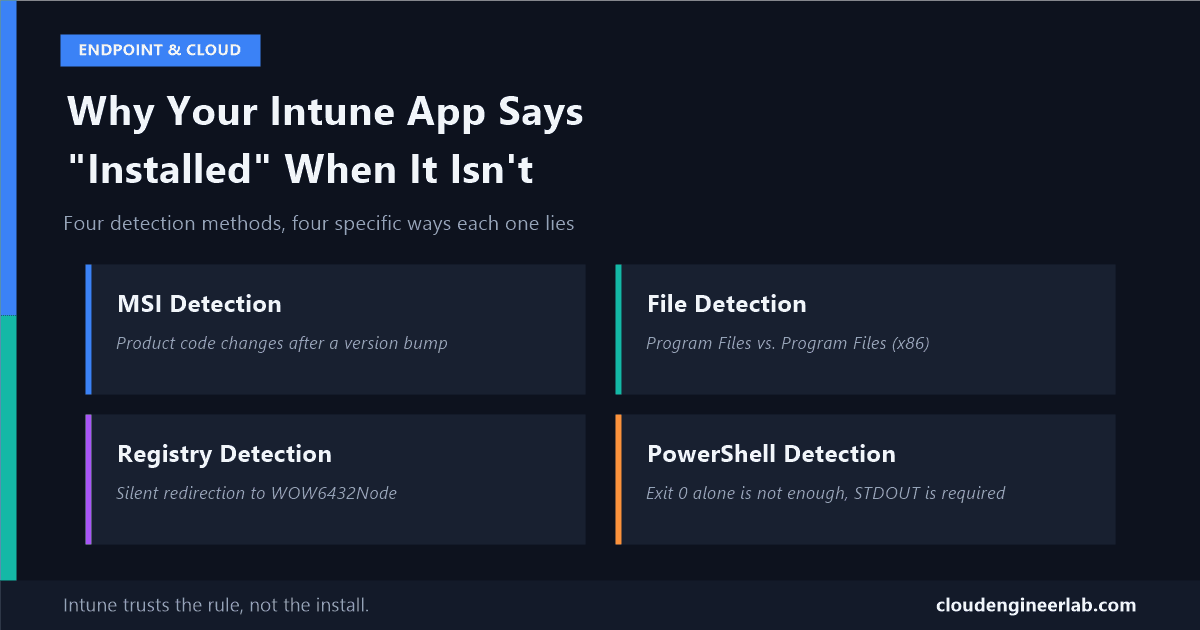
MSI product codes, WOW6432Node redirection, PowerShell STDOUT rules, and the HKCU trap: the practical reasons detection rules lie, and how to fix each one.

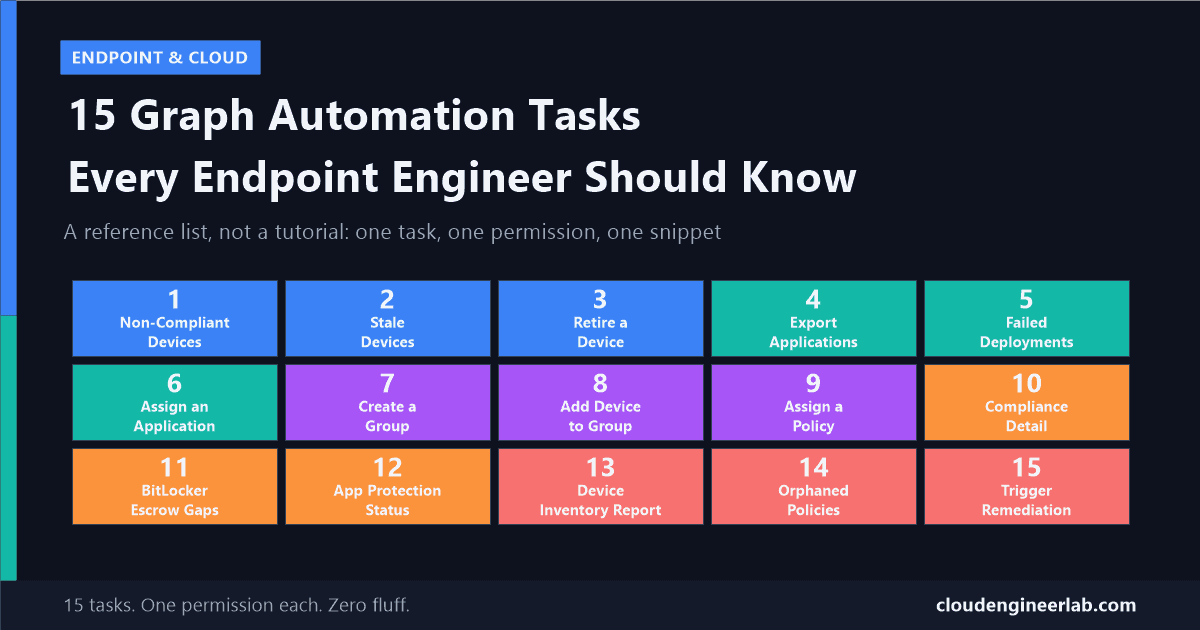
A reference list of 15 real, working Graph tasks, from finding stale devices to triggering remediation scripts, each with the exact permission and code.

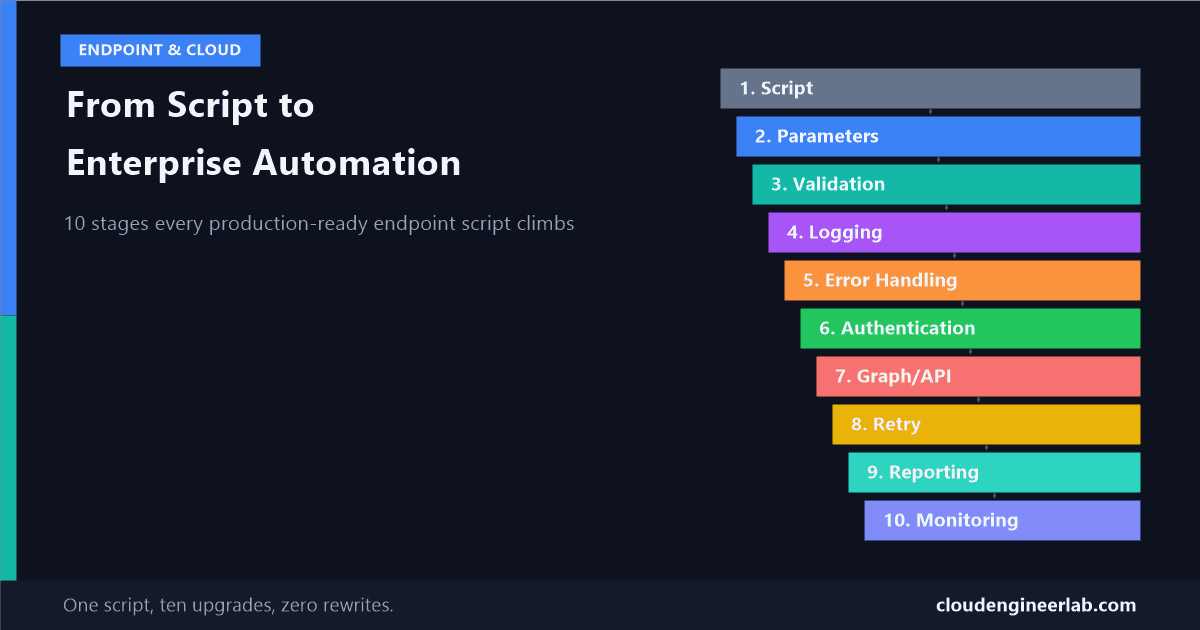
A single script evolves through 10 concrete stages, from hardcoded and fragile to authenticated, retried, reported, and monitored in production.

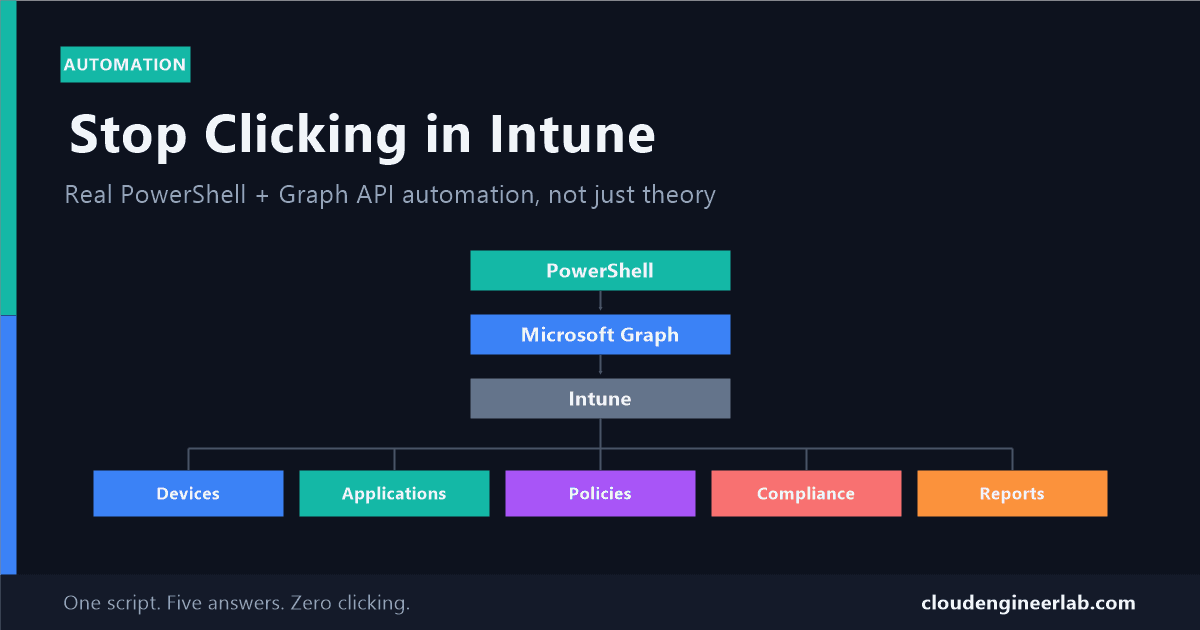
Real, working PowerShell and Graph examples across devices, apps, policies, compliance, and reports, not just theory about what the API can do.

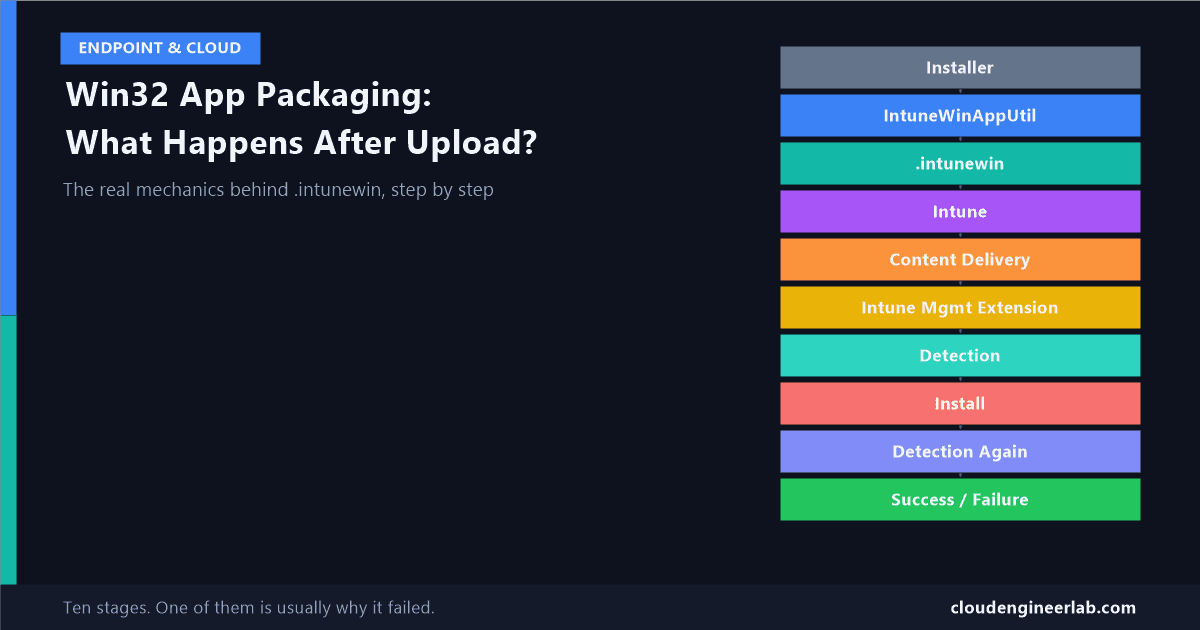
The mechanics behind the black box: what IntuneWinAppUtil actually does to your installer, how the file reaches a device, and why detection rules run twice.

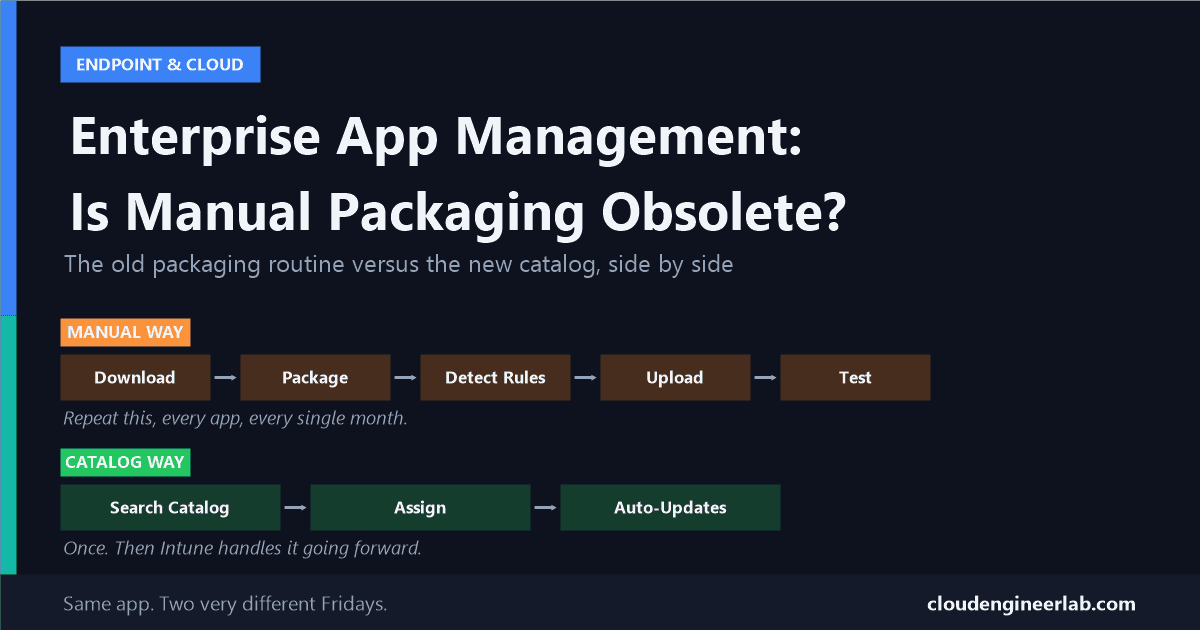
Microsoft now packages hundreds of common apps for you. Here's what that actually replaces, and where hand-packaging Win32 apps still holds its ground.

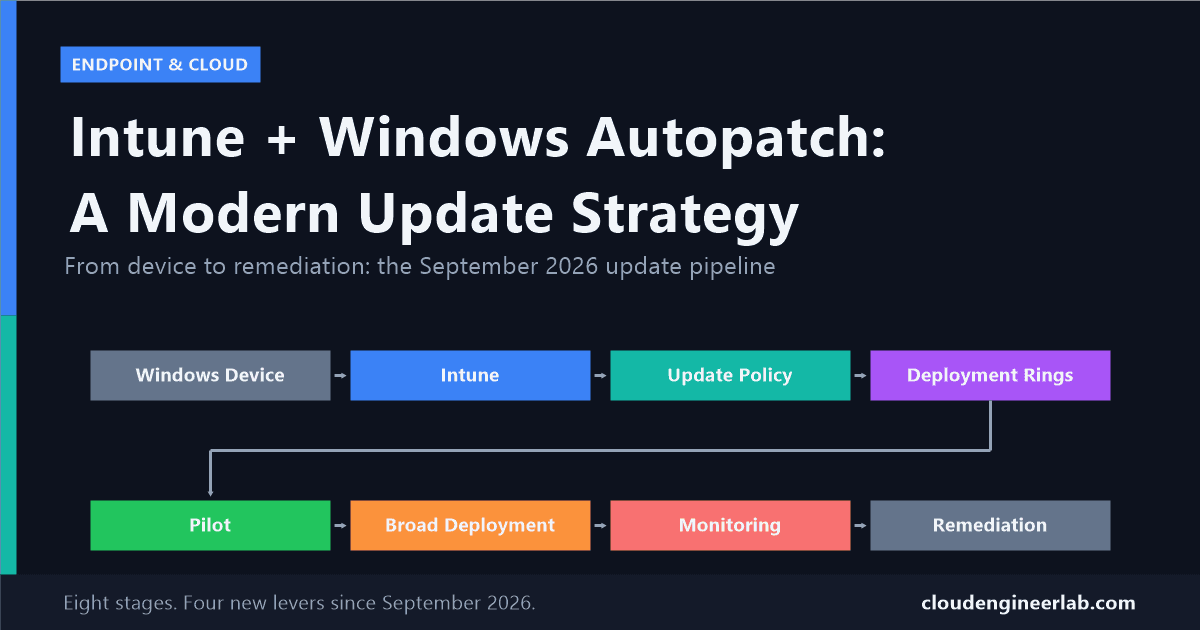
September 2026 gives Autopatch real control over quality updates, .NET Framework updates, and machine recovery. Here's how to design a ring strategy around it.

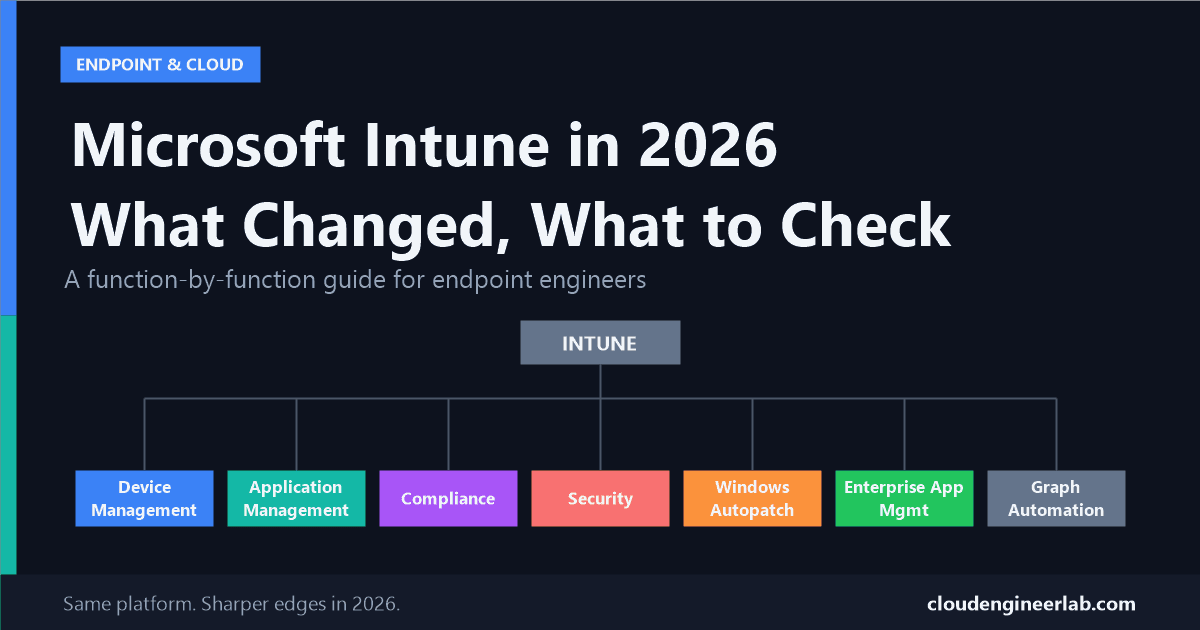
A function-by-function breakdown of what actually changed in Intune this year, and the specific checks every endpoint engineer should run in their own tenant.

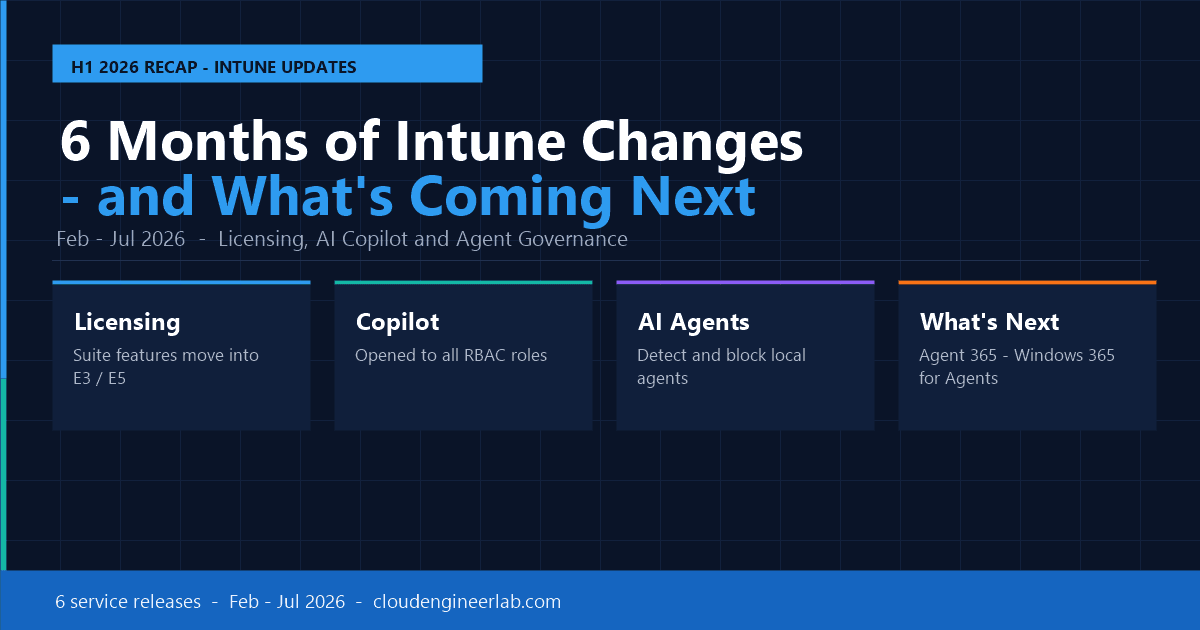
From the February to July 2026 service releases, Intune changed faster than ever: licensing, AI agents, and security. Here's what happened and what's next.

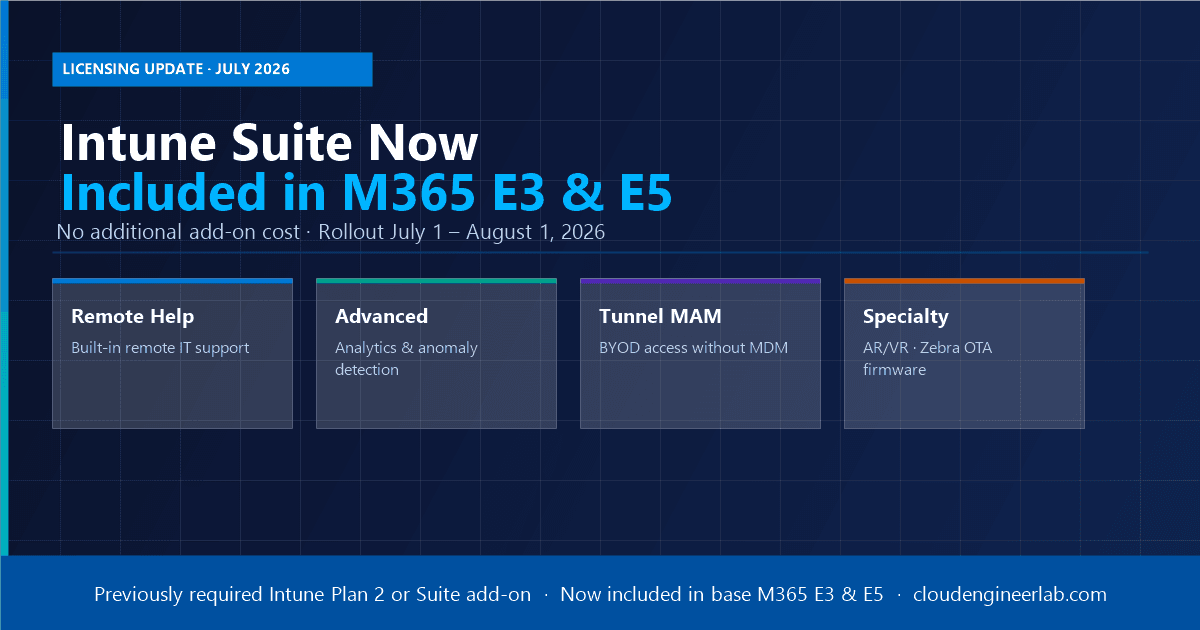
From July 1, 2026, Microsoft bundles Intune Suite capabilities, Remote Help, Advanced Analytics, Plan 2, and Tunnel for MAM, directly into M365 E3 and E5 at no extra cost.
Microsoft Ignite 2026 descended on Paris with a clear message: AI agents are here, security is non-negotiable, and the intelligent cloud era is in full production. Here is every announcement that matters for enterprise IT, cloud, and security teams.

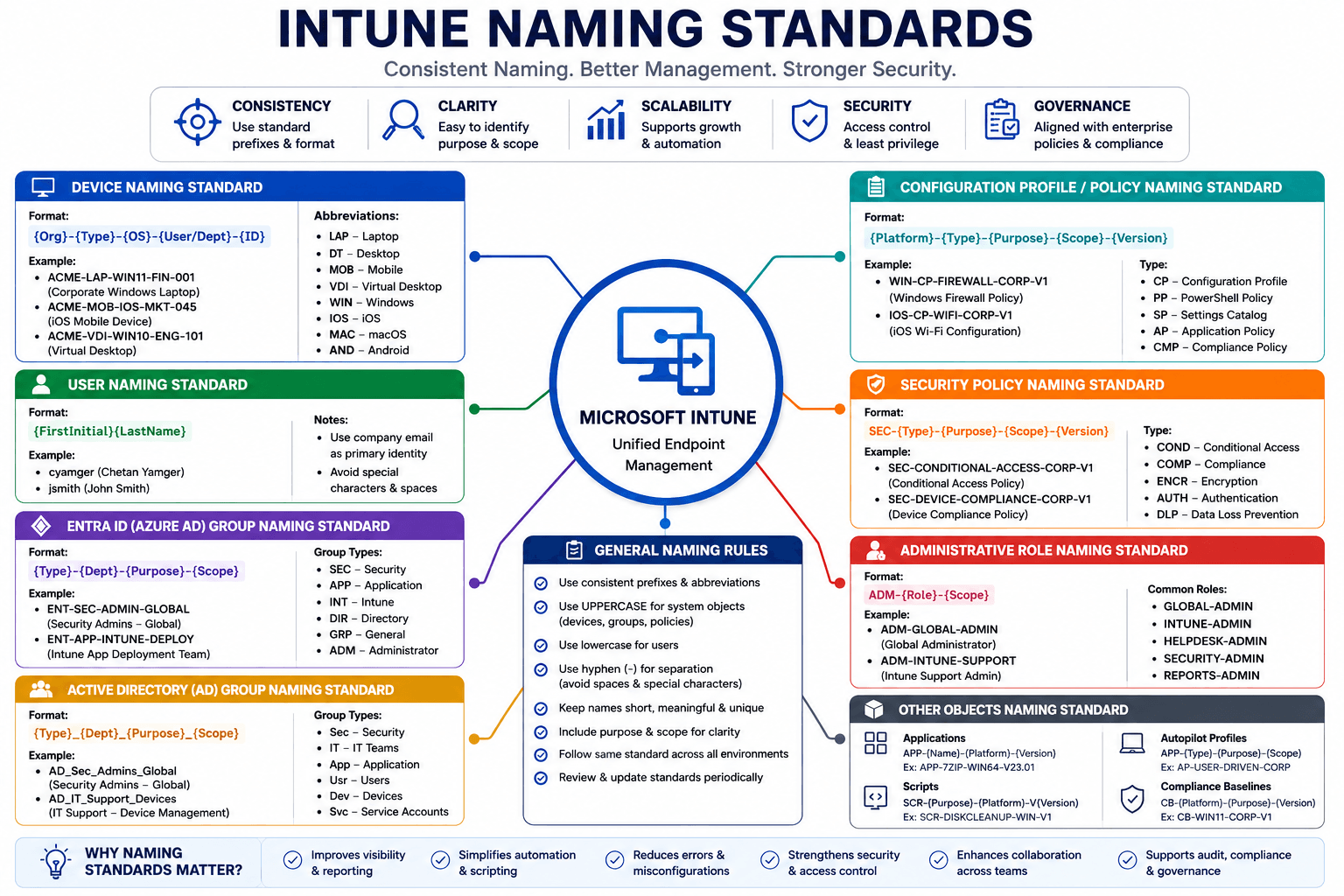
A complete naming convention guide for enterprise IT environments, covering Intune, Entra ID, Active Directory, Conditional Access, Configuration Profiles, Security Policies, Service Accounts, and every object type an admin touches daily.

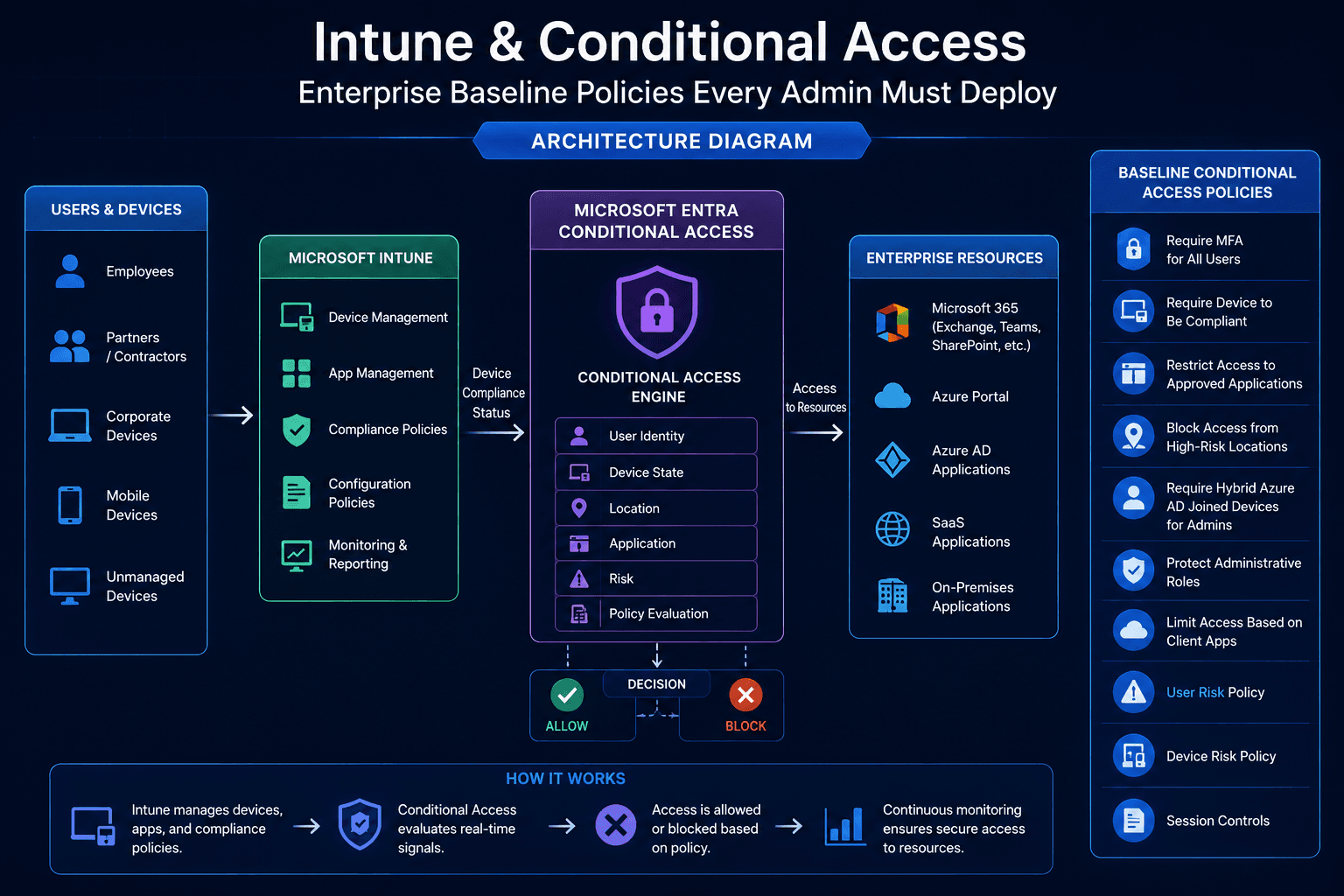
A complete enterprise guide to Conditional Access baseline policies: what to deploy, what to test before you flip the switch, what can go wrong, and why getting this wrong can lock out your entire organisation.

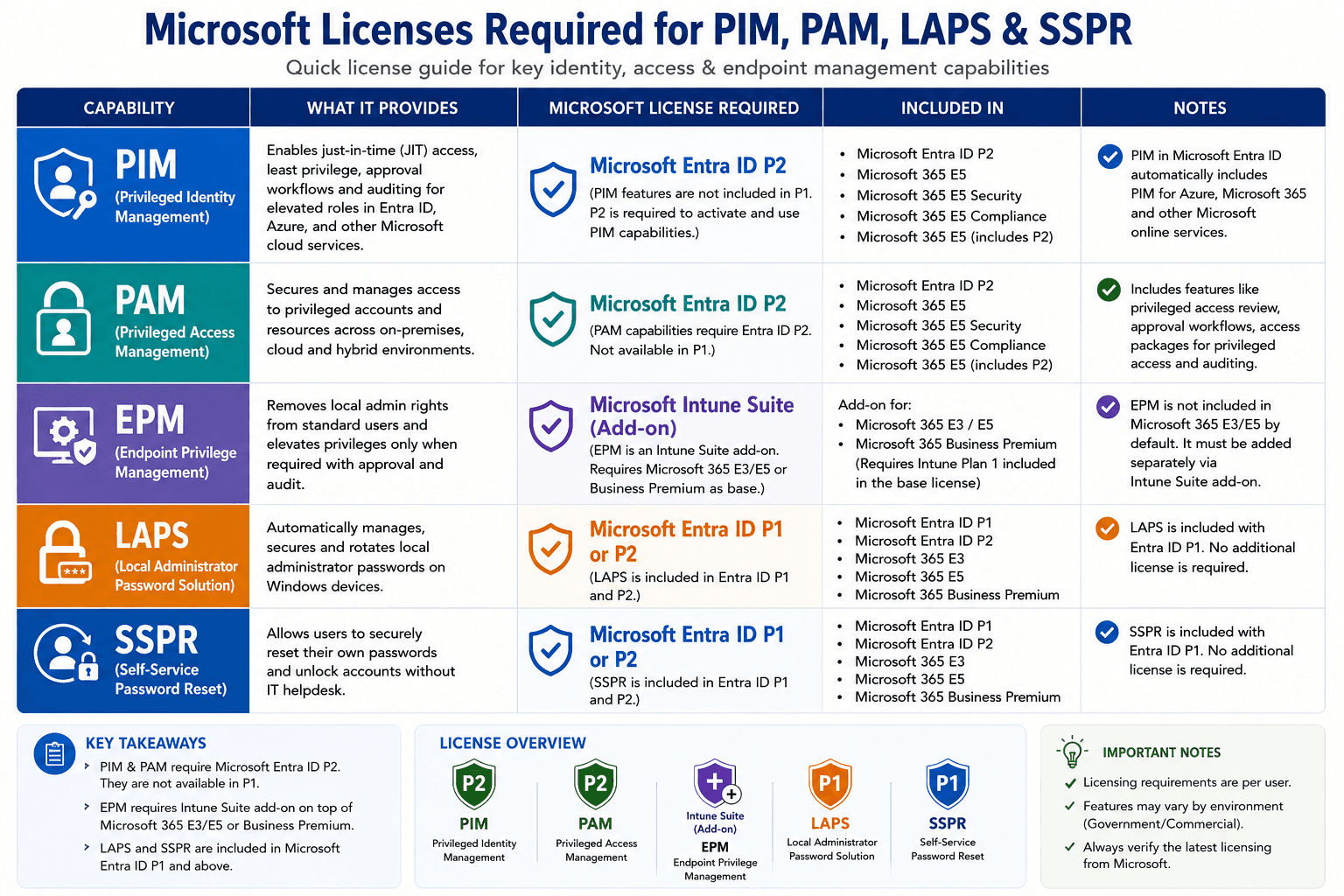
Cut through the Microsoft licensing maze. Understand exactly which license unlocks PIM, PAM, EPM, LAPS, and SSPR, and how P1 vs P2 determines what your organisation can actually do.

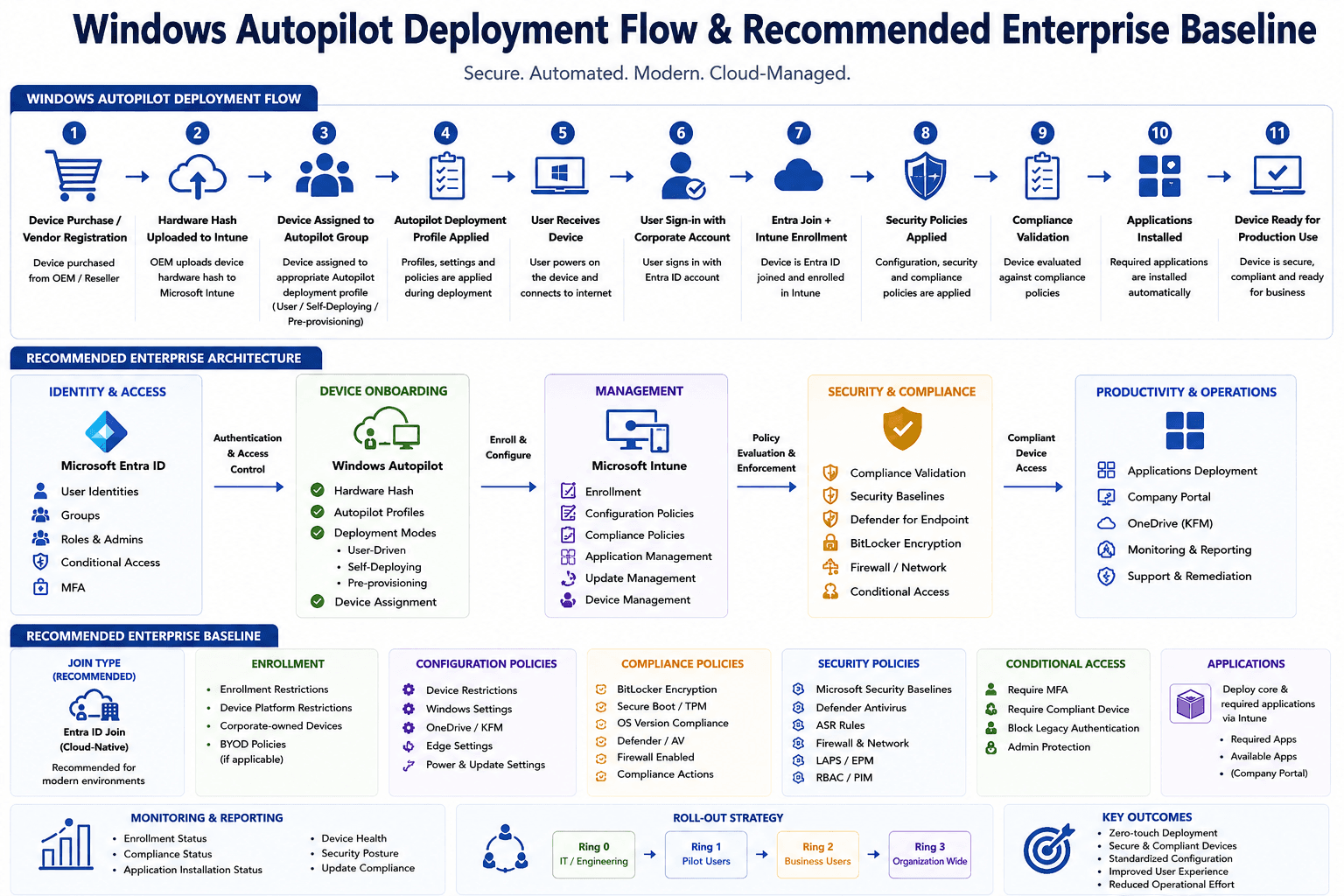
A complete guide to Windows Autopilot: every deployment mode explained, the full provisioning flow step by step, and the enterprise baseline every organisation should build on top of it.
Microsoft Copilot is everywhere in the Microsoft 365 ecosystem now. But as an IT admin, you need to know what it genuinely helps with, where it falls short, and how to start using it practically, without the marketing hype.
Every Monday morning our team needed a full compliance report from Intune. I got tired of doing it manually, so I automated the whole thing with PowerShell and Microsoft Graph API. Here is exactly how I did it.

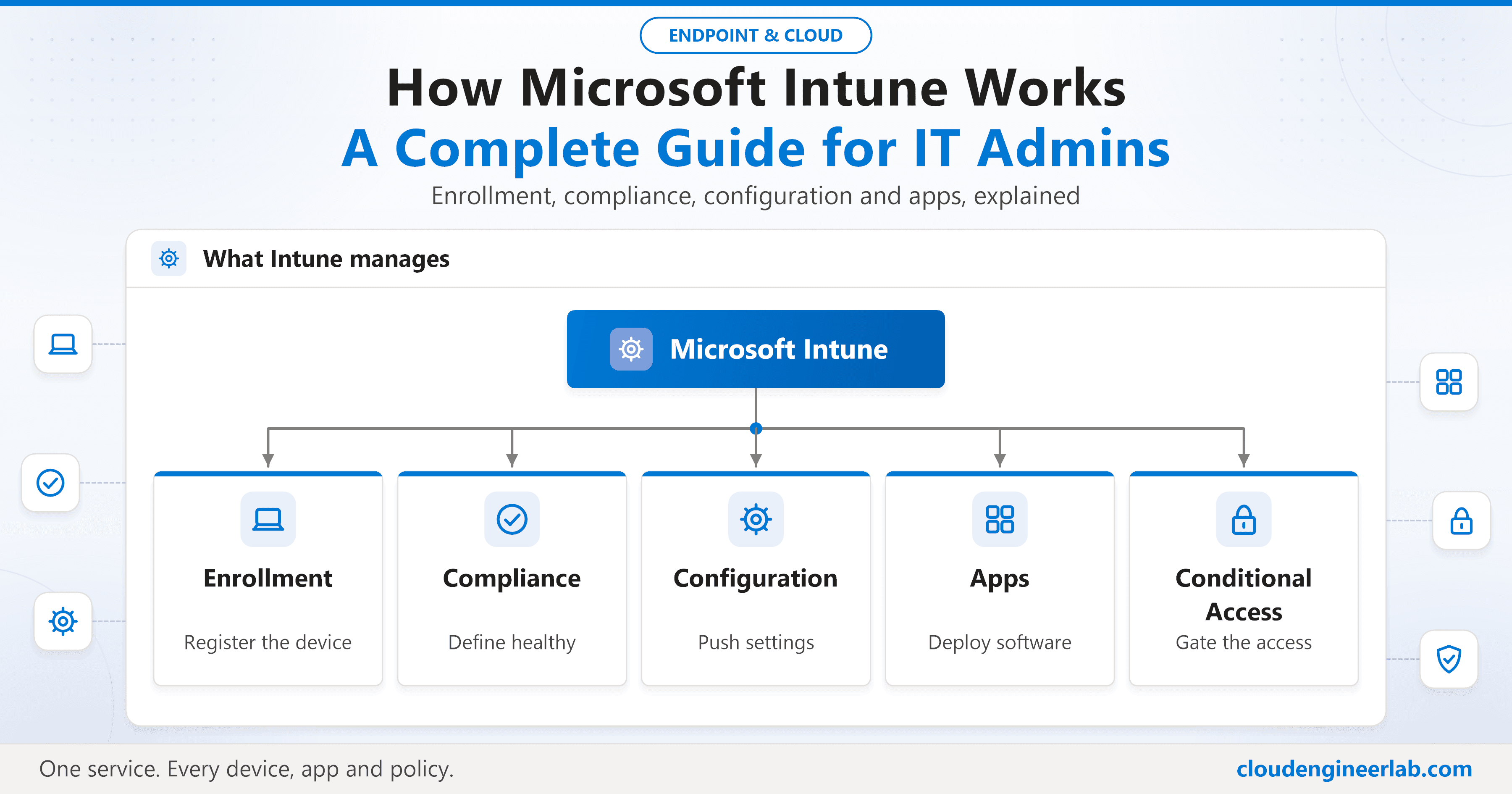
Microsoft Intune is the backbone of modern endpoint management. This guide explains how it works, how devices get enrolled, how compliance is enforced, and how it connects to Azure AD, with real-world examples from production environments.
Stop writing AI prompts from scratch every time. These 10 ready-to-use prompts cover the most common IT admin tasks: from writing PowerShell scripts and troubleshooting Azure errors to drafting incident reports and explaining policies to non-technical stakeholders.
Most people ask ChatGPT to write PowerShell the wrong way and get generic, untested code. This guide shows the exact prompt structure I use to get production-quality scripts first time, including the four elements that make the difference.