
Microsoft Entra ID vs Intune vs Defender: Who Protects What?
Three products, three different jobs, one common mistake: assuming any one of them alone is 'the security team.' Meet each one and find out who actually handles what.
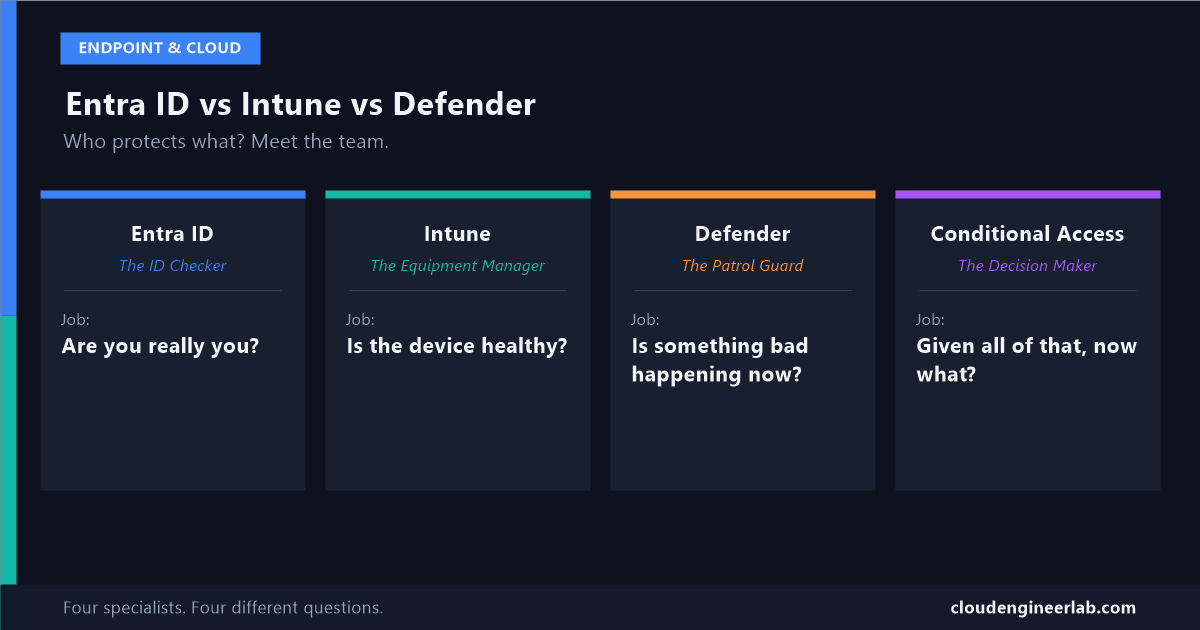
If you're new to Microsoft 365 security, these three names get thrown around like they're interchangeable, "we have Defender," "we use Intune," "it's an Entra thing." They're not interchangeable at all. They're three specialists with three completely different jobs, and a fourth piece, Conditional Access, whose entire role is listening to all three of them before making a decision.
Instead of another architecture diagram, let's meet them like a team.
Meet the Team
Job title: The ID Checker at the front desk.
What they check: Are you really who you say you are. Password, a second check like your phone (multi-factor authentication), and a running sense of whether this particular sign-in looks normal for you.
What they do NOT check: Whether the laptop you're carrying is safe, or whether anything on it is behaving suspiciously. That's not their desk.
A day they saved: Someone in another country tries logging into an employee's account with a stolen password. Entra ID notices the sign-in looks nothing like this person's normal pattern and blocks it, before anyone even had to notice a stolen password existed.
Five Situations: Who Actually Handles It
Before reading the answer, guess which of the four actually owns each one. Most people guess wrong at least once.
An employee's password gets phished in a fake email
Entra ID. This is purely about proving identity. The device could be brand new and perfectly healthy, it doesn't matter, the attacker is impersonating a real identity, not exploiting a device.
A company laptop gets stolen from a car, unencrypted
Intune, or rather, the absence of an Intune policy that should have enforced encryption in the first place. This has nothing to do with who's using it or whether malware is involved, it's purely about the device's own configuration.
A file on a laptop starts silently encrypting other files
Defender. Nobody's identity was faked, and the device might otherwise be perfectly compliant. This is live, suspicious behaviour, exactly Defender's job to notice.
A user is compliant and healthy, but signing in from a country they've never been to at 3am
Conditional Access, using Entra ID's risk signal as the input. No single product "owns" this alone, it's a judgment call across a risky sign-in and an otherwise fine device, which is exactly what Conditional Access exists to weigh.
An approved employee, on a healthy device, emails a spreadsheet of customer data to their personal account
None of the four. This is a real, common gap: identity, device, and threat detection can all be working perfectly, and this still isn't their job. This is what data protection tools like Microsoft Purview exist for, a layer worth understanding on its own.
The Quick Reference
| Entra ID | Intune | Defender | Conditional Access | |
|---|---|---|---|---|
| Checks | Identity | Device configuration | Live threats | Nothing itself |
| Question it answers | Is this really them? | Is this device healthy? | Is something bad happening right now? | Given everything above, what do we do? |
| Blind to | Device health, live threats | Who's using it, live threats | Identity, configuration | Anything, unless another product reports it |
| Acts on its own? | Yes | Yes | Yes | No, only reacts to the other three |
The One Thing Beginners Get Wrong
It's tempting to ask "which of these three is the most important" or "which one do I need most." That question doesn't really have an answer, because they're not competing for the same job. A company with excellent Entra ID identity protection and nothing else is still exposed to a stolen, unencrypted laptop. A company with perfect Intune device compliance and nothing else is still exposed to a phished password. All three exist because each one is blind to the other two's entire job. Conditional Access is the only one of the four whose whole purpose is refusing to be blind to any of it, which only works if the other three are actually reporting something worth listening to.
If you want the deeper version of exactly how these three actually connect and correlate signals with each other, rather than just what each one does on its own, that's covered in how Intune, Entra ID, and Defender form one architecture together.
Which of the five scenarios above did you guess wrong, if any? For most people new to this, it's the last one, assuming an approved user on a healthy device is automatically a non-issue. Drop a comment below with which one surprised you.

Written by
Chetan Yamger
Cloud Engineer · AI Automation Architect · Modern Workplace Consultant
Cloud Engineer, AI Automation Architect, and Modern Workplace Consultant based in Amsterdam, Netherlands. Specializing in scalable, secure enterprise solutions with Microsoft Azure, Intune, PowerShell, and AI-driven automation using ChatGPT, Gemini, and modern LLM technologies.
Stay in the loop.
New articles, straight to you.
Deep-dive technical articles on Intune, PowerShell, and AI — no noise, no spam.
Discussion
Share your thoughts — your email stays private
Leave a comment