
Building a Zero Trust Endpoint Security Program: From 0 to Production
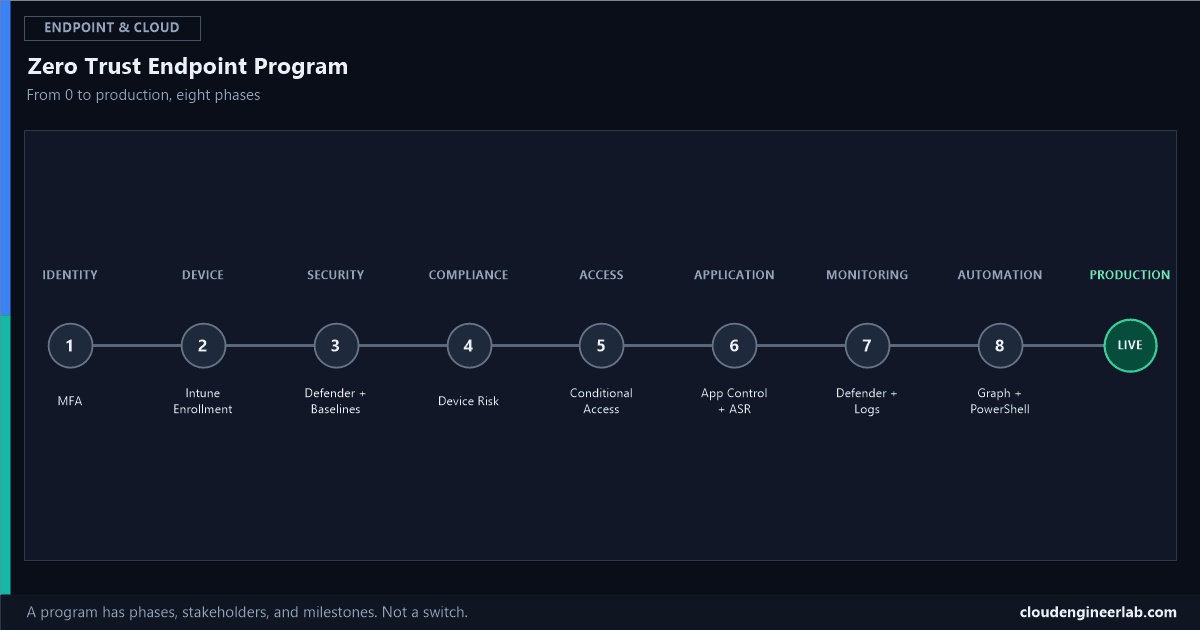
Deploying every control at once produces chaos, not Zero Trust. Eight phases, in the order a real enterprise program actually runs them, with the pitfall at each one.
The complete practical lab covers how to build one secured device. The architecture map covers how the components structurally relate. Neither answers the question a CISO or IT Director actually has to answer: in what order does a whole organisation roll this out, over months, without breaking the business it's supposed to protect. That's a program, not a checklist, and it has phases, stakeholders, milestones, and a specific pitfall waiting at each one.
Phase 1: Identity        → MFA
Phase 2: Device           → Intune Enrollment
Phase 3: Security         → Defender + Baselines
Phase 4: Compliance       → Device Risk
Phase 5: Access           → Conditional Access
Phase 6: Application      → App Control + ASR
Phase 7: Monitoring       → Defender + Logs
Phase 8: Automation       → Graph + PowerShell
Why Phases, Not a Product List
The most common way this program fails
Turning on Conditional Access, ASR rules, and application control allowlisting in the same month a device fleet is still being enrolled isn't an aggressive rollout, it's a guaranteed helpdesk crisis. Every phase below exists because the one before it has to be genuinely stable first, the same dependency discipline as the single-device build lab, just now measured in weeks and months across an entire organisation instead of minutes on one machine.
Phase 1: Identity → MFA
Goal: every account has modern authentication, and MFA registration is genuinely complete before anything gets enforced.
| Typical duration | 3-6 weeks |
| Primary stakeholder | Identity/IAM team, helpdesk |
| Milestone to exit this phase | 95%+ of active accounts have MFA registered, confirmed by report, not assumed |
| Common pitfall | Enforcing MFA before registration is complete, locking out anyone who never set up a second factor |
The full authentication ladder from password alone to passwordless is the technical reference for this phase. This program doesn't need every user on phishing-resistant MFA yet, just modern authentication, universally, as the foundation everything else assumes exists.
Phase 2: Device → Intune Enrollment
Goal: every corporate device has an identity in Entra ID and is actively managed by Intune.
| Typical duration | 6-10 weeks, longer for a large existing fleet |
| Primary stakeholder | Endpoint engineering team |
| Milestone to exit this phase | 95%+ of active devices enrolled and reporting to Intune |
| Common pitfall | No plan for BYOD or unmanaged legacy devices, leaving a real gap the later Compliance and Conditional Access phases can't close |
Windows Autopilot handles this cleanly for new hardware; existing fleets need a deliberate co-management or bulk-enrollment push, which is almost always the longest phase in the whole program for an organisation with existing hardware already in the field.
Phase 3: Security → Defender + Baselines
Goal: every enrolled device gets Microsoft Defender configured and a security baseline applied.
| Typical duration | 4-8 weeks |
| Primary stakeholder | Security engineering |
| Milestone to exit this phase | Security baseline and Defender Antivirus profile both show Succeeded across the pilot ring, then general population |
| Common pitfall | Accepting every baseline default without review, then fighting user complaints about settings nobody deliberately chose |
The full nine-control baseline, including the pilot-first rollout discipline, is covered here. This phase is about the always-on protections, real-time AV, Tamper Protection, Firewall, not yet the stricter controls (ASR enforcement, application allowlisting) that come later once the fleet is stable.
Phase 4: Compliance → Device Risk
Goal: compliance policies are live and, critically, actually wired to Defender's risk signal, not running in isolation.
| Typical duration | 4-6 weeks |
| Primary stakeholder | Security engineering + endpoint engineering, jointly |
| Milestone to exit this phase | Devices report accurate Compliant/Non-compliant status, and the Defender-to-Intune connector is confirmed live, not just configured |
| Common pitfall | Assuming Defender and Intune talk to each other automatically. They don't, without one specific connector setting, and this exact gap is the most common reason a program looks complete on paper while a real detection never actually reaches an access decision |
Phase 5: Access → Conditional Access
Goal: access decisions actually depend on identity, device, and risk signals together, not just a password.
| Typical duration | 6-10 weeks, deliberately staged |
| Primary stakeholder | Identity/IAM team |
| Milestone to exit this phase | Core policies (MFA for all, block legacy auth, require compliant device, phishing-resistant MFA for admins) enforced for the general population, not just Report-only |
| Common pitfall | Skipping the break-glass account, or skipping Report-only entirely on a first policy. The full safe rollout sequence exists specifically to prevent a company-wide lockout |
The catalogue of named policies worth deploying at this stage, in priority order, is here. This is usually the phase where the program becomes visible to the whole organisation, users notice new prompts and occasional friction, which is exactly why Phases 1 through 4 needed to be solid first.
Phase 6: Application → App Control + ASR
Goal: move from "anything can run" to behaviour-based blocking, then toward allowlisting for the highest-value device groups.
| Typical duration | 8-12 weeks, the slowest deliberate rollout in the program |
| Primary stakeholder | Endpoint engineering + application owners |
| Milestone to exit this phase | Core ASR rules enforced fleet-wide; application control piloted on at least one genuinely representative device group |
| Common pitfall | Moving an ASR rule from Audit to Block without reviewing what it actually caught, breaking a legacy line-of-business tool nobody remembered still relied on macro-driven automation |
Application control's stricter allowlist model is covered in full here, and it's realistic to treat full enforcement as a longer-term target for specific high-risk device groups rather than a fleet-wide milestone in this initial program.
Phase 7: Monitoring → Defender + Logs
Goal: the organisation can actually see what's happening across the fleet, not just configure controls and hope.
| Typical duration | Ongoing from this point forward, never "complete" |
| Primary stakeholder | Security operations (SOC) |
| Success metric | Mean time to detect and mean time to respond, tracked and reviewed, not just alert volume |
| Common pitfall | Treating this as a project milestone instead of an operating discipline. The full incident lifecycle this phase exists to run only works if someone is actually watching when it fires |
This is also where the Zero Trust loop stops being theoretical: every earlier phase produces a signal, and this phase is the discipline of actually consuming those signals continuously, not deploying them once and moving on.
Phase 8: Automation → Graph + PowerShell
Goal: the program sustains itself without permanent, purely manual effort behind every check.
| Typical duration | Ongoing, built incrementally alongside earlier phases |
| Primary stakeholder | Endpoint engineering |
| Success metric | Recurring compliance and risk reporting runs unattended; drift from the baseline is caught automatically, not discovered during an audit |
| Common pitfall | Building automation as a one-off script instead of a maintained framework, so it quietly stops working the first time an API or a credential expires and nobody notices |
The Graph API task catalogue for this phase is here, and a working compliance-reporting example specifically is here. This phase isn't a separate final step so much as the connective tissue that keeps Phases 3, 4, and 7 accurate as the fleet grows past the point manual review can keep up with.
The Full Roadmap
| Phase | Duration | Exit milestone |
|---|---|---|
| 1. Identity → MFA | 3-6 weeks | 95%+ MFA registration confirmed |
| 2. Device → Intune Enrollment | 6-10 weeks | 95%+ devices enrolled and reporting |
| 3. Security → Defender + Baselines | 4-8 weeks | Baseline and AV profile Succeeded fleet-wide |
| 4. Compliance → Device Risk | 4-6 weeks | Defender-to-Intune connector confirmed live |
| 5. Access → Conditional Access | 6-10 weeks | Core policies enforced, not Report-only |
| 6. Application → App Control + ASR | 8-12 weeks | Core ASR enforced; app control piloted |
| 7. Monitoring → Defender + Logs | Ongoing | MTTD/MTTR tracked and reviewed |
| 8. Automation → Graph + PowerShell | Ongoing | Reporting and drift detection run unattended |
A realistic first pass through Phases 1 to 6 runs 6 to 10 months for a mid-sized enterprise with an existing device fleet, faster for a smaller or newly-provisioned one. Phases 7 and 8 don't have an end date, they're the operating model the first six phases exist to sustain.
The One Idea Worth Keeping
This is a program, not a project
A project has a completion date. This doesn't. Zero Trust's own core discipline is continuous verification, not a one-time gate, and Phases 7 and 8 exist specifically because Phases 1 through 6 will drift, new devices, new applications, new users, new threats, without something actively watching and something actively maintaining the controls that watch. Treating "we deployed Conditional Access" as the finish line is how a well-built program quietly decays within a year of the rollout being declared done.
Where is your organisation on this roadmap right now, and which phase took longer than planned? Phase 6 is the one I see most consistently underestimated, mostly because nobody had a real inventory of what legacy tooling was still quietly depending on macros and unsigned scripts until ASR started catching it. Drop a comment with your own timeline.

Written by
Chetan Yamger
Cloud Engineer · AI Automation Architect · Modern Workplace Consultant
Cloud Engineer, AI Automation Architect, and Modern Workplace Consultant based in Amsterdam, Netherlands. Specializing in scalable, secure enterprise solutions with Microsoft Azure, Intune, PowerShell, and AI-driven automation using ChatGPT, Gemini, and modern LLM technologies.
Stay in the loop.
New articles, straight to you.
Deep-dive technical articles on Intune, PowerShell, and AI — no noise, no spam.
Discussion
Share your thoughts — your email stays private
Leave a comment