
USB and Removable Media Security with Intune
A USB drive is a fully hardened fleet's last unhardened door. How Intune actually identifies a plugged-in device and decides Allow, Block, or Read-only.
Everything covered so far in this hardening series, BitLocker, ASR rules, application control, assumes threats and data movement happen over the network or through software already on the machine. USB is a different category of risk entirely: physical media that bypasses network monitoring completely in both directions, sensitive files walking out on a drive nobody logged, or malware walking in on a drive nobody scanned. Stuxnet, one of the most sophisticated pieces of malware ever documented, reached its target specifically because the target network was air-gapped from the internet and USB was the one path in nobody had locked down.
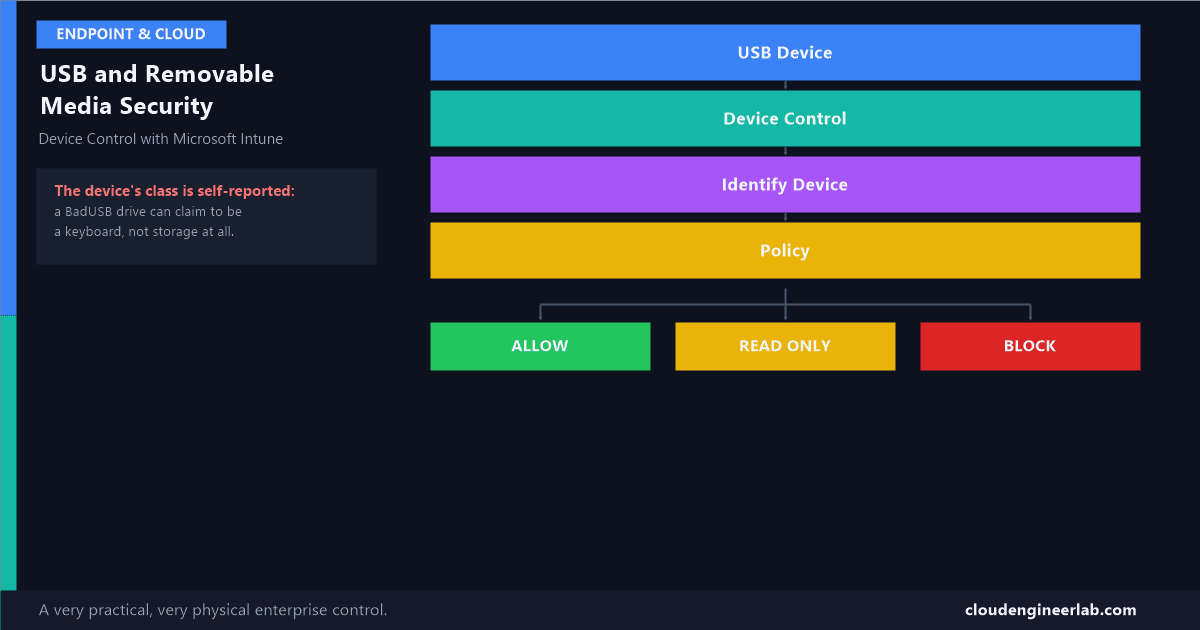
USB Device
    ↓
Device Control
    ↓
Identify Device
    ↓
Policy
    ↓
Allow / Block / Read Only
The Five-Stage Decision
Stage 1: USB Device, What Actually Happens at Plug-In
The moment a USB device is connected, it goes through enumeration: Windows queries the device for a set of descriptors before any driver loads or any file system mounts. This includes a Vendor ID (VID) and Product ID (PID) identifying the manufacturer and specific model, a device class describing what kind of device it claims to be (mass storage, human interface device/keyboard, printer, imaging device), and often a serial number unique to that specific physical unit.
The device decides what class it claims to be, not you
This is the exact mechanism behind a BadUSB attack: a device that physically looks like a USB flash drive can enumerate itself as a Human Interface Device (keyboard) instead of mass storage, and Windows has no way to know that's a lie at this stage. A policy that only restricts the "removable storage" class does nothing to stop this device, because as far as Windows is concerned, it was never storage in the first place. It's a keyboard, typing malicious commands at machine speed the instant it's plugged in.
Stage 2: Device Control, Intune's Interception Point
Device Control, part of Intune's Attack Surface Reduction area, sits at this enumeration step and decides what happens next, before the device is fully usable. This is a different, and generally more precise, control point than the older Device Installation Restriction policies (still available as Administrative Template / ADMX-backed settings), which work by blocking specific hardware from installing a driver at all, a blunter instrument that's still useful for locking down device classes entirely on kiosk or shared-use machines.
| Approach | What it controls | Granularity |
|---|---|---|
| Device Installation Restrictions | Whether a driver is allowed to install for a device at all | Class-level or hardware-ID-level, coarse but simple |
| Device Control (Attack surface reduction) | Read, write, and execute access once a device is recognised | Fine-grained: by class, VID/PID, or specific serial number, with distinct actions per access type |
Stage 3: Identify Device, the Actual Matching Logic
A Device Control policy matches an incoming device against one or more identifiers, and understanding the hierarchy is what makes writing an effective policy possible rather than either too broad or too narrow.
Primary ID: the device class
The broadest match: "Removable storage," "Printers," "Bluetooth," "Portable devices (MTP)." A rule at this level applies to every device of that type, regardless of manufacturer.
Vendor ID (VID) and Product ID (PID)
Narrows the match to a specific manufacturer and model, for example, only a specific brand of company-issued encrypted USB drive, without needing to name every individual unit.
Serial number
The most precise match available: one specific physical device, distinguishable from every other unit of the same model. This is how "these exact 40 company-issued drives, and nothing else" gets enforced.
Why serial-number rules matter for approved hardware
VID/PID alone identifies a model, not a specific unit, anyone can buy the identical model of drive from a retail shelf. If the goal is "only company-procured, individually tracked drives," the policy needs to match on serial number specifically, with each approved unit's serial number recorded at procurement time.
Stage 4: Policy, What Actually Gets Configured
Start from the default posture: deny
The safest baseline for most enterprise fleets is block removable storage by default, then explicitly allow specific approved classes, models, or devices rather than trying to enumerate every bad device in advance.
Layer exceptions deliberately, not broadly
An exception scoped to a specific VID/PID or serial number preserves the default-deny posture for everything else. A blanket "allow all storage" exception defeats the purpose of having a policy at all.
Consider execute restrictions separately from read/write
A device might legitimately need read access, receiving a file from an external partner, without ever needing to execute a program directly from it. Scoping execute permission separately closes off a common malware-delivery path even on drives that are otherwise allowed.
Require encryption on anything that gets write access
Pair write-allowed policies with a requirement for BitLocker To Go on the removable media itself, so data that does leave on an approved drive is still protected if that drive is subsequently lost.
Stage 5: The Outcome, Allow, Block, or Read-Only
| Outcome | What it means in practice | Typical use case |
|---|---|---|
| Allow | Full read/write/execute access | Company-issued, encrypted, serial-number-approved drives for a specific team |
| Read-only | Data can be copied off the device onto the machine, nothing can be written back to it | Receiving files from external partners or vendors without risking exfiltration through the same channel |
| Block | The device is not usable at all on this machine | The default posture for unknown or unapproved removable storage |
A Worked Example: the Parking Lot USB Drive
An attacker leaves USB drives in the company parking lot
A well-documented, low-tech social engineering technique: curiosity alone gets a meaningful percentage of dropped drives plugged into a corporate machine by someone who found one.
The drive enumerates as a keyboard, not storage
It's a BadUSB device. The moment it's plugged in, it begins "typing" a pre-programmed malicious command sequence at the OS.
A storage-only Device Control policy does nothing here
Because the device never claimed to be storage, a policy scoped only to the removable-storage class never evaluates it at all.
What actually stops it: Device Installation Restrictions on HID hardware IDs, plus Credential Guard and ASR as backstops
Locking down unrecognised HID devices at the installation-restriction level, combined with the LSASS-protection and script-obfuscation ASR rules catching whatever the injected keystrokes try to actually execute, is what closes this specific gap. No single control here is sufficient alone, which is the same layered lesson running through every post in this series.
Deploying Through Intune
Endpoint Security → Attack surface reduction → Device Control
Create a new Device Control policy, choosing a Primary ID (device class) as the base match for the rule.
Add VID/PID or serial number entries for approved hardware
Company-procured encrypted drives get their identifiers recorded here as exceptions to the default-block posture.
Set the access level per rule: Deny, Allow, or Read-only
Each matched rule specifies exactly what access it grants, layered against the policy's overall default.
Pilot with a genuinely representative device set, physically
This is the one control in this series that can't be validated through log review alone before rollout, someone on the pilot team needs to physically plug in the actual approved and unapproved hardware to confirm the policy behaves as expected.
Widen in rings, same discipline as every other control in this series
Pilot group, review for a genuine business cycle (a team that only uses a specific USB scanner or dongle monthly needs that long to surface), then expand.
Summary
| Stage | What happens |
|---|---|
| USB Device | The device enumerates, declaring its own class, VID/PID, and serial number to Windows |
| Device Control | Intune's interception point, evaluating before full access is granted |
| Identify Device | Matching happens at class, model, or individual-unit precision |
| Policy | Default-deny with deliberate, scoped exceptions is the safer starting posture |
| Outcome | Allow, Read-only, or Block, chosen per rule, not as one blanket setting |
The uncomfortable fact worth sitting with: a device's claimed class is self-reported, not verified, which means storage-scoped policies alone will never be a complete answer. Real USB security in an enterprise fleet means combining Device Control with Device Installation Restrictions on non-storage classes and the ASR and Credential Guard protections that catch whatever a malicious device tries to do once it's already talking to the OS.
Has your organisation had a real incident involving a USB drive, lost data, an infected drive, a BadUSB test that actually got through? Drop a comment, these are the stories that tend to get policy budgets approved faster than any theoretical risk ever does.

Written by
Chetan Yamger
Cloud Engineer · AI Automation Architect · Modern Workplace Consultant
Cloud Engineer, AI Automation Architect, and Modern Workplace Consultant based in Amsterdam, Netherlands. Specializing in scalable, secure enterprise solutions with Microsoft Azure, Intune, PowerShell, and AI-driven automation using ChatGPT, Gemini, and modern LLM technologies.
Stay in the loop.
New articles, straight to you.
Deep-dive technical articles on Intune, PowerShell, and AI — no noise, no spam.
Discussion
Share your thoughts — your email stays private
Leave a comment