
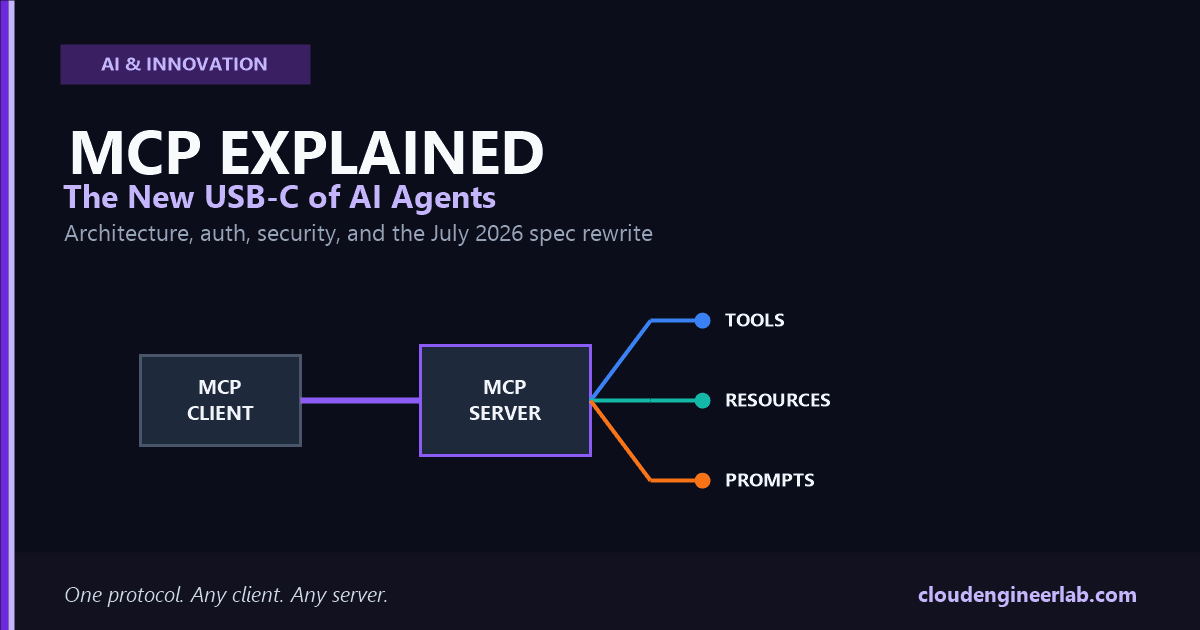
MCP Explained: The New USB-C of AI Agents
A deep architectural look at MCP: what problem it solves, how client-server and auth work, and what the July 2026 spec rewrite changed.
Every developer who has connected an LLM to more than two or three external systems has hit the same wall. Wire up a database, and you write a custom integration. Wire up a ticketing system, and you write another one, with its own auth flow, its own schema conventions, its own way of describing what it can do. Add a third client application that needs the same two systems, and you're maintaining the same integration logic twice, in two codebases, that will drift out of sync within a quarter.
That's the problem Model Context Protocol was built to remove, and it's why the "USB-C for AI" comparison, overused as it's become, is actually accurate. Before USB-C, every device had its own connector and its own cable. USB-C didn't make any single device smarter. It made every device speak the same physical and electrical language, so any cable worked with any port. MCP does the same thing for AI applications and the tools, data, and systems they need to reach.
The one sentence to remember
MCP doesn't make an AI model more capable. It standardizes how any AI application connects to any external system, so that integration work gets written once instead of once per client, per server.
This is a deep architectural explainer, not a marketing pitch: what MCP actually solves, how it differs from a REST API, the full client-server model, its three core primitives, how auth works, what changes when a server is remote instead of local, the real security risks, a working first server, how this looks in production, how it compares to plain function calling, and what the July 2026 specification rewrite (2026-07-28, the biggest revision since MCP launched) actually changed under the hood.
What MCP Actually Solves
Before a shared protocol existed, connecting M AI applications to N external tools meant writing roughly M × N custom integrations. Every client had to know, ahead of time, exactly how to talk to every tool it wanted to use: which endpoint, which auth scheme, which response shape.
The core idea is that a server describes its own capabilities in a standard, machine-readable way, and a client discovers and uses them dynamically instead of having that knowledge hard-coded at build time. That single design choice is what makes it fundamentally different from how most APIs work today.
MCP vs REST APIs
REST and MCP solve related but distinctly different problems, and the confusion between them usually comes from both using JSON over HTTP.
| REST API | MCP | |
|---|---|---|
| Built for | A developer who reads documentation once and hard-codes calls to known endpoints | An LLM that discovers what's available at connection time and decides what to call based on intent |
| Self-description | Optional (OpenAPI/Swagger, often out of date) | Required and built into the protocol itself (tools/list, resources/list, prompts/list) |
| Message format | Varies by API: different verbs, status codes, URL conventions per service | Uniform JSON-RPC 2.0 for every server, regardless of what it wraps |
| Discovery | You read docs, then write code against a fixed set of endpoints | The client calls a listing method and gets structured schemas back at runtime |
| Primitives | Whatever resource model the API designer chose (often inconsistent across APIs) | Three standardized primitives: tools, resources, prompts |
| Typical caller | Application code written by a human developer | An LLM-driven host deciding dynamically which capability to invoke |
The distinction that actually matters
REST assumes the caller already knows what it wants to call. MCP assumes the caller needs to find out what's available first, then decide, because the "caller" is often a language model reasoning about a task it wasn't specifically programmed for.
MCP isn't a replacement for REST. A well-built MCP server frequently wraps a REST API on the inside, translating that API's fixed endpoints into MCP's self-describing tools so an LLM-driven client can use it without custom glue code.
MCP Client/Server Architecture
An MCP deployment has three roles, and it's worth being precise about them because "client" and "server" alone undersell the architecture.
A single host can run several clients at once, each one connected to a different server: one client talking to a filesystem server, another to a database server, another to an internal ticketing server. The host is what aggregates all of those capabilities into a single experience for the user.
Every message on the wire is JSON-RPC 2.0: requests, responses, and notifications. What differs between deployments is the transport carrying those messages:
| Transport | Where it runs | Typical use |
|---|---|---|
| stdio | Server runs as a local subprocess of the host, communicates over stdin/stdout | Local tools: filesystem access, a local git repo, a local database |
| Streamable HTTP | Server runs anywhere reachable over the network | Remote/hosted servers shared across many users or client applications |
A meaningful shift in the July 2026 spec
Earlier MCP versions opened a connection with an initialize / notifications/initialized handshake and treated that connection as a stateful session. The 2026-07-28 specification removes that handshake entirely. Every request now carries its own protocol version and client capabilities in the message's _meta fields, and a new server/discover call lets a client ask what a server supports before making any other request. The protocol core is now stateless: no session to establish, none to lose.
That change alone is worth sitting with, because it reshapes what a production MCP deployment looks like, covered in the Production Architecture section below.
Tools, Resources, and Prompts
MCP defines exactly three kinds of capability a server can expose, and the distinction between them is about who decides to invoke each one, not just what they technically do.
| Primitive | Who controls it | What it's for | Example |
|---|---|---|---|
| Tools | The model | An action the LLM decides to take, with structured input and a result | create_ticket, run_query, send_email |
| Resources | The application | Readable data the host can attach to context, identified by a URI | A file's contents, a database schema, a document |
| Prompts | The user | A reusable template a person explicitly selects, often surfaced as a slash command | /summarize-pr, /draft-release-notes |
Tools are for actions the model chooses
Each tool advertises a name, a description, and a JSON Schema input shape. The model reads the description, decides a tool is relevant to the current task, and calls it with arguments that match the schema. As of the July 2026 spec, both the input and output schemas can use any JSON Schema 2020-12 keyword, not a restricted subset, giving server authors much finer control over validation.
Resources are for data the application attaches
A resource isn't something the model decides to fetch mid-conversation the way it calls a tool. It's data the host application chooses to include, browse, or let a user pick from, similar to attaching a file. Resources are addressed by URI and can be text or binary.
Prompts are for templates a person explicitly picks
A prompt is a named, parameterized template the server author has curated. A user selects it deliberately, the way they'd pick a saved snippet, rather than the model deciding to use it on its own.
Why this three-way split matters in practice
Getting this distinction right is what keeps a server's capabilities legible. A server that exposes everything as a "tool," including data that should be a resource, forces the model to guess at intent it shouldn't have to guess at, and makes the server harder for a human to audit later.
Authentication and Authorization
Local stdio servers usually don't need their own auth story. They run inside the user's own machine, under the user's own account, so the operating system's permissions are already the trust boundary. Remote, HTTP-based servers are a different matter entirely, and MCP's authorization model is built on OAuth 2.1 with PKCE.
The server acts as an OAuth Resource Server
A remote MCP server doesn't issue its own tokens. It validates tokens issued by a separate (or shared) Authorization Server, the same separation of concerns as any modern OAuth deployment.
Clients discover the authorization server through standard metadata
Rather than hard-coding auth endpoints, clients use well-known metadata discovery, so the same client code works against different deployments without per-server configuration.
Clients register with the authorization server
Historically this used OAuth Dynamic Client Registration. The July 2026 spec deprecates DCR as the primary mechanism in favor of Client ID Metadata Documents, keeping DCR available only for backward compatibility with authorization servers that don't yet support the newer approach.
The July 2026 authorization hardening, and why it exists
Six specification changes tighten MCP's OAuth flow to close a real attack class known as a mix-up attack, where a malicious authorization server tricks a client into sending a code or token intended for a different, legitimate server. The concrete fixes: authorization servers should include the iss parameter in authorization responses per RFC 9207, and clients must validate that value against the issuer they originally recorded before redeeming the code. Clients must also specify the correct application_type during registration to avoid OpenID Connect redirect URI conflicts, and must key any persisted client credentials to the specific issuer that granted them, never reusing credentials across a different authorization server.
If you're building or integrating a remote MCP server today, issuer validation isn't optional hardening to consider later. It's the specific fix for a documented attack against the exact flow MCP relies on.
Remote MCP
The distinction between local and remote MCP is really a distinction in trust model and deployment shape.
| Local (stdio) | Remote (Streamable HTTP) | |
|---|---|---|
| Runs where | As a subprocess on the user's own machine | Anywhere reachable over the network |
| Trust boundary | Implicit: the user's own OS permissions | Explicit: OAuth 2.1 with issuer validation |
| Scales to | One user, one running instance | Many users and client applications sharing one hosted server |
| Typical owner | An individual developer running their own tools | A company hosting one server for an entire team or product |
Remote MCP is what makes MCP genuinely useful at organizational scale: one team stands up a single hosted server in front of their internal ticketing system or knowledge base, and every employee's AI client, regardless of which application they're using, connects to that same server instead of each person configuring their own local integration.
Remote MCP got dramatically simpler to operate in July 2026
Before this revision, a remote MCP server that needed to track state across a client's calls typically required sticky sessions, a shared session store, and often deep packet inspection at the load balancer to route requests from the same client consistently. With protocol-level sessions removed, a server that needs cross-call state now mints its own explicit handle and passes it back to the client as an ordinary tool argument. The server itself can sit behind a plain round-robin load balancer with no session affinity at all. The spec also now requires standard Mcp-Method and Mcp-Name headers on every Streamable HTTP request, so infrastructure can route and rate-limit by operation without inspecting the request body.
One trade-off is worth knowing: the same revision removes SSE stream resumability (the Last-Event-ID mechanism). If a response stream breaks mid-request, the client can no longer resume it. It simply re-issues the whole request as a new one. That's a deliberate simplicity-over-resilience trade, consistent with the stateless-core theme of the whole release.
MCP Security
Connecting an LLM to live tools and data widens the attack surface in ways a pure chat interface doesn't have, and MCP's own design amplifies a few specific risks worth naming directly.
Tool descriptions and resource content are an injection vector
An LLM reads a tool's description and any resource content as part of its context, the same way it reads a user's message. A malicious or compromised server can embed hidden instructions inside a tool description or inside the content of a resource, and a model that doesn't clearly separate "data" from "instructions" may follow them. Treat every third-party MCP server's descriptions and resource content the way you'd treat untrusted user input, not trusted documentation.
Tool names and descriptions can mislead about actual scope
A tool called read_file that quietly also has write or delete access is a real, documented failure pattern. Review what a tool's implementation actually does, not just what its name and description claim.
Local servers run with the user's own permissions
A stdio server is a subprocess running under the user's account. Installing a third-party MCP server carries the same supply-chain risk as installing any other dependency with broad filesystem or network access, and deserves the same scrutiny.
Authorization mix-up attacks are a named, addressed risk
Covered above in Authentication and Authorization: the July 2026 issuer-validation requirement exists specifically because this attack was demonstrated against real OAuth-based MCP deployments, not as a theoretical hardening exercise.
The practical baseline
Require explicit human confirmation before any tool call that deletes data, moves money, or sends a communication on someone's behalf. Run untrusted or third-party servers with the least privilege they need, never broader access "to be safe." Validate authorization server issuers per the current spec if you're handling remote OAuth flows yourself rather than relying entirely on your client library.
Building Your First MCP Server
Here's a minimal but complete server using the official TypeScript SDK, exposing a single tool over stdio:
import { McpServer, StdioServerTransport } from '@modelcontextprotocol/server';
import * as z from 'zod/v4';

const server = new McpServer({ name: 'greeting-server', version: '1.0.0' });

server.registerTool(
  'greet',
  {
    description: 'Greet someone by name',
    inputSchema: z.object({
      name: z.string().describe('The person to greet'),
    }),
  },
  async ({ name }) => {
    return {
      content: [{ type: 'text', text: `Hello, ${name}!` }],
    };
  }
);

server.connect(new StdioServerTransport());
Define the server identity
McpServer takes a name and version. This is what shows up when a client calls the discovery method to identify what it's connected to.
Register a tool with a schema, not a hand-written spec
The Zod schema passed to inputSchema does three jobs at once: it generates the JSON Schema advertised to clients, it validates incoming arguments before your handler ever runs, and it gives your handler's parameters proper types. You write the shape once.
Return structured content, not a raw string
A tool result is a content array of typed blocks, text here, though a real tool can return multiple blocks or richer types. This is what lets a single tool result carry more than plain text if the task calls for it.
Connect a transport, and the server is live
StdioServerTransport is the right choice for a local tool run as a subprocess. Swapping to a Streamable HTTP transport is what turns the same server into a remote one, with everything in the Remote MCP section above then applying.
Check the SDK version before shipping
MCP's SDKs evolve alongside the spec. Package names, exact function signatures, and available options can shift between releases. Treat the example above as the shape of a minimal server, and confirm against your installed SDK's own documentation before deploying anything real.
Production Architecture
A server that works from your laptop over stdio and a server that holds up in production for an organization are different engineering problems. A few things the July 2026 spec makes directly relevant to production deployments:
| Concern | What changed or what to do |
|---|---|
| Horizontal scaling | Protocol-level sessions are gone, so a server needing cross-call state mints its own explicit handle instead of relying on sticky routing. This means ordinary round-robin load balancing works, no session affinity required. |
| Routing and rate-limiting | Every Streamable HTTP request now carries Mcp-Method and Mcp-Name headers, so a gateway can route and throttle by operation without parsing the JSON-RPC body. |
| Caching | tools/list, prompts/list, resources/list, and resources/read responses now carry a ttlMs freshness hint and a cacheScope (public or private) flag, giving clients and intermediaries an explicit, spec-defined way to cache instead of guessing. |
| Observability | The spec documents standard _meta keys for OpenTelemetry trace propagation (traceparent, tracestate, baggage), so a server's calls can participate in a distributed trace using conventions the protocol itself defines. |
| Stream resilience | SSE resumability was removed. Design your client's retry logic around re-issuing a fresh request on a broken stream, not resuming a partial one. |
| Deterministic tool ordering | Servers should return tools/list results in a stable, deterministic order. This isn't cosmetic: it directly improves client-side caching and LLM prompt cache hit rates against the tool list. |
Roots, Sampling, and Logging are now deprecated
The same revision deprecates three older features. Instead of the Roots feature, pass directories or files as tool parameters, resource URIs, or server configuration. Instead of the Sampling feature, integrate directly with your LLM provider's API. Instead of the Logging feature, log to stderr on stdio or use OpenTelemetry. They remain functional during a minimum twelve-month deprecation window, but new production builds shouldn't add new dependencies on any of the three.
MCP vs Function Calling
These get confused constantly because MCP tools, at the wire level, are ultimately delivered to a model as something very close to a function-calling schema. The difference is entirely in what sits around that schema.
| Plain function calling | MCP | |
|---|---|---|
| Where tool definitions live | Hard-coded in your application's own code | Advertised dynamically by a server your client connects to |
| Reusability across apps | None: every application redefines the same tool | One server's tools are usable by any MCP-compatible client, with zero redefinition |
| Discovery | Static, decided at build time | Dynamic, via tools/list at connection time |
| Standardized primitives beyond tools | None: you invent your own conventions for anything else | Resources and prompts are first-class, standardized alongside tools |
| Cross-team or cross-vendor sharing | Requires distributing and syncing your own integration code | A server is the shareable, portable unit |
They're not competitors
MCP tools ultimately get presented to the model as function-calling-shaped definitions; that part isn't new. What MCP adds is everything around it: a standard way to discover those definitions at runtime, a standard transport and auth model, and two more primitive types that function calling alone never defined. Function calling is the mechanism; MCP is the protocol for delivering it portably.
Where MCP Is Going
The July 2026 specification isn't a small point release. It's described by its own authors as the largest revision since MCP launched, and it delivers on a roadmap built around four goals: a stateless core that scales on ordinary HTTP infrastructure, an authorization model that matches how OAuth and OpenID Connect are actually deployed, a formal deprecation policy so the protocol can keep evolving without breaking existing servers overnight, and a real extensions framework for functionality that doesn't belong in the protocol core.
That last point is where the near-term future is heading. Rather than growing the core specification indefinitely, new capability now ships as opt-in extensions:
| Extension | What it adds |
|---|---|
| Tasks | Long-running, asynchronous work tracked through durable handles, replacing the older blocking task-result pattern with polling |
| Skills over MCP | A way to expose structured, packaged skills through the same protocol servers already use for tools |
| MCP Apps | Server-rendered, inline interactive UI, rather than plain text or structured data as the only response shape |
A formal deprecation policy is a bigger deal than it sounds
Before this revision, MCP had no defined process for retiring a feature. The new feature lifecycle policy establishes Active, Deprecated, and Removed states with a minimum twelve-month deprecation window. That predictability is what lets the protocol keep changing, as it clearly intends to, without every server maintainer treating each new spec date as a potential breaking migration with no warning.
The Bottom Line
MCP's real contribution was never a clever new wire format. It was deciding that AI applications and the tools they use should agree on one shared language instead of every pairing inventing its own. The July 2026 specification pushes that idea further: a stateless core that scales the way ordinary web infrastructure already knows how to scale, authorization hardened against a real attack class, and new capability landing as opt-in extensions instead of an ever-growing core.
Where to actually start
If you're building your first MCP server, start local: a stdio server with one or two well-described tools, tested against a real client. Everything in this guide about remote deployment, authorization, and production architecture becomes relevant the moment that server needs to serve more than one user, and not a moment before.
The USB-C comparison holds up because it's the right kind of boring. A good connector standard doesn't make headlines for what it does. It makes headlines for how much custom cabling nobody has to build anymore.

Written by
Chetan Yamger
Cloud Engineer · AI Automation Architect · Modern Workplace Consultant
Cloud Engineer, AI Automation Architect, and Modern Workplace Consultant based in Amsterdam, Netherlands. Specializing in scalable, secure enterprise solutions with Microsoft Azure, Intune, PowerShell, and AI-driven automation using ChatGPT, Gemini, and modern LLM technologies.
Stay in the loop.
New articles, straight to you.
Deep-dive technical articles on Intune, PowerShell, and AI — no noise, no spam.
Discussion
Share your thoughts — your email stays private
Leave a comment