
Hardware Security: TPM, Secure Boot, BitLocker and Windows Hello Explained
Four security features that sound unrelated are actually one continuous chain of trust, from the moment power hits the motherboard to the moment you sign in.
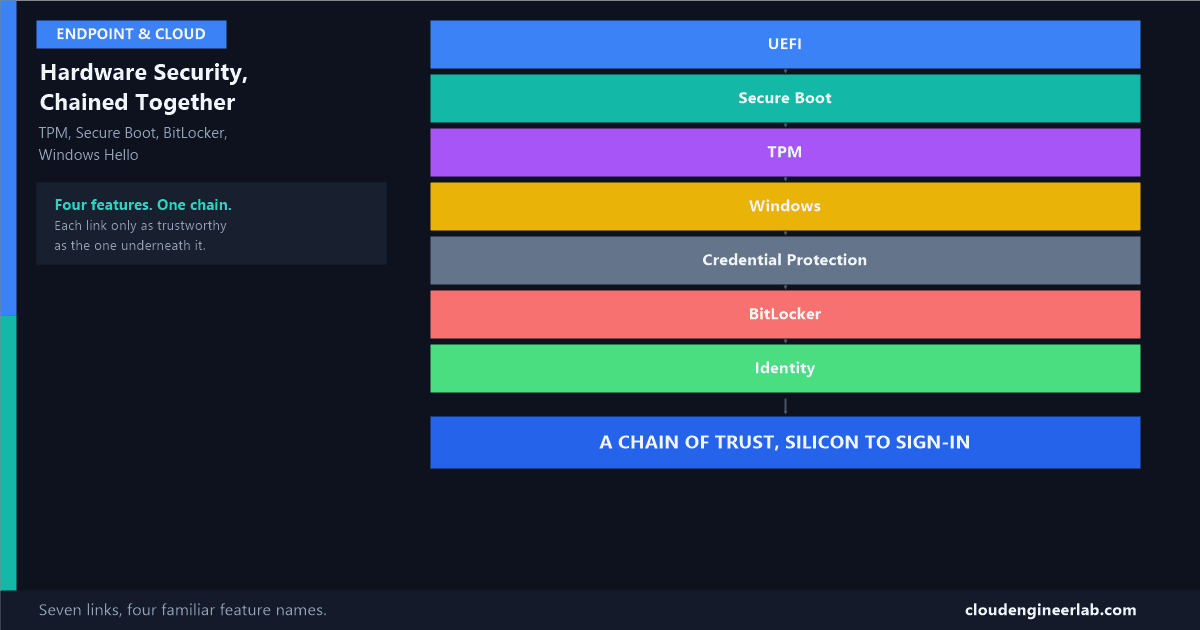
TPM, Secure Boot, BitLocker, and Windows Hello get talked about as four separate checkboxes in four separate settings menus. They aren't separate. They're one continuous chain, each link depending entirely on the link before it having held. Understanding them as a chain, rather than four unrelated features, is what turns "my laptop has a TPM" from a fact you know into an architecture you actually understand.
UEFI
 ↓
Secure Boot
 ↓
TPM
 ↓
Windows
 ↓
Credential Protection
 ↓
BitLocker
 ↓
Identity
The Chain, End to End
Stage 1: UEFI, the First Code That Ever Runs
UEFI (Unified Extensible Firmware Interface) is the modern replacement for the old BIOS, the very first software that executes the instant power reaches the motherboard, before Windows, before any antivirus, before anything you'd normally think of as "the computer starting." Its job is simple to state and critical in practice: find the operating system and hand control to it.
This matters because if something malicious can run at this stage, before Windows and before any security software has even loaded, it has a level of control nothing running inside Windows can see or stop. This is the actual foundation everything else in this post depends on.
Stage 2: Secure Boot, Refusing to Run What Isn't Signed
Secure Boot is a UEFI feature that checks the digital signature of every component in the boot chain, the bootloader, the OS kernel, before allowing it to execute. If a component isn't signed by a trusted certificate, it doesn't run, full stop.
What this specifically stops
A bootkit or rootkit is malware designed to load before the operating system itself, precisely so it can hide from antivirus tools that only start scanning once Windows is already running. Secure Boot closes exactly this gap: an unsigned or tampered bootloader simply never gets the chance to execute, regardless of how sophisticated it is once running, because it never starts running at all.
Stage 3: TPM, a Chip That Remembers What Booted
The Trusted Platform Module is where this chain becomes cryptographic rather than just a signature check. As the boot process proceeds, the TPM takes measurements of each stage, recording them into a set of registers, and can later prove, or refuse to release a secret, based on whether the current boot state matches an earlier trusted state.
I've covered the actual sealing mechanism in detail elsewhere: the short version is that the TPM seals cryptographic keys against these measurements, and only releases them automatically if the current boot state matches. Secure Boot and the TPM work as two complementary mechanisms here, not one duplicating the other: Secure Boot stops untrusted code from executing in the first place, while the TPM's sealing stops encrypted data and protected credentials from being released if the boot state ever looks different than expected, even in the more unusual case where Secure Boot was disabled or bypassed entirely.
Stage 4: Windows, Loading Only After Everything Above It Held
By the time Windows itself starts, two things are already true: every boot component was properly signed (Secure Boot), and the TPM has a fresh, accurate measurement of exactly what loaded (Stage 3). Windows inherits the benefit of both without having to re-verify any of it itself.
This is also where Virtualization-Based Security (VBS) comes in, using the CPU's own virtualization extensions to carve out an isolated memory region that even the main operating system, running with full administrative rights, cannot directly access. This isolated region is what makes the next stage possible at all.
Stage 5: Credential Protection, Secrets That Even Admin Rights Can't Reach
Credential Guard runs inside that VBS-isolated region from Stage 4, protecting the authentication secrets that live in lsass.exe, cached password hashes and Kerberos tickets, from exactly the kind of memory-dumping attack tools like Mimikatz rely on. I've covered this specific attack technique and the ASR rule that also defends against it here.
This is the clearest example of the chain actually being a chain
Credential Guard's real hardware requirements, UEFI with Secure Boot, a TPM, and CPU virtualization extensions, aren't an arbitrary checklist. They're this exact chain, named explicitly. Credential Guard cannot exist on a device where Secure Boot is off or no TPM is present, because the isolated memory region it depends on is only trustworthy if everything underneath it in this chain already held.
Stage 6: BitLocker, Encrypting the Disk Against This Same Verified State
BitLocker's actual key hierarchy is covered in full elsewhere, but the short version fits directly into this chain: the key that decrypts the disk is sealed against the exact same TPM measurements from Stage 3. A device that boots normally, Secure Boot verified, TPM measurements matching, unlocks silently. A device whose boot state has changed, different hardware, tampered firmware, a moved disk, doesn't get the key without falling back to the 48-digit recovery password.
Stage 7: Identity, Where Hardware Trust Becomes Proof of You
The final link is Windows Hello for Business. I've covered the full climbing-ladder progression from passwords to this point elsewhere, but the piece that matters here specifically: a Windows Hello PIN or biometric scan doesn't get transmitted anywhere, and it isn't a password. It unlocks a cryptographic key pair generated and stored inside this same TPM, a key that's mathematically tied to this specific piece of trusted hardware and never leaves it.
Why this closes the loop that passwords never could
A phished password works from any device, anywhere, because a password is just a shared secret with nothing tying it to specific hardware. A Windows Hello credential is worthless without the exact physical TPM it was created in. Stealing the PIN alone gets an attacker nothing without also possessing the specific laptop it belongs to, which is the entire chain above finally paying off as an actual identity guarantee.
What Breaks if You Skip a Link
| Skipped stage | What actually breaks |
|---|---|
| Secure Boot disabled | Unsigned bootkits and rootkits can execute before Windows or any security software ever sees them |
| No TPM present | BitLocker can't seal keys to hardware at all (falls back to weaker, password-only protection); Credential Guard is entirely unavailable |
| Credential Guard not configured | LSASS memory remains readable by any process with sufficient privilege, pass-the-hash and pass-the-ticket attacks work normally |
| BitLocker not enabled | A physically removed disk is fully readable on any other machine, no cryptographic barrier at all |
| Windows Hello not deployed | Users authenticate with passwords alone, phishable, replayable, and not tied to any specific hardware |
This is also exactly why Windows 11's minimum hardware requirements insist on TPM 2.0: the entire chain above stage 3 has nothing to build on without it.
A New Laptop, Walked Through the Whole Chain
Unboxing, first power-on
UEFI runs first, exactly as it would on any PC, checking Secure Boot's trusted certificate list before handing control to the bootloader.
Windows Autopilot takes over provisioning
Covered in full here, Autopilot enrols the device into Intune during this same first-boot experience, before an employee's first sign-in.
BitLocker silently encrypts in the background
Using the TPM as the sole protector for a standard knowledge-worker device, no PIN prompt, no visible interruption to setup.
Credential Guard activates as part of the security baseline
Isolating credential material the moment the employee's account is first used to sign in.
The employee registers Windows Hello
A fingerprint or face scan, generating a hardware-bound key pair inside the TPM, replacing password-based sign-in for daily use going forward.
Every one of those five steps depended on the step before it. Autopilot's provisioning trust depends on the device having booted through a verified chain. BitLocker's silent, no-prompt encryption depends on a TPM being present and functional. Credential Guard depends on Secure Boot and virtualization extensions having been available from the very first stage. None of this is four separate features that happen to ship on the same laptop, it's one chain, and the security guarantee at the end is only as strong as its weakest link.
Summary
The chain, restated
Power reaches the board, and UEFI runs first (1). Secure Boot refuses to execute anything unsigned in the boot chain (2). The TPM measures and remembers exactly what booted, sealing keys against that state (3). Windows loads, inheriting the trust established above it, and sets up an isolated memory region using the CPU's virtualization extensions (4). Credential Guard uses that isolated region to protect authentication secrets even from a fully compromised OS session (5). BitLocker encrypts the disk with keys sealed to that same verified boot state (6). And Windows Hello finally lets a fingerprint or PIN unlock a key that only exists, and only ever will exist, inside this specific trusted hardware (7). Four familiar feature names. One chain, start to finish.
Which of these seven stages is still missing on your own fleet? TPM presence and Secure Boot status are worth actually auditing rather than assuming, especially on any hardware more than a few years old. Drop a comment with what you found.

Written by
Chetan Yamger
Cloud Engineer · AI Automation Architect · Modern Workplace Consultant
Cloud Engineer, AI Automation Architect, and Modern Workplace Consultant based in Amsterdam, Netherlands. Specializing in scalable, secure enterprise solutions with Microsoft Azure, Intune, PowerShell, and AI-driven automation using ChatGPT, Gemini, and modern LLM technologies.
Stay in the loop.
New articles, straight to you.
Deep-dive technical articles on Intune, PowerShell, and AI — no noise, no spam.
Discussion
Share your thoughts — your email stays private
Leave a comment