
Phishing-Resistant MFA: Moving Beyond Microsoft Authenticator
Push notifications and app codes still get phished in real time. Here's how passkeys and FIDO2 close that gap cryptographically, and how to actually enforce it.
The MFA ladder post walked through a real adversary-in-the-middle attack that defeats push notifications and app-based codes without cracking anything at all, just relaying a genuine authentication exchange through an attacker sitting in the middle. This post picks up exactly where that leaves off: what phishing-resistant MFA actually is at the protocol level, why it closes that specific gap and nothing before it does, and how to actually enforce it in Entra ID rather than just recommend it.
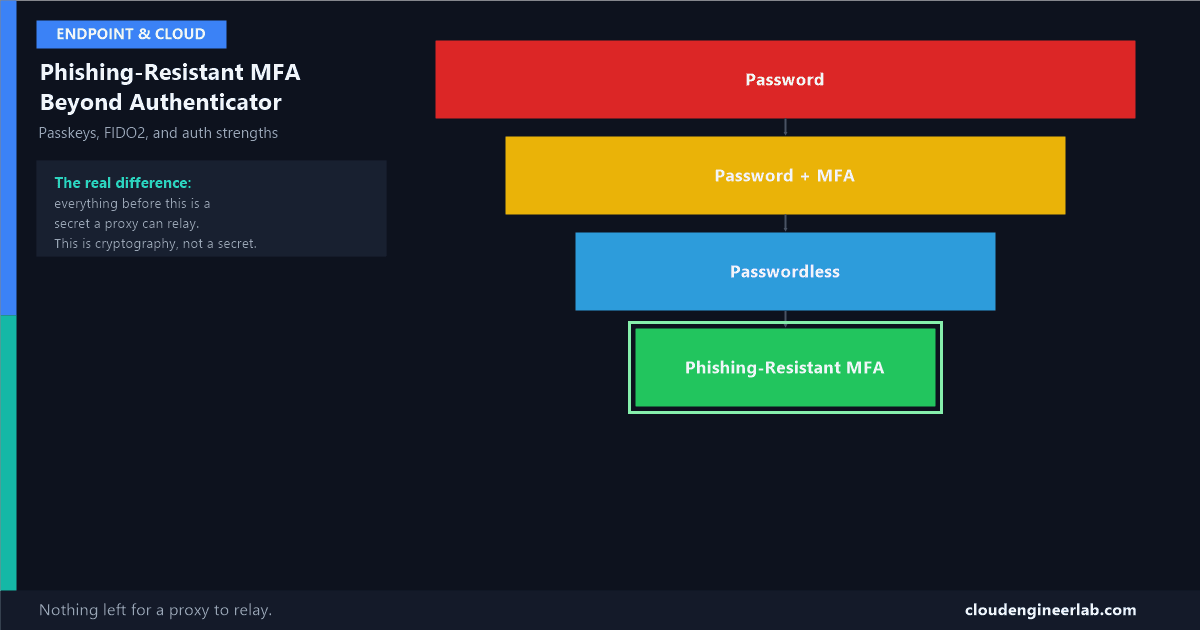
Password
   ↓
Password + MFA
   ↓
Passwordless
   ↓
Phishing Resistant MFA
The Four Stages, and What Changes at Each One
| Stage | What's being checked | What an AiTM proxy can still steal |
|---|---|---|
| Password | One shared secret, typed and transmitted | Everything, the secret itself |
| Password + MFA | The shared secret, plus a second factor that's also just relayed through the proxy | The password, and the live session the second factor approves |
| Passwordless | No password exists to relay, but the approval step (a number-match push, for instance) can still be relayed | The live session, if the approval mechanism itself can be proxied |
| Phishing-Resistant MFA | A cryptographic signature tied to the exact origin (domain) making the request | Nothing. The signature simply won't be produced for a proxy's domain |
The first three stages all share the same structural weakness: whatever's being checked, a password, a push approval, gets transmitted somewhere, and anything transmitted can be relayed by a proxy sitting in the middle. Phishing-resistant MFA is the first stage where nothing capable of being relayed ever gets involved at all.
How FIDO2 Actually Closes the Gap, at the Protocol Level
FIDO2 (built on the WebAuthn standard) doesn't send a code, a password, or an approval over the network for the relying party to check. It uses public-key cryptography, and the specific detail that matters is what gets bound together during registration.
Registration: a key pair is generated, scoped to one specific origin
When you register a FIDO2 key or passkey with login.microsoftonline.com, the device generates a brand-new public/private key pair specifically for that exact origin. The private key never leaves the device or security key, ever, not even during registration.
The public key is the only thing sent to the server
Entra ID stores the public key against your account. A public key is useless to an attacker without the matching private key, which was never transmitted anywhere.
Authentication: a challenge is signed, not transmitted as a secret
On sign-in, Entra ID sends a random cryptographic challenge. Your device signs that challenge with the private key and sends back only the signature, something that proves possession of the private key without ever revealing it.
The origin check happens inside the cryptographic ceremony itself
Here's the actual mechanism that defeats an AiTM proxy: the browser or platform authenticator includes the actual requesting origin as part of what gets signed. If a phishing page at login-microsoftonline-security.com relays the challenge to your device, your device signs it as belonging to that fake origin, not the real one Entra ID expects. The signature fails validation, not because anything looked suspicious to a human, but because the cryptography itself only produces a valid result for the origin it was actually registered against.
This is categorically different from 'stronger' MFA, not just more of it
Push notifications, SMS codes, and app-based codes are all bearer credentials, whoever has the code or approves the prompt gets in, regardless of where the request actually came from. FIDO2 credentials are origin-bound by cryptographic design. A proxy can relay a bearer credential perfectly. A proxy cannot make your device believe it's talking to a different origin than the one actually asking, because that check isn't a UI detail, it's baked into what gets mathematically signed.
Passkeys: Device-Bound vs Synced, and Why the Difference Matters for Enterprises
A passkey is the same FIDO2/WebAuthn credential described above, just with a more consumer-friendly name, and it comes in two forms that enterprises need to treat differently.
| Type | Where the private key lives | Enterprise implication |
|---|---|---|
| Device-bound passkey | Generated inside a specific piece of hardware (a FIDO2 security key, a TPM-backed platform authenticator) and never leaves it | Highest assurance: losing the device means the credential is genuinely gone, requiring a new one, not a weaker security posture, a real recovery event |
| Synced passkey | Generated on one device, then encrypted and synced across a user's other devices through a platform provider (a phone's cloud-backed credential manager, for example) | More convenient, works across a user's whole device ecosystem, but the private key now exists in more than one place, protected by that platform provider's own security model, not by hardware isolation alone |
Why some Conditional Access policies specifically exclude synced passkeys
For the highest-assurance scenarios, protecting Global Administrator accounts, satisfying a specific compliance requirement that mandates hardware-backed keys, a synced passkey's convenience is exactly the property that makes it a weaker fit. Entra ID's authentication strength configuration lets you require specifically device-bound authenticator attestation, excluding synced passkeys even though they're still technically FIDO2-based, when that stricter assurance genuinely matters.
Authentication Strengths: Enforcing This Through Conditional Access
The built-in authentication strengths, MFA, Passwordless MFA, and Phishing-resistant MFA, are covered as a quick-reference table here. What's worth going deeper on for an enterprise rollout is the custom authentication strength capability sitting underneath those three built-in presets.
Entra admin centre → Protection → Authentication methods → Authentication strengths
Alongside the three built-in strengths, you can build a custom authentication strength that names the exact combination of methods you'll accept, down to specific FIDO2 key attestation requirements or specific certificate policies.
Reference it as a grant control in Conditional Access, not a flat 'Require MFA'
A Conditional Access policy's grant control can point at a specific authentication strength by name, "Phishing-resistant MFA" or a custom one, rather than the generic MFA requirement that would happily accept a push notification.
Scope the strictest strength to the accounts that actually need it first
Global Administrators and other high-privilege roles are the correct starting scope. The full policy pattern, CA003 and CA007 in the baseline guide, is here, and the broader field guide covers where phishing-resistant MFA fits among the other named policies worth deploying.
The Enterprise Rollout Reality
Procure and register at least two keys per user in the initial scope
A single hardware key with no backup is a real lockout risk, lost key, damaged key, forgotten at home. Two registered keys, or a key plus a registered platform authenticator, is the practical minimum.
Keep break-glass accounts on physical keys specifically, not synced passkeys
The break-glass account prerequisite covered in the hands-on Conditional Access guide becomes even more important once phishing-resistant MFA is enforced broadly: these accounts need the highest-assurance credential type precisely because they're the recovery path if something else goes wrong.
Roll out to admin roles first, general staff second
The cost and logistics of hardware keys for an entire workforce is real. Protecting the accounts that can do the most damage first, then expanding toward broader passkey adoption (which carries much lower logistics overhead since it uses hardware most users already own), is the realistic sequencing for most organisations.
Audit sign-in logs for the authentication strength actually satisfied, not just whether MFA passed
A sign-in log entry showing "MFA satisfied" doesn't tell you which rung of the ladder was actually used. Filter specifically for the authentication strength claim to confirm phishing-resistant policies are being met the way you intended, not falling back to a weaker method somewhere in the flow.
Summary
The one idea worth keeping
Every stage before phishing-resistant MFA relies on transmitting something, a password, a code, an approval, that a proxy sitting in the middle can relay perfectly, because from the real service's point of view, a relayed genuine credential looks exactly like the real thing. Phishing-resistant MFA is the first stage where the check itself is bound to the origin making the request, at the cryptographic level, which means there's nothing left for a proxy to relay that would actually work. That's not a stronger version of MFA. It's a structurally different kind of check.
Has your organisation started requiring device-bound FIDO2 keys or passkeys for admin roles yet? What was the actual rollout friction, procurement, user pushback, lost-key recovery? Drop a comment, the logistics side of this tends to matter more in practice than the cryptography does.

Written by
Chetan Yamger
Cloud Engineer · AI Automation Architect · Modern Workplace Consultant
Cloud Engineer, AI Automation Architect, and Modern Workplace Consultant based in Amsterdam, Netherlands. Specializing in scalable, secure enterprise solutions with Microsoft Azure, Intune, PowerShell, and AI-driven automation using ChatGPT, Gemini, and modern LLM technologies.
Stay in the loop.
New articles, straight to you.
Deep-dive technical articles on Intune, PowerShell, and AI — no noise, no spam.
Discussion
Share your thoughts — your email stays private
Leave a comment