
Microsoft 365 Automation Architecture: Where PowerShell, Graph, Azure Functions and Logic Apps Fit
The real question isn't whether to automate M365, it's where the automation should actually run. Four options, four genuinely different jobs, easy to pick the wrong one.
I've written a lot on this site about automating Microsoft 365 and Intune with PowerShell and Graph. Almost none of it addressed a question that matters just as much as the script itself: where does this actually run once you're done writing it? A script sitting on your laptop, a scheduled Azure Automation Runbook, an Azure Function, and a Logic App can all technically call the same Graph endpoint. They are not interchangeable, and picking the wrong one is a common, quiet source of automation that works in testing and quietly stops working in production.
The Four Tiers
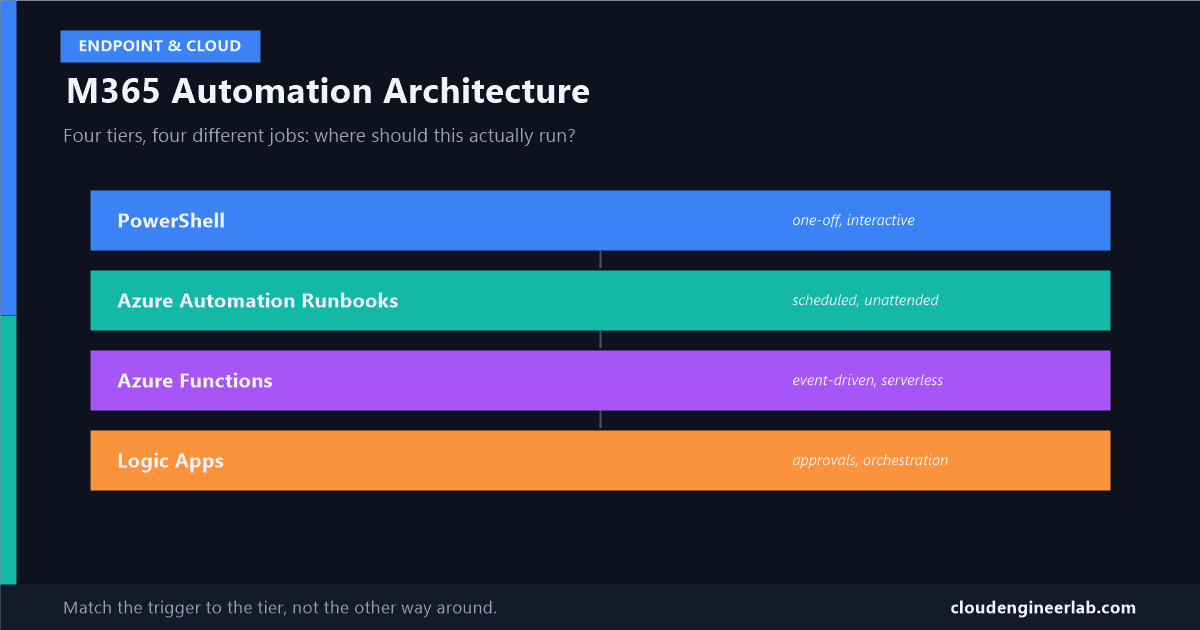
| Tier | What it actually is | Best fit |
|---|---|---|
| PowerShell | A script, run by a person or a local scheduled task | One-off tasks, testing, anything a human is watching |
| Azure Automation Runbooks | PowerShell (or Python) running unattended in Azure, on a schedule or webhook | Scheduled jobs that need real script logic and no server to maintain |
| Azure Functions | Serverless, event-driven compute in any supported language | Reacting instantly to something happening, not waiting for a schedule |
| Logic Apps | A low-code, connector-driven workflow designer | Multi-system orchestration, approvals, business users need to see the flow |
Each one exists because the others genuinely don't fit its job well. Here's why, one at a time.
PowerShell: Where Everything Starts
This is the tier this whole site's automation series has focused on: a reusable framework with proper auth, retry, and logging, a cookbook of real tasks, and the maturity ladder a script climbs to become production-ready. All of that is genuinely necessary groundwork. None of it answers where the script actually lives once it's done.
PowerShell is a language, not a hosting decision
A hardened, production-ready script still needs somewhere to run unattended. That's what the next three tiers actually are: three different answers to "where does this script live now."
Azure Automation Runbooks: The Natural Next Step
This is usually the first stop once a script needs to run without a human present. A Runbook is that same PowerShell script, running on a schedule or in response to a webhook, in Azure, with no VM for you to patch or maintain. Authentication works exactly the way I've covered for managed identities, no secret to rotate, no certificate to manage.
Runbooks run in a sandbox, and that sandbox has real limits
I ran into this directly designing a zero-touch packaging pipeline: the Win32 Content Prep Tool cannot execute inside an Azure Automation sandbox at all. Runbooks are genuinely excellent for pure Graph and Microsoft Graph PowerShell SDK work. The moment your script needs to shell out to an external tool that assumes a real, unrestricted Windows environment, the sandbox becomes the reason to look elsewhere, usually a self-hosted hybrid worker or one of the tiers below.
Azure Functions: When the Trigger Is an Event, Not a Clock
This is the tier people reach for when the actual requirement isn't "run this every night," it's "run this the instant something happens": a new row in a database, a message landing in a queue, an HTTP call from another system. Functions support PowerShell directly, alongside C#, Python, and others, and scale automatically with the number of events firing.
The real numbers matter here, and they're easy to get burned by:
| Setting | Value |
|---|---|
| Default timeout, Consumption plan | 5 minutes |
Maximum timeout, Consumption plan (functionTimeout in host.json) | 10 minutes |
| Hard ceiling for HTTP-triggered functions, any plan | 230 seconds, an Azure Load Balancer limit, not a Functions setting |
| Need longer than that | Premium plan, dedicated resources, no default ceiling |
230 seconds applies even if you configured a longer timeout
Raising functionTimeout to 10 minutes does nothing for an HTTP-triggered function if the caller is waiting on the response, the underlying load balancer disconnects at 230 seconds regardless. If a Graph operation genuinely takes longer than that, trigger it asynchronously (a queue message, not a synchronous HTTP call) rather than fighting the timeout directly.
For PowerShell specifically, -AsJob on cmdlets that support it lets a Function parallelise multiple Graph calls within its own execution window instead of running them strictly sequentially, useful when a single event needs to touch several objects at once.
Logic Apps: When People, Not Just Systems, Are Part of the Flow
Logic Apps is a genuinely different tool, not just a no-code version of a Function. It's a visual, connector-driven workflow designer with over 200 prebuilt connectors, and it's the right choice specifically when a workflow needs to wait on a human, an approval step, a review, someone confirming an exception, or coordinate several different systems in a way that's easier to see as a diagram than read as code.
Logic Apps has the same honest Graph gap as everything else
Dedicated connectors exist for pieces of Entra ID, Office 365 Users, and SharePoint, but they don't cover the full surface of Microsoft Graph, the same coverage gap I've written about for Exchange specifically. When a dedicated connector doesn't have the action you need, Logic Apps' built-in HTTP connector can call any Graph endpoint directly, the same way a script would, just configured visually instead of written as a cmdlet.
One real, structural limitation worth planning around: Logic Apps is cloud-first and cannot reach on-premises resources directly. If a workflow needs to touch an on-prem system, that step needs an on-premises data gateway or a different tier entirely.
The Decision Framework
Is a human going to run this once, or watch it happen?
PowerShell, run interactively. Don't build infrastructure for a task that only ever happens once.
Does it need to run unattended, on a schedule, with real script logic?
Azure Automation Runbook, as long as it's pure Graph/PowerShell work that doesn't need an external tool the sandbox can't run.
Does it need to react the instant something happens, not wait for a schedule?
Azure Function, sized to its actual runtime, async pattern if a single Graph operation might run long.
Does it involve approvals, multiple systems, or people who need to see the workflow, not just trust it exists?
Logic App, with the built-in HTTP connector filling in wherever a dedicated connector doesn't reach.
A Worked Example Using All Four
A real new-hire onboarding pipeline, end to end, rarely lives in just one of these tiers:
Four tiers, each one doing the specific job it's actually good at. Building this entire pipeline as one Azure Function would mean fighting the timeout on the approval wait. Building it entirely as a Logic App would mean pushing complex Graph logic into a visual designer that fights back once the logic gets non-trivial. Building it entirely as PowerShell scripts would mean someone manually watching for the HR webhook because nothing was actually listening for it.
Choosing the Right Tier Is the Architecture Decision
The script quality, the auth pattern, the retry logic, all the mechanics covered elsewhere in this series, matter just as much regardless of which tier hosts the final result. But a perfectly hardened script deployed to the wrong tier still fails, just later, and more confusingly, than a mediocre script deployed to the right one. Match the trigger shape, schedule, event, or human approval, to the tier built for it, and the rest of the engineering actually gets to matter.
Which tier does most of your own M365 automation actually live in? I'd guess Automation Runbooks are still the default for most teams, mainly because it's the one people learn first, not necessarily because it's the right fit for every job. Drop a comment below with yours.

Written by
Chetan Yamger
Cloud Engineer · AI Automation Architect · Modern Workplace Consultant
Cloud Engineer, AI Automation Architect, and Modern Workplace Consultant based in Amsterdam, Netherlands. Specializing in scalable, secure enterprise solutions with Microsoft Azure, Intune, PowerShell, and AI-driven automation using ChatGPT, Gemini, and modern LLM technologies.
Stay in the loop.
New articles, straight to you.
Deep-dive technical articles on Intune, PowerShell, and AI — no noise, no spam.
Discussion
Share your thoughts — your email stays private
Leave a comment