
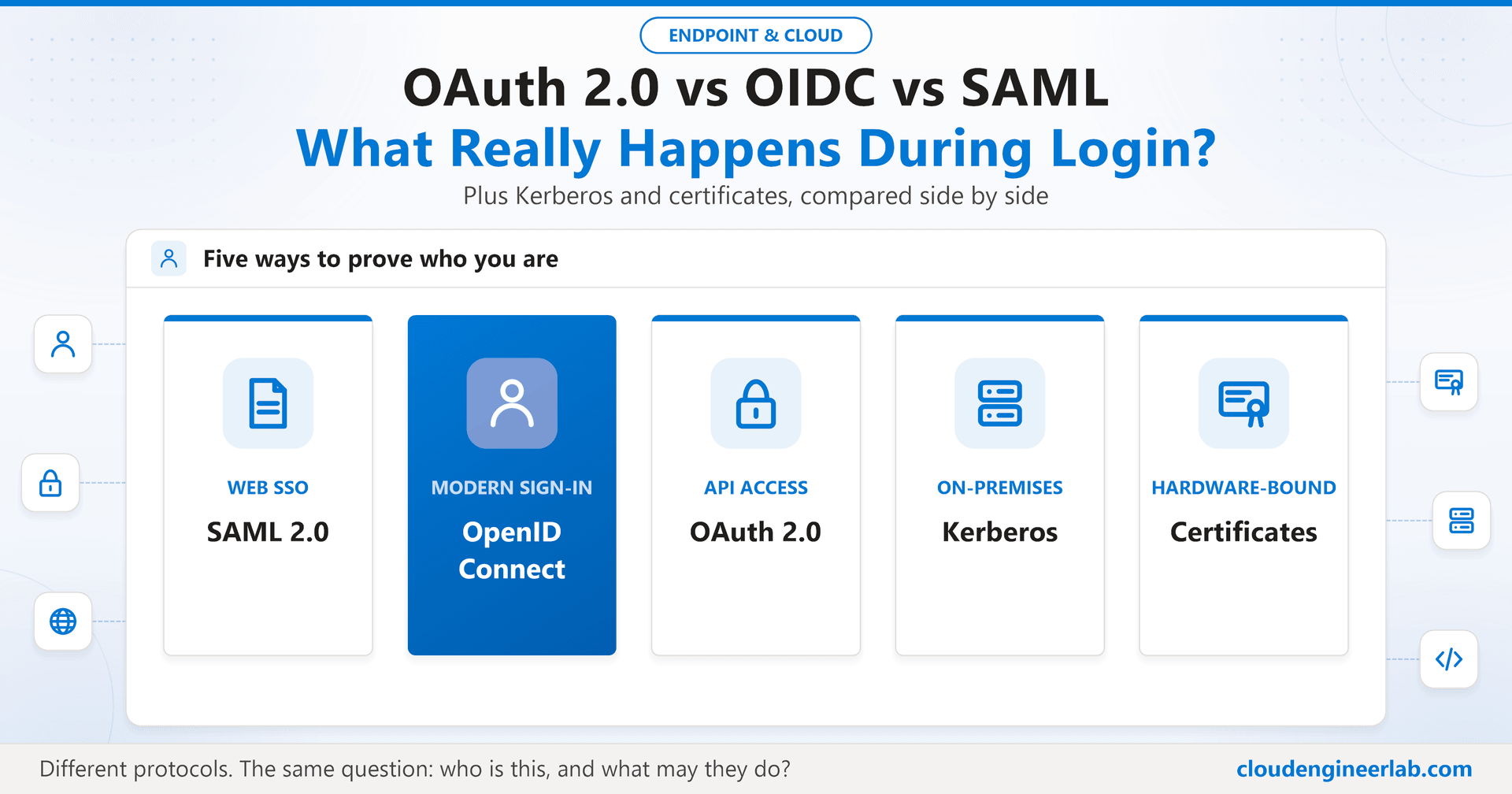
OAuth 2.0 vs OpenID Connect vs SAML: What Really Happens During Login?
Step through a real login with SAML, OpenID Connect and OAuth 2.0, then compare them with Kerberos and certificate authentication, and learn which to use when.
You click "Sign in with Microsoft", type nothing, and you're in. In those two seconds, your browser was bounced between two or three different systems, a signed document was created about you, and an application decided to trust it without ever seeing your password.
Which signed document, created how, and trusted why, depends on the protocol. This post walks through what really happens during a login with SAML, OpenID Connect and OAuth 2.0, then puts them side by side with the two older, very different approaches you'll still meet in most enterprises: Kerberos and certificate authentication.
The Shape Every Modern Login Shares
Strip away the protocol names and almost every modern sign-in has the same shape:
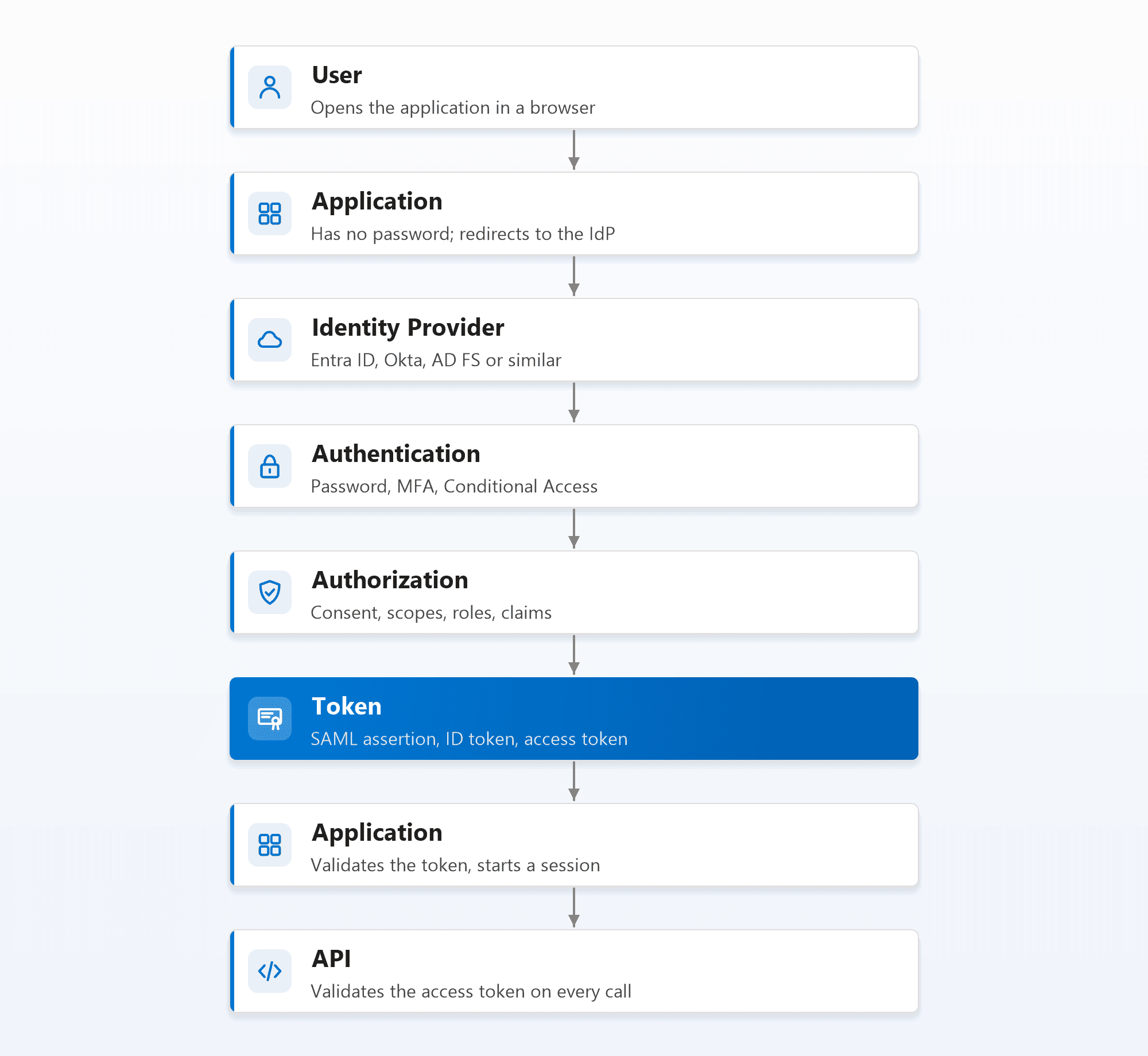
The key idea is separation of duties:
- The identity provider (IdP), such as Microsoft Entra ID, Okta or AD FS, is the only thing that sees the user's credentials. This is where the password check, MFA and Conditional Access happen.
- The application never handles a password. It receives a token, a signed statement from the IdP, and trusts it because it trusts the IdP's signature.
- The API, if there is one, receives yet another token, scoped to exactly what the caller is allowed to do.
The protocols differ in what the token looks like, how it travels, and what it's meant to prove.
SAML 2.0: The Enterprise Web SSO Veteran
SAML (Security Assertion Markup Language) has been the backbone of enterprise single sign-on since the mid-2000s. The token is an XML assertion, signed by the IdP, and it travels through the user's browser.
What happens in a typical, application-initiated SAML login:
1. The user opens the application
In SAML terms the application is the service provider (SP). It sees no session, so it creates a SAML authentication request.
2. The browser is redirected to the IdP
The authentication request travels to the identity provider through the browser, usually as a redirect.
3. The IdP authenticates the user
Password, MFA, Conditional Access, all at the IdP. If the user already has an IdP session, this can be silent.
4. The IdP returns a signed assertion
The IdP builds an XML assertion (who the user is, plus attributes such as email and groups), signs it, and has the browser POST it to the application's Assertion Consumer Service URL.
5. The application validates and creates a session
It checks the signature, the audience (this assertion is for this application), the time window, and that it answers the request it sent. Then it creates its own session cookie.
What SAML is good at: browser-based single sign-on to enterprise web apps, especially established SaaS products.
What it isn't built for: APIs, mobile apps and single-page apps. A SAML assertion is a one-time proof for a browser login, not an access token you send to an API.
Where it breaks: XML signature validation is notoriously easy to get subtly wrong, and "signature wrapping" attacks exploit applications that check a signature but not that it covers the assertion they actually use. Use a mature SAML library, never a hand-written parser, and plan for the IdP's signing certificate rolling over.
OpenID Connect: Modern Sign-In
OpenID Connect (OIDC) is the modern answer to the same question SAML answers: who is this user? It is built as a thin identity layer on top of OAuth 2.0, uses JSON instead of XML, and works for web apps, single-page apps, mobile apps and native apps alike.
The token that proves identity is the ID token, a signed JWT. The recommended flow is the authorization code flow with PKCE:
1. The application redirects to the IdP
It asks for the openid scope (plus profile, email as needed), includes a random state value, a nonce, and a PKCE code_challenge derived from a secret only the app knows.
2. The user authenticates at the IdP
Exactly as with SAML: password, MFA and Conditional Access are evaluated here, not in the application.
3. The IdP redirects back with a short-lived code
Not a token, just a one-time authorization code, plus the same state so the app can confirm the response belongs to its own request.
4. The application exchanges the code for tokens
It calls the IdP's token endpoint directly (not through the browser), sending the code and the PKCE code_verifier. Only the app that started the flow can complete it.
5. The application receives and validates the tokens
An ID token (who the user is), an access token (to call APIs), and often a refresh token. The app validates the ID token's signature, issuer, audience, expiry and nonce, then starts its session.
Why the extra code step? Tokens never appear in the browser's address bar or history, and PKCE means a stolen code is useless to anyone else. The older implicit flow, which returned tokens straight in the URL, is deprecated for exactly this reason.
OAuth 2.0: Authorization, Not Authentication
This is the most misunderstood of the three. OAuth 2.0 is not a login protocol. It's a protocol for delegated access: letting an application call an API on someone's behalf, with limited permissions called scopes.
The result of an OAuth flow is an access token, meant for an API, not for the application to learn who the user is. Using a bare access token to decide "who logged in" is the classic mistake OIDC was created to fix.
The flows you'll meet:
| Flow | Who it's for | What happens |
|---|---|---|
| Authorization code + PKCE | Apps acting for a signed-in user | The same steps as OIDC above, with API scopes instead of (or as well as) openid |
| Client credentials | Services acting as themselves | The service authenticates with its own secret or certificate and gets a token, no user involved |
| Device code | Devices with no browser or keyboard (TVs, CLI tools) | The device shows a code; the user enters it on another device to approve |
| Refresh token | Keeping access without signing in again | A long-lived token exchanged for new short-lived access tokens |
The device code flow is a phishing favourite
Attackers send victims a legitimate Microsoft device code and a convincing reason to enter it. The victim signs in on the real Microsoft page, with real MFA, and unknowingly authorises the attacker's session. If your users don't need the device code flow, block it with Conditional Access's authentication flows condition.
For how the resulting access tokens should be stored and validated by your apps and APIs, see what happens between the browser and the API.
Kerberos: The On-Premises Ticket System
Long before any of the web protocols, Windows networks used Kerberos, and every Active Directory domain still does. It works on a completely different model: tickets issued by a central Key Distribution Center (the domain controller), with no browser redirects at all.
1. Sign in to Windows
The device proves the user's identity to a domain controller and receives a ticket-granting ticket (TGT). The password itself never crosses the network.
2. Access a resource
When the user opens a file share or an internal web app, Windows presents the TGT to the domain controller and asks for a service ticket for that specific service.
3. Present the service ticket
The service ticket is encrypted with a key only that service (and the domain controller) knows. The service decrypts it and knows who the user is, without contacting the domain controller.
That's why on-premises single sign-on "just works" on a domain-joined machine: the tickets were obtained silently at Windows sign-in.
Where it breaks:
- Kerberoasting. Any domain user can request a service ticket for a service account; if that account has a weak password, the ticket can be cracked offline. Use group managed service accounts or long random passwords, and prefer AES encryption.
- Pass-the-ticket and golden tickets. Stolen tickets can be replayed, and an attacker who compromises the
krbtgtaccount can forge any ticket. This is why Credential Guard and the LSASS ASR rule matter so much. - Clock skew. Tickets are time-stamped, so devices more than a few minutes out of sync with the domain fail to authenticate.
Kerberos also reaches into the cloud now: Microsoft Entra Kerberos lets cloud-native Windows devices get Kerberos tickets for resources such as Azure Files, and underpins Windows Hello for Business cloud Kerberos trust.
Certificate Authentication: Proof by Private Key
Certificate authentication proves identity by showing possession of a private key, matched to a certificate issued by a trusted CA. There's no password and no shared secret: the key signs a challenge, and the other side verifies the signature against the certificate.
You'll find it in several places:
- Device authentication to Wi-Fi and VPN through EAP-TLS, covered end to end in certificate-based authentication with Intune.
- Smart cards and Microsoft Entra certificate-based authentication, signing users in with a certificate instead of a password.
- Mutual TLS between services and APIs.
- Under the hood of Windows Hello for Business and passkeys, which use the same private-key principle.
Because the private key never leaves the device (and ideally lives in the TPM), certificate-based methods are phishing-resistant: there is no secret a fake login page can collect. That's the same reason phishing-resistant MFA is built on them.
Side by Side
| SAML 2.0 | OpenID Connect | OAuth 2.0 | Kerberos | Certificates | |
|---|---|---|---|---|---|
| Purpose | Authentication (SSO) | Authentication | Authorization (delegated access) | Authentication | Authentication |
| Proof format | Signed XML assertion | Signed JWT (ID token) | Access token (often a JWT) | Encrypted tickets | Signature with a private key |
| How it travels | Browser redirects and POST | Browser redirect, then direct token call | Varies by flow | Directly with the domain controller | TLS or EAP handshake |
| Typical use | Enterprise SaaS web SSO | Modern web, mobile and native apps | APIs and service-to-service | On-premises Windows resources | Devices, networks, high-assurance users |
| Works for APIs | No | ID token no; issues access tokens for them | Yes, its whole purpose | Some on-premises services | Yes, via mutual TLS |
| Phishing resistance | Depends on how the IdP authenticates | Depends on how the IdP authenticates | Depends on how the IdP authenticates | No browser involved; ticket theft is the risk | Strong, no secret to steal |
| Main pitfall | Weak signature validation | Skipping ID token validation | Treating access as identity; device code phishing | Kerberoasting, ticket theft | Revocation and lifecycle |
The protocol doesn't make the login strong
SAML, OIDC and OAuth all hand off authentication to the identity provider. Whether a login is protected against phishing depends on how the IdP authenticates the user, not on the protocol carrying the result. A SAML login backed by passkeys is far stronger than an OIDC login backed by a password alone.
Which Should You Use?
Building a new application with user sign-in
Use OpenID Connect with the authorization code flow and PKCE. It works for every app type, and your identity provider supports it out of the box.
Your application needs to call an API
Use OAuth 2.0 access tokens, scoped to exactly what the app needs. Use client credentials for service-to-service calls, preferably with a certificate or managed identity rather than a secret.
Connecting an existing SaaS product for single sign-on
Use whatever the product supports best. Many still offer SAML only, which is fine for browser SSO. Prefer OIDC when both are available.
On-premises Windows resources
Kerberos remains the right answer inside Active Directory. Protect it: managed service accounts, Credential Guard, and monitoring for Kerberoasting.
Devices, networks and the highest-assurance users
Use certificates: EAP-TLS for Wi-Fi and VPN, certificate-based authentication or passkeys for users who need phishing-resistant sign-in.
And one rule that applies to all of them: never build your own. Every protocol here has well-tested libraries and platform support. The vulnerabilities in real systems almost always come from custom code that validates tokens, signatures or tickets incompletely.
Summary
Every modern login follows the same idea: the identity provider authenticates the user, and everything else trusts a signed token instead of a password.
- SAML: signed XML assertions for browser SSO, still everywhere in enterprise SaaS.
- OpenID Connect: the same job done the modern way, with JWT ID tokens and the authorization code flow with PKCE.
- OAuth 2.0: not about identity at all. It's about letting applications call APIs with limited permissions.
- Kerberos: the silent ticket system behind on-premises Windows single sign-on.
- Certificates: prove identity with a private key, the basis of most phishing-resistant authentication.
Understanding which one you're looking at tells you what the token proves, where it can be stolen, and what has to be validated. For most new work, the answer is OIDC for sign-in, OAuth for APIs, and the strongest authentication method your identity provider can enforce in front of both.

Written by
Chetan Yamger
Cloud Engineer · AI Automation Architect · Modern Workplace Consultant
Cloud Engineer, AI Automation Architect, and Modern Workplace Consultant based in Amsterdam, Netherlands. Specializing in scalable, secure enterprise solutions with Microsoft Azure, Intune, PowerShell, and AI-driven automation using ChatGPT, Gemini, and modern LLM technologies.
Stay in the loop.
New articles, straight to you.
Deep-dive technical articles on Intune, PowerShell, and AI — no noise, no spam.
Discussion
Share your thoughts — your email stays private
Leave a comment